Participant
July 28, 2025
Question

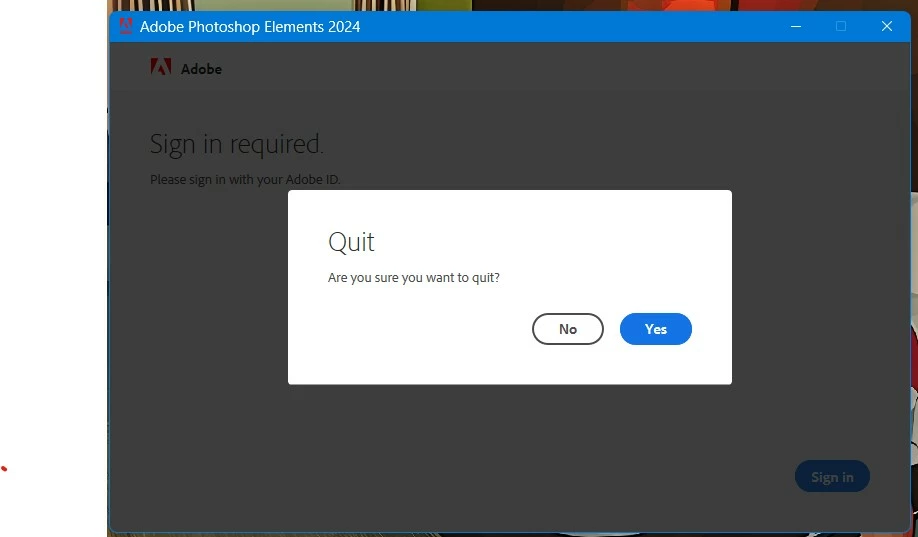
Being Asked to Sign-in EVERYTIME I open PSE 2024

  • July 28, 2025
  • 2 replies
  • 155 views

After all these many years (15+) I'm now being asked to sign-in each times I open PSE - why? 
2 replies

Glenn 8675309
Legend
July 28, 2025
Photoshop Elements repeatedly asking you to sign in can be due to several reasons, including antivirus software interfering with license files, issues with the Creative Cloud desktop app, or problems with Windows Management Instrumentation (WMI) service. To resolve this, you can try updating the Creative Cloud app, ensuring the WMI service is running, and checking for Adobe-related entries in your system's credential manager or keychain access. 
 
Here's a more detailed breakdown of potential solutions:
  • Antivirus software might be deleting or blocking Adobe license files, causing the sign-in loop. 
     
  • Solution: Temporarily disable your antivirus software and see if the issue resolves. If it does, add the Adobe files and folders to your antivirus's whitelist. 
     
  • Windows: Look for Adobe App Info and Adobe User Info entries in Windows Credentials (search for "Credential Manager"). 
     
  • macOS: Check for Adobe App Info and Adobe User Info in Secure Notes within Keychain Access (search for "Keychain Access"). 
     
  • An outdated or malfunctioning Creative Cloud desktop app can also cause repeated sign-in prompts. 
     
  • Solution: Update the Creative Cloud app to the latest version (check under Help > About Creative Cloud). 
     
  • Solution: If updating doesn't help, try logging out and back into the Creative Cloud app. 
     
  • Solution: Consider using Adobe CC Cleaner Tool to remove existing credentials and then sign back in. 
     
  • The WMI service is crucial for managing sign-in credentials for Creative Cloud apps.
  • Solution: Ensure the winmgmt service is running. You can check this in the Services app (search for "services.msc"). 
     
4. Other Potential Solutions:
  • Serial Number Issues: Ensure your serial number is valid and registered with your Adobe account. 
     
  • Incorrect Sign-in: Double-check your Adobe ID and password. 
     
  • Offline Use: If you're using Photoshop Elements offline, you may need to periodically go online to verify your license. 
Peru Bob
Community Expert
Community Expert
July 28, 2025

Are you running any optimization software that might be removing the licensing information?
