
Answered
Bizarre coloring in RAW files after updating to latest Camera Raw, now
I had hoped that applying the latest updates to Photoshop Elements 18 might fix a problem I was having with Camera Raw's rendering of my Lumix RW2 files. The update installed Camera Raw 10.30.933. Instead of fixing the issue I was having, the following appeared when I opened one of my files:
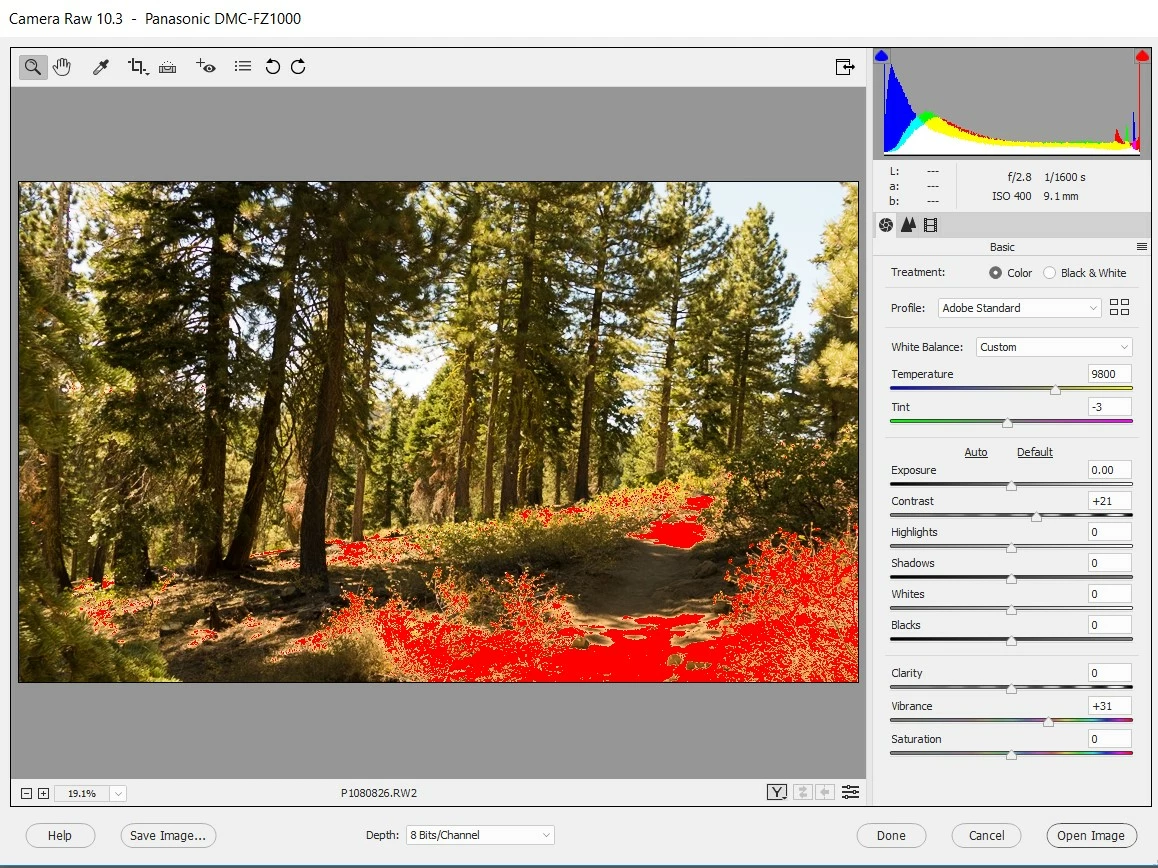
I'm completely at a loss here. Where is the red coming from? (Another RAW file I opened had brilliant blue flashes.) What do I do next? Reinstall? If I have to reinstall, will I lose all the updates to my PSE Organizer? Call Adobe (I'm still within 90 days of my purchase date.) Everything was fine until three days ago. I made no other changes or updates to PSE 18 or my computer. (Did Adobe, in the background? How would I check that?)
 AdChoices