
Answered
border of object
how to merge two images of different sizes

how to merge two images of different sizes
How do you want to merge them? Side by side or one within the other?
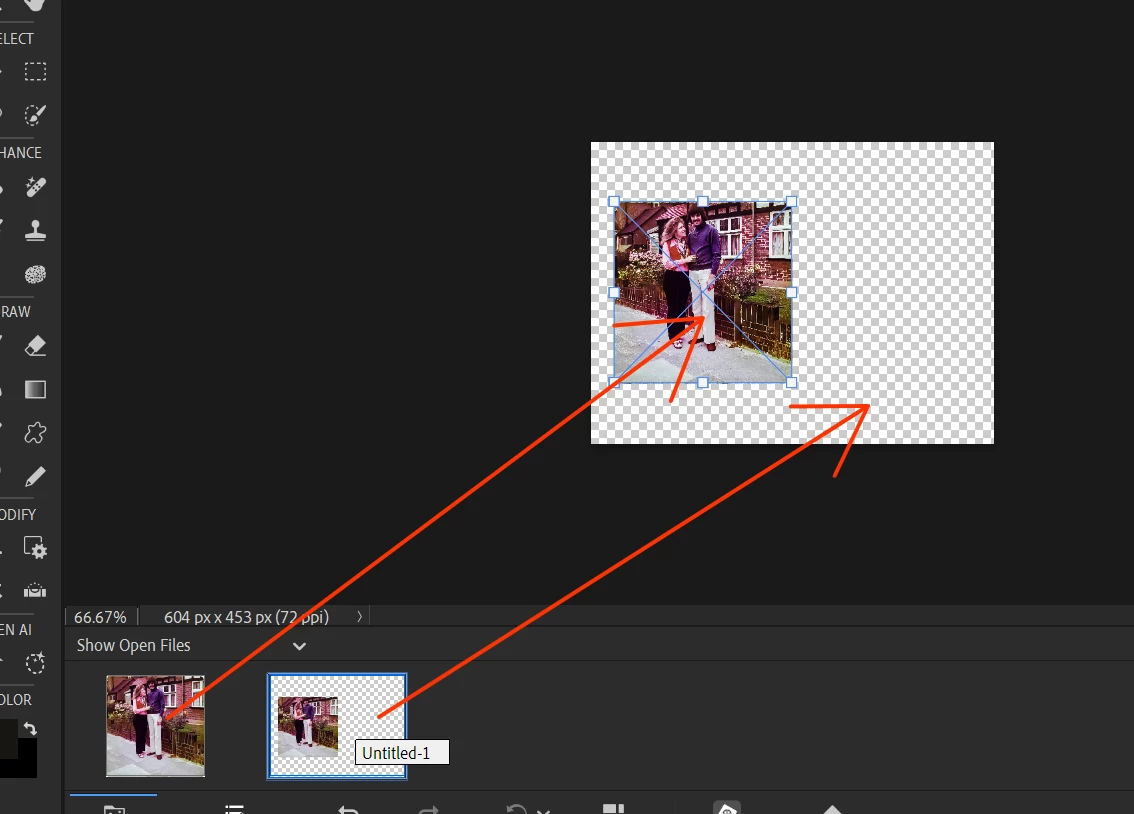
Essentially, all you need do is open both images in the Editor and click and drag one of the images from the photo bin to the other one that is open in the work space. You can then use the handles of each layer to resize and move the images about. If you need more information, please explain what you are trying to do.
In the following screenshot, I have created a new blank file and dragged the photo up to it and resized it.
Already have an account? Login
Enter your E-mail address. We'll send you an e-mail with instructions to reset your password.


 AdChoices