
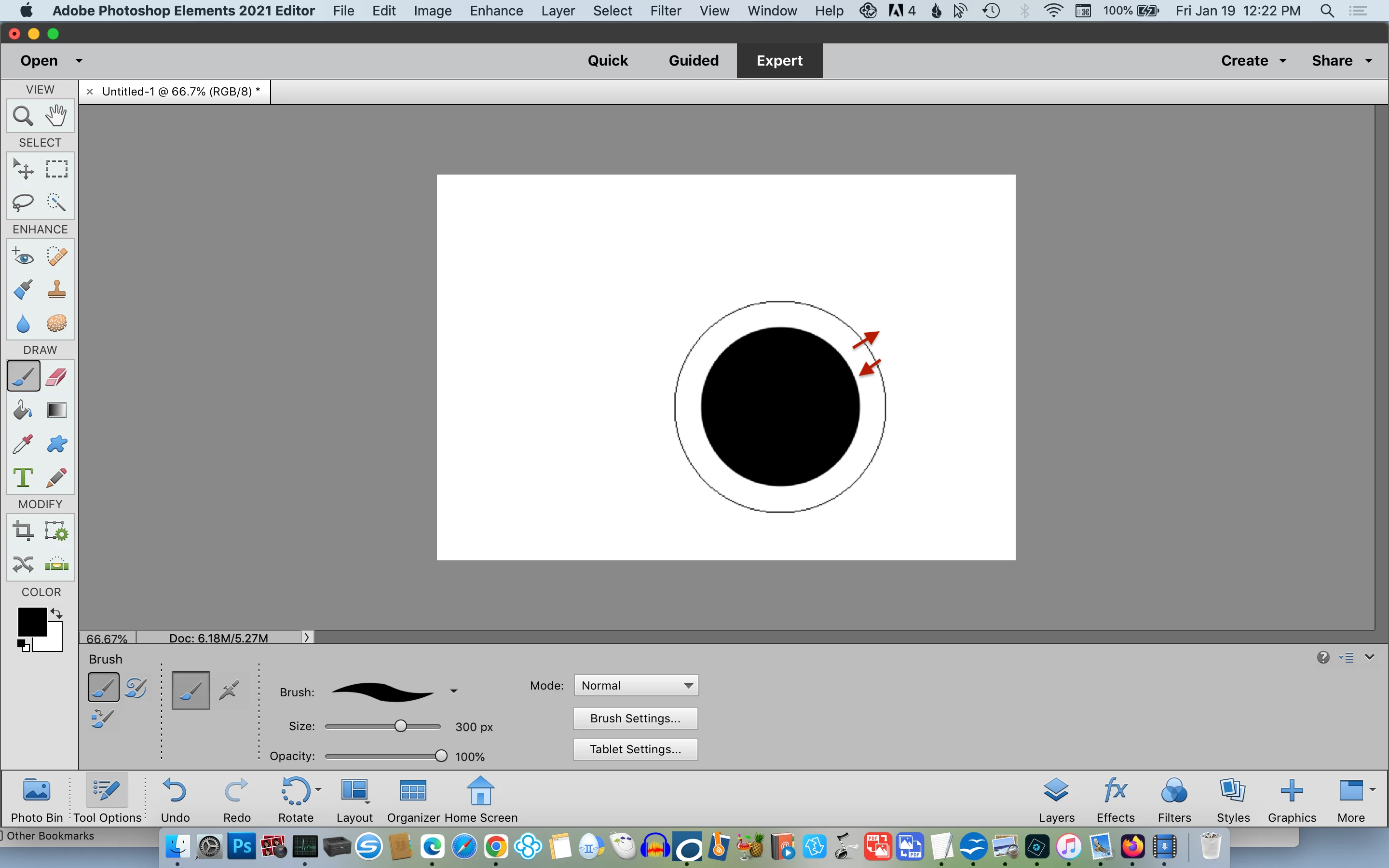
Brush outline guide doesn't match painting area.
[UPDATE SOLUTION FOUND: Inside the MAC system preferences under the 'accessibility' settings, my cursor size was a tiny bit larger than normal.] Original Post: I'm having problems with the brush (see black outline of a square brush). It only paints a small area inside the outline. They should be exactly the same. It's almost impossible if you are trying to paint along an edge of something. How do I fix this setting so the brush and what it paints are the exact same size? I've tried : every settings on Preferences-diplays and cursors, reloaded brushes with different sets, reset preferences on launch, adjusted every possible setting (hardness, etc) but it remains the same- where the outline is bigger than the paint area. I'm using a macbook pro and desktop with trackpad (not tablet-pen). It happens on all brushes.


 AdChoices