
Skirampus
Participant
May 10, 2014
Answered

Brush Tool using the wrong color - PSE 11

  • May 10, 2014
  • 1 reply
  • 18699 views

Basically, my brush tool is painting the wrong color. The pencil and paint bucket tool work just fine though, so I can't figure out what's wrong.
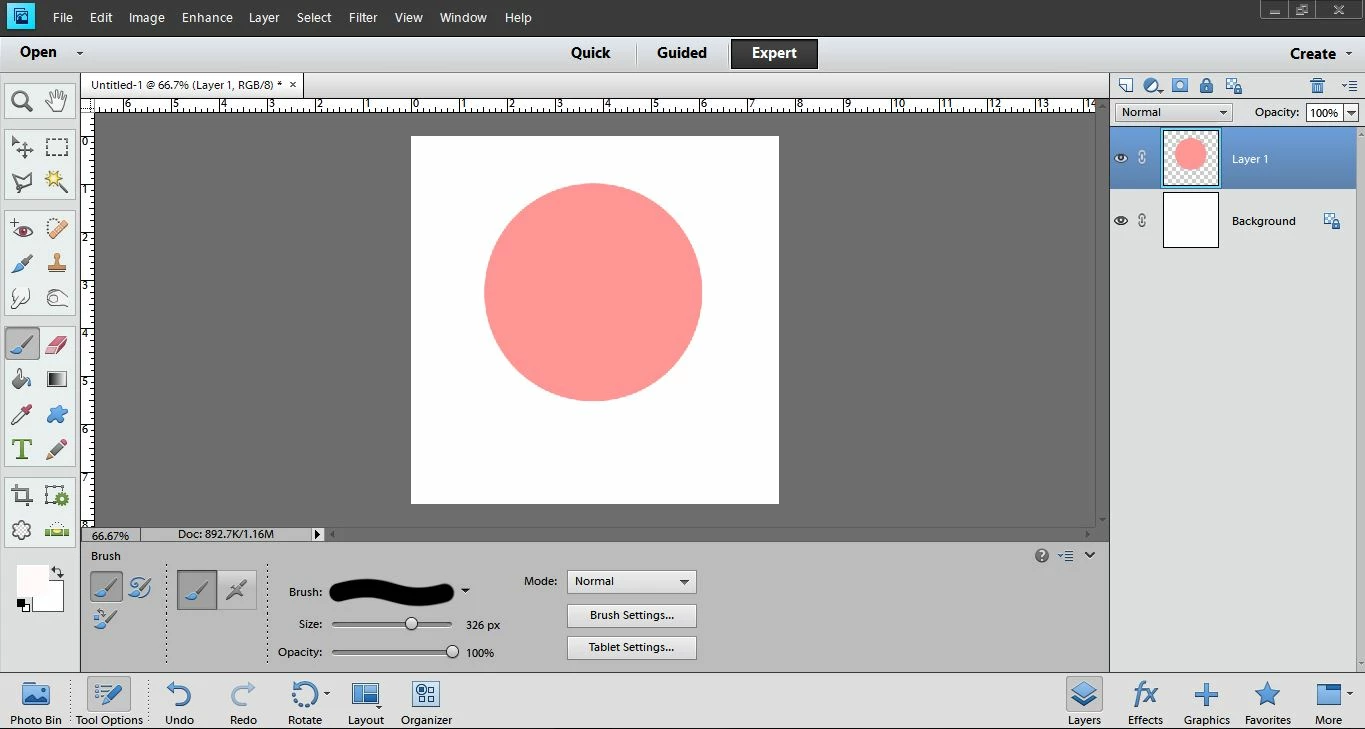
In this picture, I selected a pink color so light that's nearly white. When I try to paint with it, it comes out as a bright pink. If I change my current color to that color and try to paint again with that shade of pink, it will come out as a color even darker. My brush and layer modes are normal, brush settings are standard, and this happens no matter what file I paint on. I haven't found a solution and can't figure it out myself ... Any help is appreciated!
This topic has been closed for replies.
Correct answer Jeff Arola

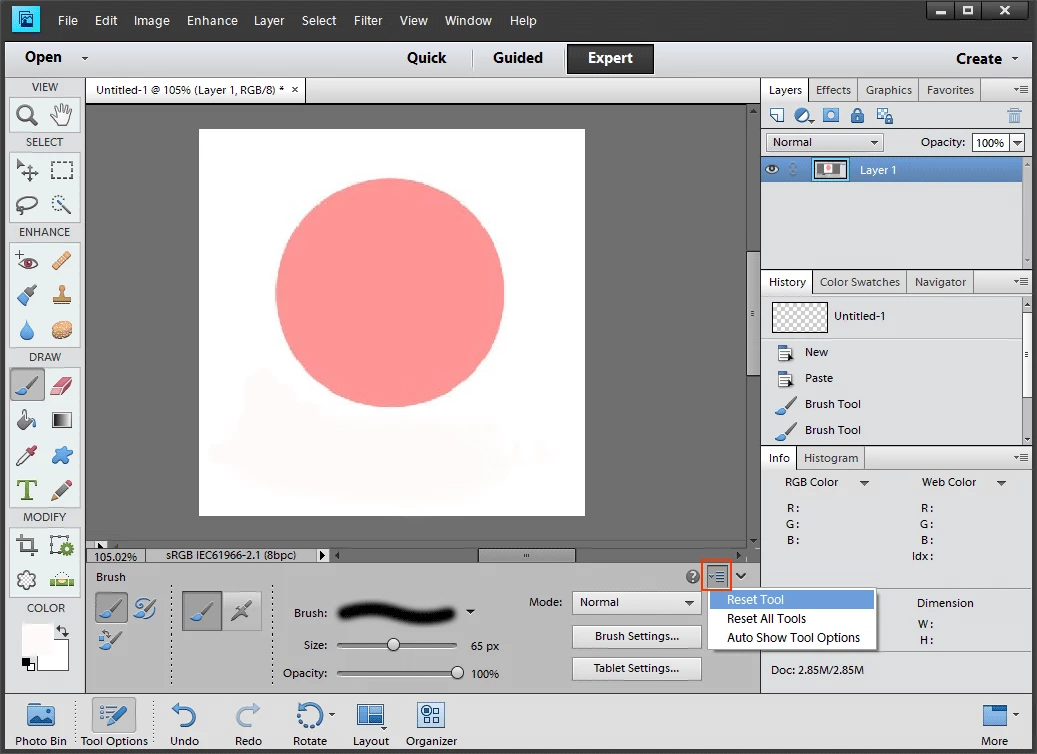
I'd first try resetting the Brush Tool by clicking on the icon just to the right of the question mark in the brush tool options and then click on Reset Tool

If that doesn't work then resetting the pse 11 preferences is the next step

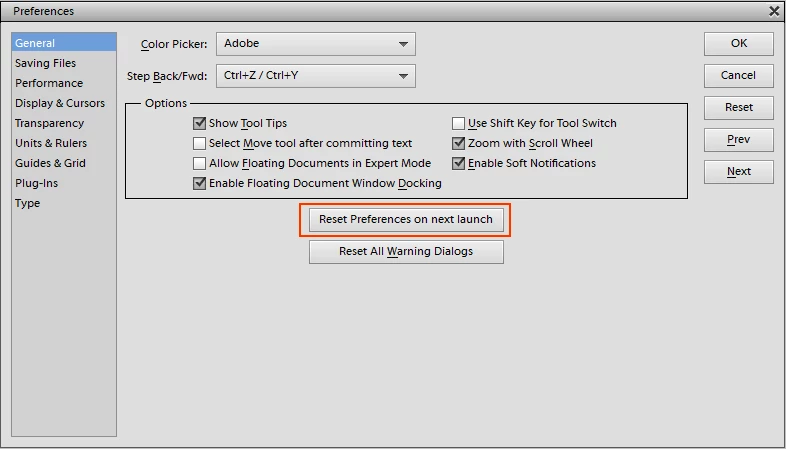
Go to Edit>Preferences>General and click on Reset Preferences on next launch, then restart pse 11

1 reply

Jeff Arola
Community Expert
Jeff ArolaCommunity ExpertCorrect answer
Community Expert
May 10, 2014

I'd first try resetting the Brush Tool by clicking on the icon just to the right of the question mark in the brush tool options and then click on Reset Tool

If that doesn't work then resetting the pse 11 preferences is the next step

Go to Edit>Preferences>General and click on Reset Preferences on next launch, then restart pse 11

Skirampus
SkirampusAuthor
Participant
May 11, 2014

Aha, resetting the brush didn't do anything, but resetting the preferences fixed it up. Thank you!