frankg73568200
Participant
November 13, 2017
Answered

Can I use user defined patterns in the Type Tool?

  • November 13, 2017
  • 1 reply
  • 405 views

I added a pattern using Edit> Define Pattern. When I select a pattern in either the Pattern Stamp Tool, or the Paint Bucket Pattern, my newly added pattern shows up in the list of values.

When I go to the Type Tool the new pattern does not show as an option.

Does anyone know if and hoe I can use a user defined pattern in the Type Tool?

Thanks in advance!
This topic has been closed for replies.
Correct answer Jeff Arola

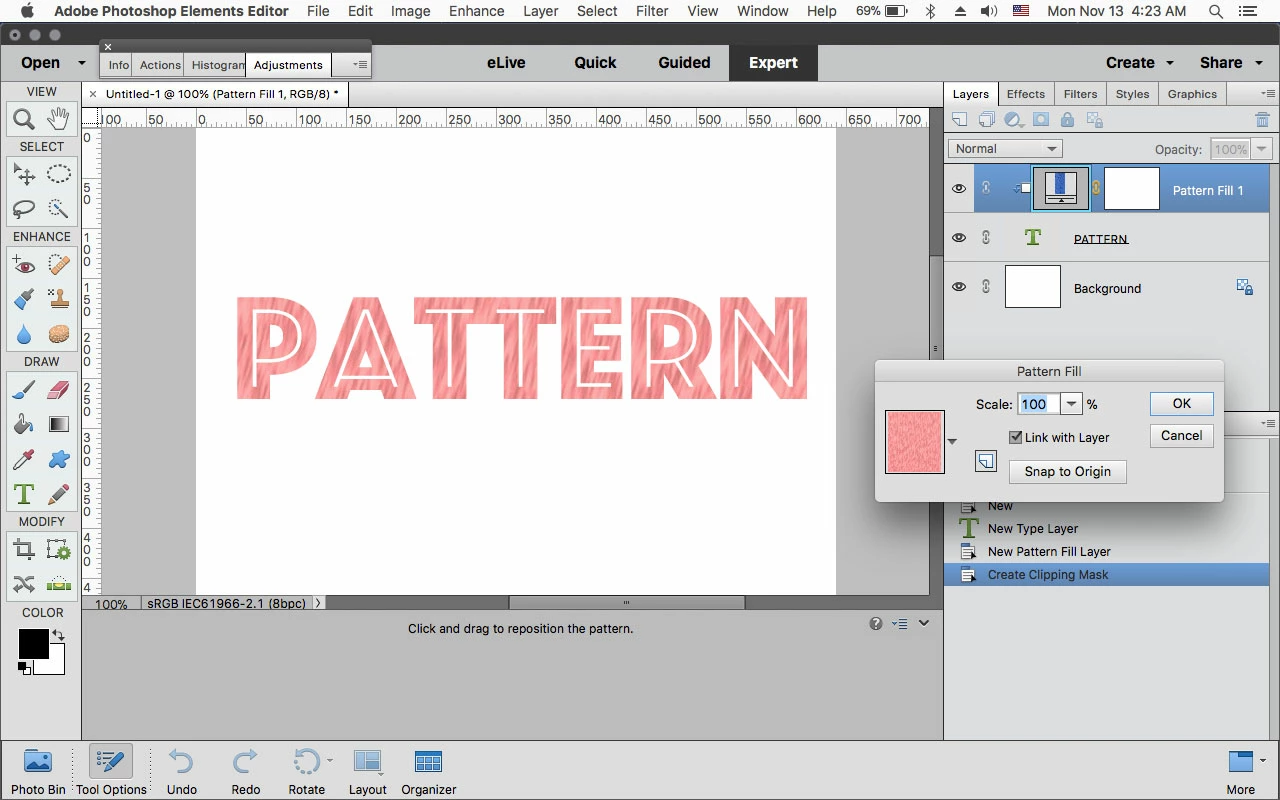
One way is to use a Pattern Fill Layer.

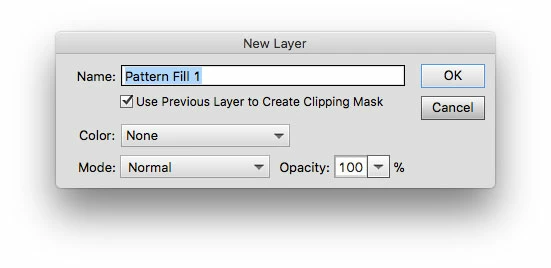
Put a Pattern Fill Layer above your text by going to Layer>New Fill Layer>Pattern and check Use Previous Layer to Create Clipping Mask and click OK.

A clipping mask permits only the text to be filled with a pattern instead of the whole document

In the next dialog you can choose the Pattern.

To change the pattern later, double click on the Pattern Fill Layer icon in the Layers Panel.

1 reply

Jeff Arola
Community Expert
Jeff ArolaCommunity ExpertCorrect answer
Community Expert
November 13, 2017

One way is to use a Pattern Fill Layer.

Put a Pattern Fill Layer above your text by going to Layer>New Fill Layer>Pattern and check Use Previous Layer to Create Clipping Mask and click OK.

A clipping mask permits only the text to be filled with a pattern instead of the whole document

In the next dialog you can choose the Pattern.

To change the pattern later, double click on the Pattern Fill Layer icon in the Layers Panel.

frankg73568200
Participant
November 15, 2017

At first I tried it and it didn't give the expected result. Upon closer examination, the layer had a Layer Style applied.

I take it that Layer > New Fill Layer > Pattern does not work when you have a Layer Style applied.

Once I removed the Layer Style it worked as expected

Thanks!

Jeff Arola
Community Expert
Community Expert
November 15, 2017

It should work with most layer styles, but maybe that particular one had a blending mode that hid the pattern.

Was the layer style one that ships with photoshop elements?

If so, do you recall which one it was?