Participant
October 23, 2019
Answered

Can not trim

  • October 23, 2019
  • 2 replies
  • 533 views

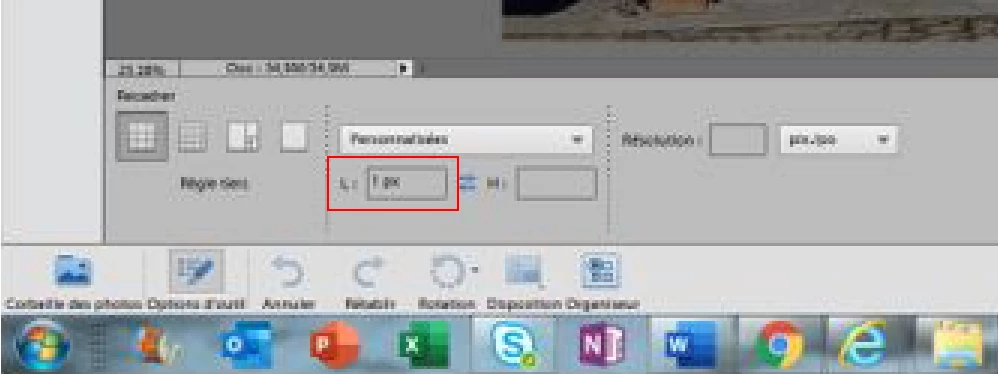
When I trim an image, when validating the image disappears and the skin is completely gray.

This topic has been closed for replies.
Correct answer Jeff Arola

Clear the 1px entered in the Width field.
 

2 replies

Jeff Arola
Community Expert
Jeff ArolaCommunity ExpertCorrect answer
Community Expert
October 23, 2019

Clear the 1px entered in the Width field.


bertmonboAuthor
Participant
October 23, 2019

Super !!!! Thank's a lot 

October 23, 2019

Hi

What version of Photoshop and operating system are you using and a screenshot may help too

bertmonboAuthor
Participant
October 23, 2019

uinsg Photoshop Elements V11.0. the problem is recent. Previously it worked....

October 23, 2019

Moving to the Photoshop Elements forum from Photoshop