
Known Participant
October 11, 2023
Answered

Can't apply gradient to shape

  • October 11, 2023
  • 2 replies
  • 1010 views

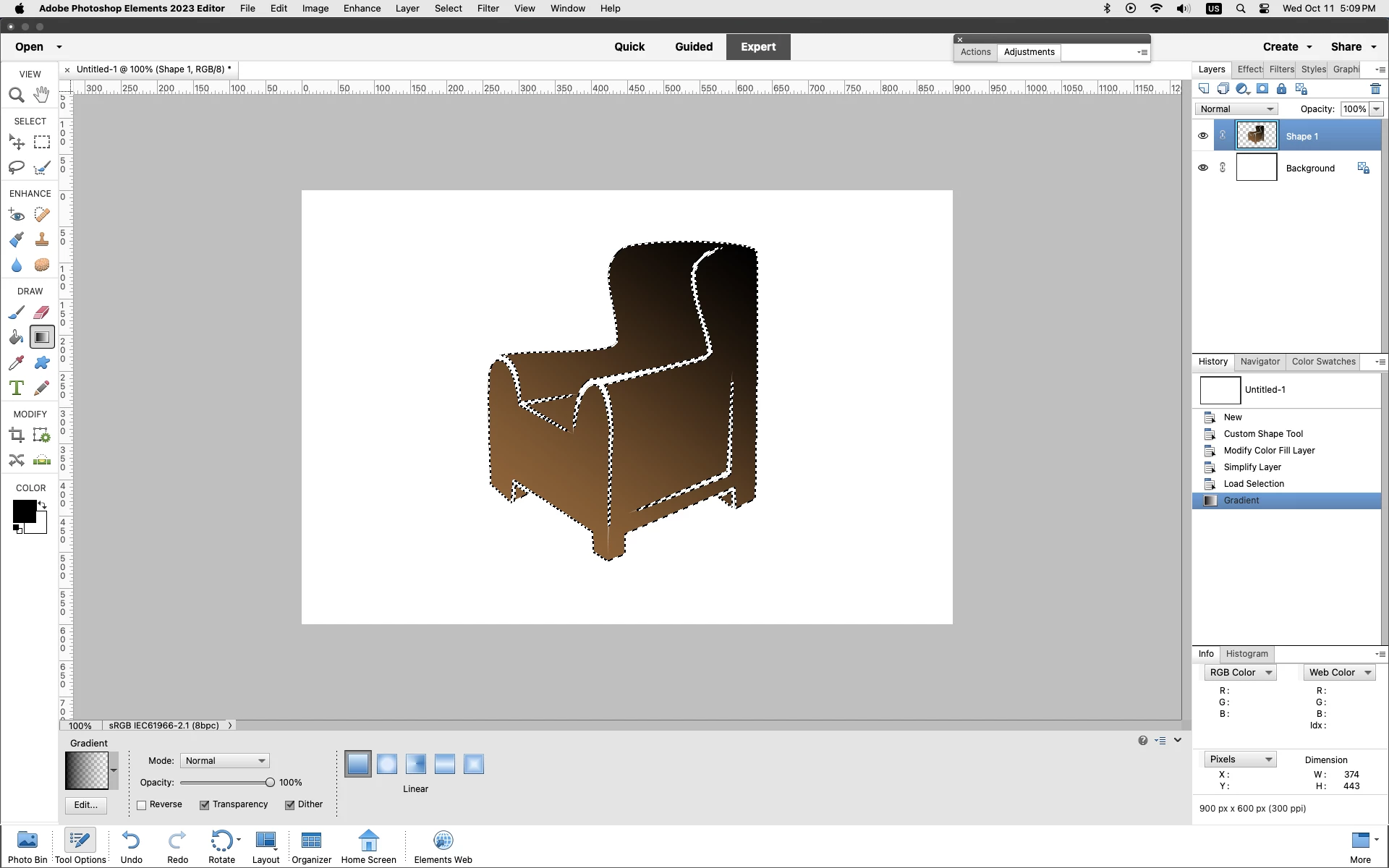
I create a shape, simplify it, and with the shape selected, I choose the Gradient Tool and apply a gradient, but the gradient gets applied to the entire drawing area instead of to the shape only.

I'm guessing either the solution is dead simple or the problem is a program bug. Everything else works fine.
This topic has been closed for replies.
Correct answer Jeff Arola

What version of photoshop elements and operating system are you using?


After you simplify the shape did you put a selection around the shape before using the Gradient tool?


Command or Ctrl click on the simplified Shape layer thumbnail in the Layers panel to load a selection of the Shape then draw out your Gradient.


2 replies

Jeff Arola
Community Expert
Community Expert
October 12, 2023

In photoshop elements 2 there is another way to add a gradient to a shape without having to  simplify the Shape layer not available in recent pse versions and that is changing the Layer Content.


With the Shape layer active go to Layer>Change Layer Content>Gradient.


With the Gradient Fill dialog open you can drag in the document area to move the Gradient.


Known Participant
October 12, 2023

Cool! Thanks again, Jeff.

"With the Gradient Fill dialog open you can drag in the document area to move the Gradient."

Yes, very handy. Also handy with the dialog open you can adjust the Style, Angle, Scale and see a preview. (Previously I was applying the effect and having to click Undo every time the result wasn't satisfactory.)

Did you find an actual copy of version 2, or is there some kind of program that simulates different versions?

Jeff Arola
Community Expert
Community Expert
October 12, 2023

I've had pse 2 since it came out.

Right now i have a pse 2 install on Windows 10 machine and a 2001 Power Mac G4 running Mac OS X Tiger 10.11 and Mac OS 9.2.2

Jeff Arola
Community Expert
Jeff ArolaCommunity ExpertCorrect answer
Community Expert
October 11, 2023

What version of photoshop elements and operating system are you using?


After you simplify the shape did you put a selection around the shape before using the Gradient tool?


Command or Ctrl click on the simplified Shape layer thumbnail in the Layers panel to load a selection of the Shape then draw out your Gradient.


Known Participant
October 11, 2023

"Ctrl click on the simplified Shape layer thumbnail in the Layers panel to load a selection of the Shape then draw out your Gradient"

Wow, thanks Jeff, dead simple it was! I was assuming that clicking a shape with the Move Tool (which places a rectangular dotted border and 8 "grab" handles around it) was what "selection" meant. But your instruction put a "marching ants" border around the perimeter of the actual (triangular) shape, so I guess that's what "selection" really means?

Apparently, my 21-year-old version (2.0) is working fine on my 14-year-old operating system (Windows 7). If I knew what I was doing it might work even better!