


Inspiring
Jun 9, 2023 2:04 AM UTC
Question

Can't convert PSE 2021 catalog to PSE 2023

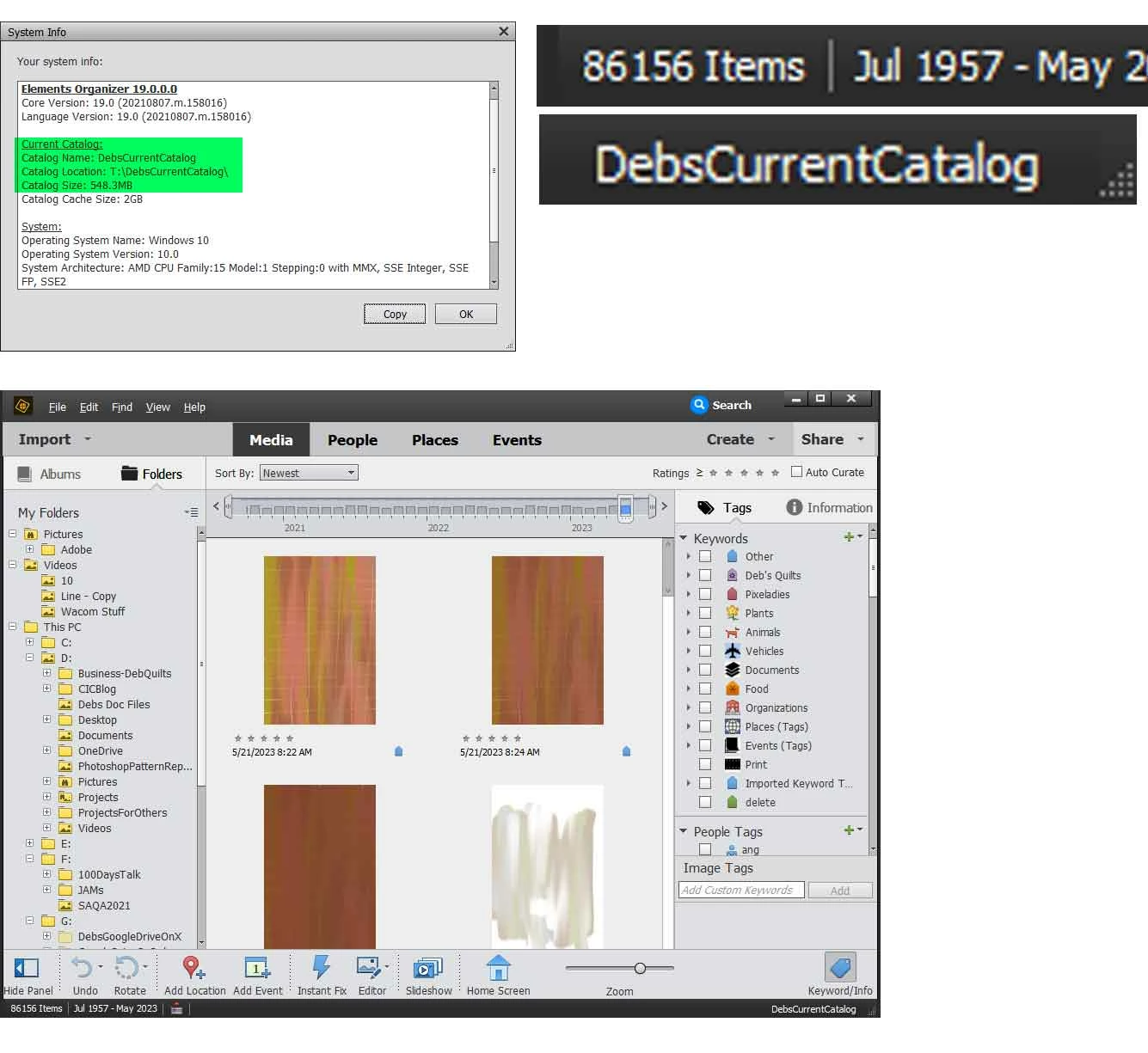
PSE 2023 cannot find my catalog from PSE 2021 to convert it. I see the catalog.pse19db file I want to convert. I know the location of this catalog, but when I try to convert it, the correct catalog is not listed.  Here are some screenshots that might help:

1. PSE 2021 catalog information:
 

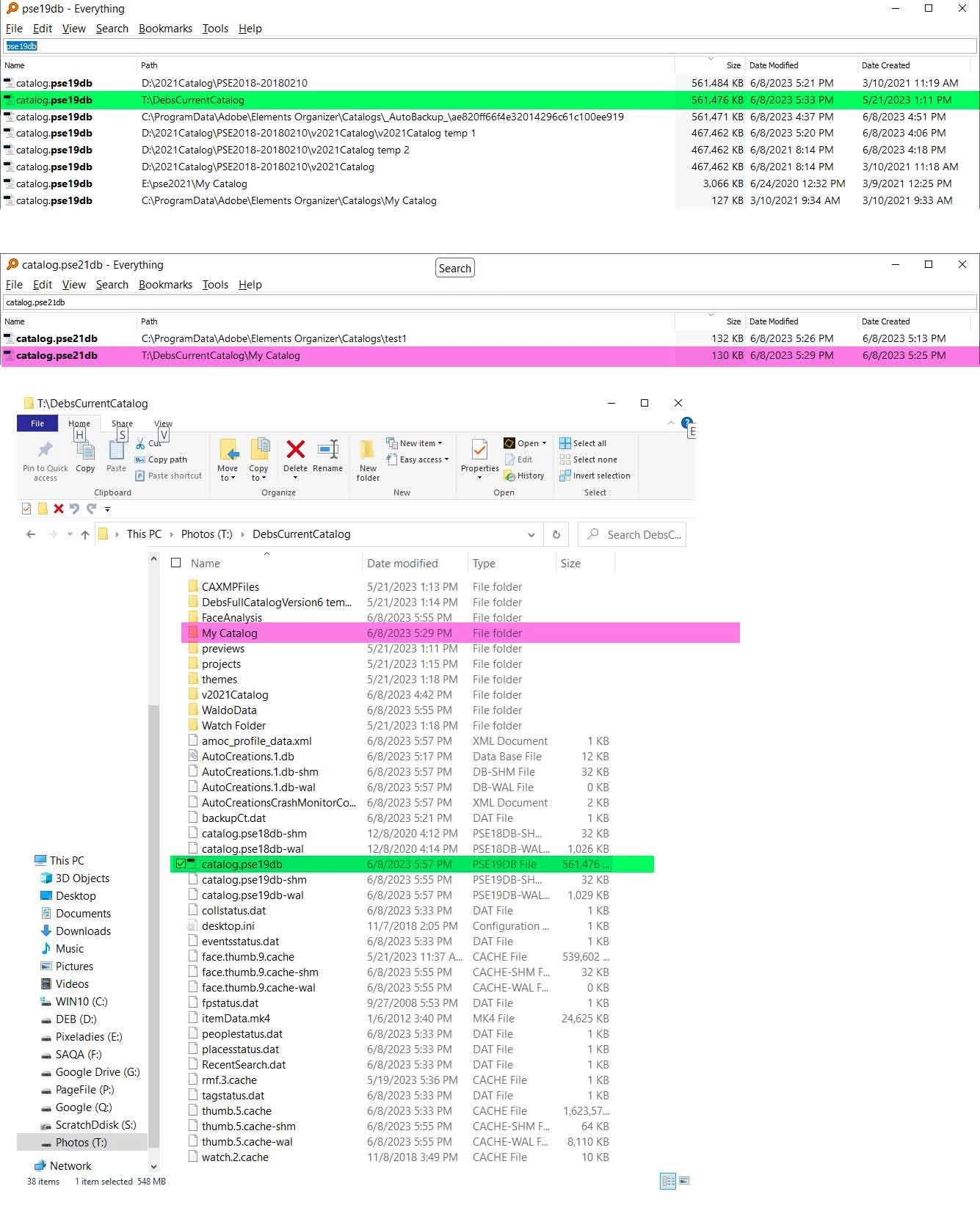
2. File names and locations: the Green hightlighted files are the PSE 2021 catalog that I want to convert. The pink ones are the current one (empty) one I created as a test in PSE 2023.
 

3. These are the catalogs I have the option of converting to 2023 if I browse to the  above folder:
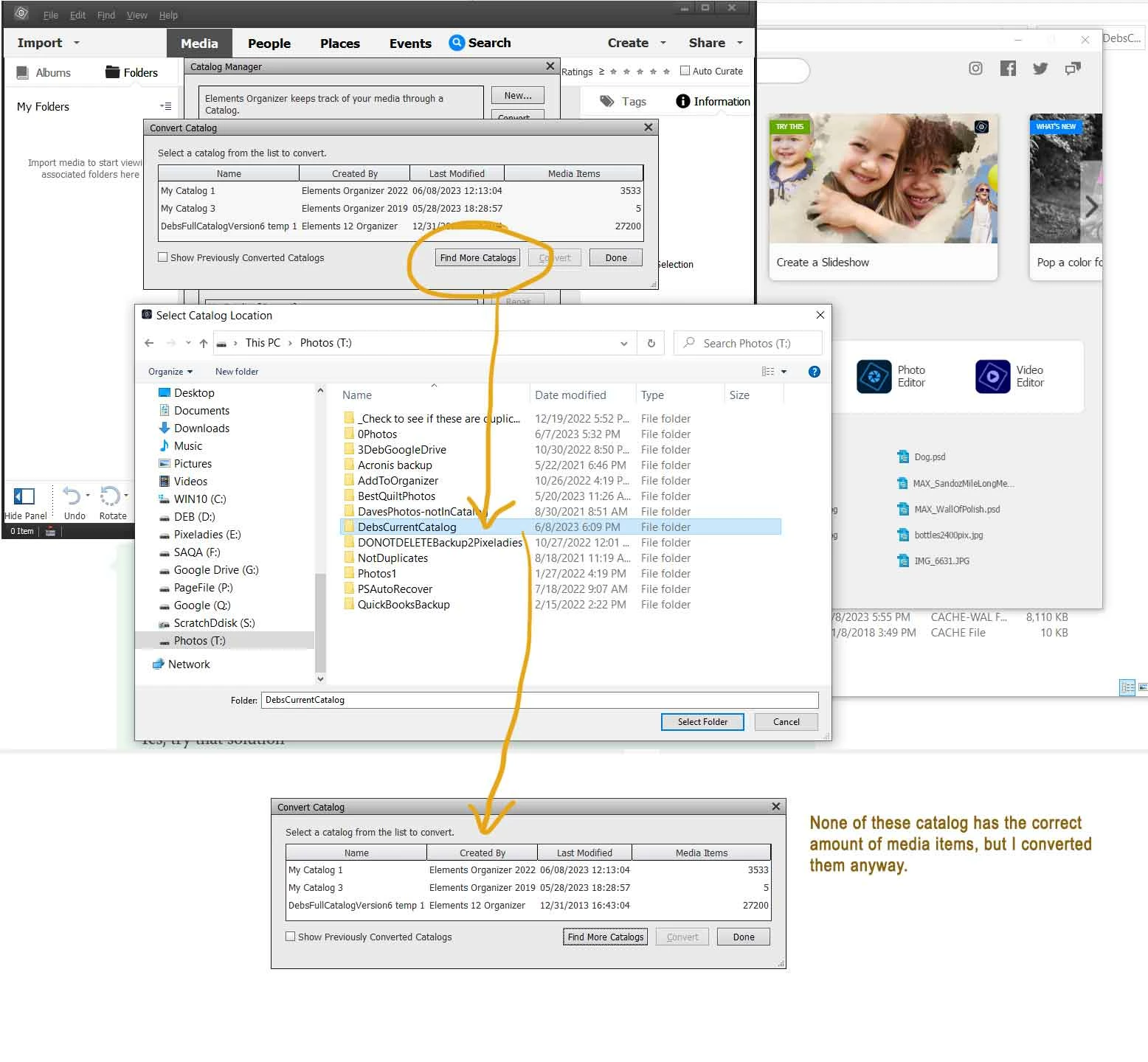
As I note in the above image, none of those catalogs are the catalog I want to convert (DebsCurrentCatalog--the one highlighted in green in image #2). I did convert those 3 files, just to double check that the media item count was off, but, indeed, none of the 3 were my DebsCurrentCatalog.


Does anyone have any idea why PSE 2023 cannot see DebsCurrentCatalog to convert it?

This topic is closed to new replies. Start a new post to keep the conversation going.

4 replies

Greg_S.
Community Expert
Community Expert
Jun 9, 2023 7:15 AM UTC

Hi Deb.  Try checking the box to Show Previously Converted Catalogs and the desired catalog may show up.


If that doesn't work, in Windows Explorer, right-click on the correct catalog.pse19db file and choose to Open With . . . . Elements Organizer 2023.  If all goes well, the Elements 2023 Organizer should open and the catalog will be converted on the fly.  Wait a sufficient time for the operation to be completed, and the converted catalog should open.

Translate
debofcaAuthor
Inspiring
Jun 9, 2023 7:08 PM UTC

Unfortunately I had tried both of these things before.

The file was not previously converted.

Right-clicking on the pse19.db file and choosing Elements Organizer 2023 opened with 2021. I renamed the 2021 .exe file so it wouldn't find 2021, and nothing happened. It didn't open with 2023 or any other version of PSE Organizer I had on my computer.

Today when I tried again, 2023 Organizer opened, but I got this error message


I clicked OK and there was no media (Msg: No media available).

So I closed 2023 and opened the catalog in PSE 2021 and did a repair catalog. No errors found, but I repaired anyway.

Tried opening with PSE 3 and got the same error message.  There is no sign in Task Manager that anything Elements-wise is running in the background.

Any other suggestions?


Translate
debofcaAuthor
Inspiring
Jun 9, 2023 7:10 PM UTC

When I said PSE 3 above, I meant PSE 2023


Translate