New Member
January 8, 2026
Question

Can't Disable Scrubby Zoom In Photoshop Elements 2026

  • January 8, 2026
  • 1 reply
  • 88 views

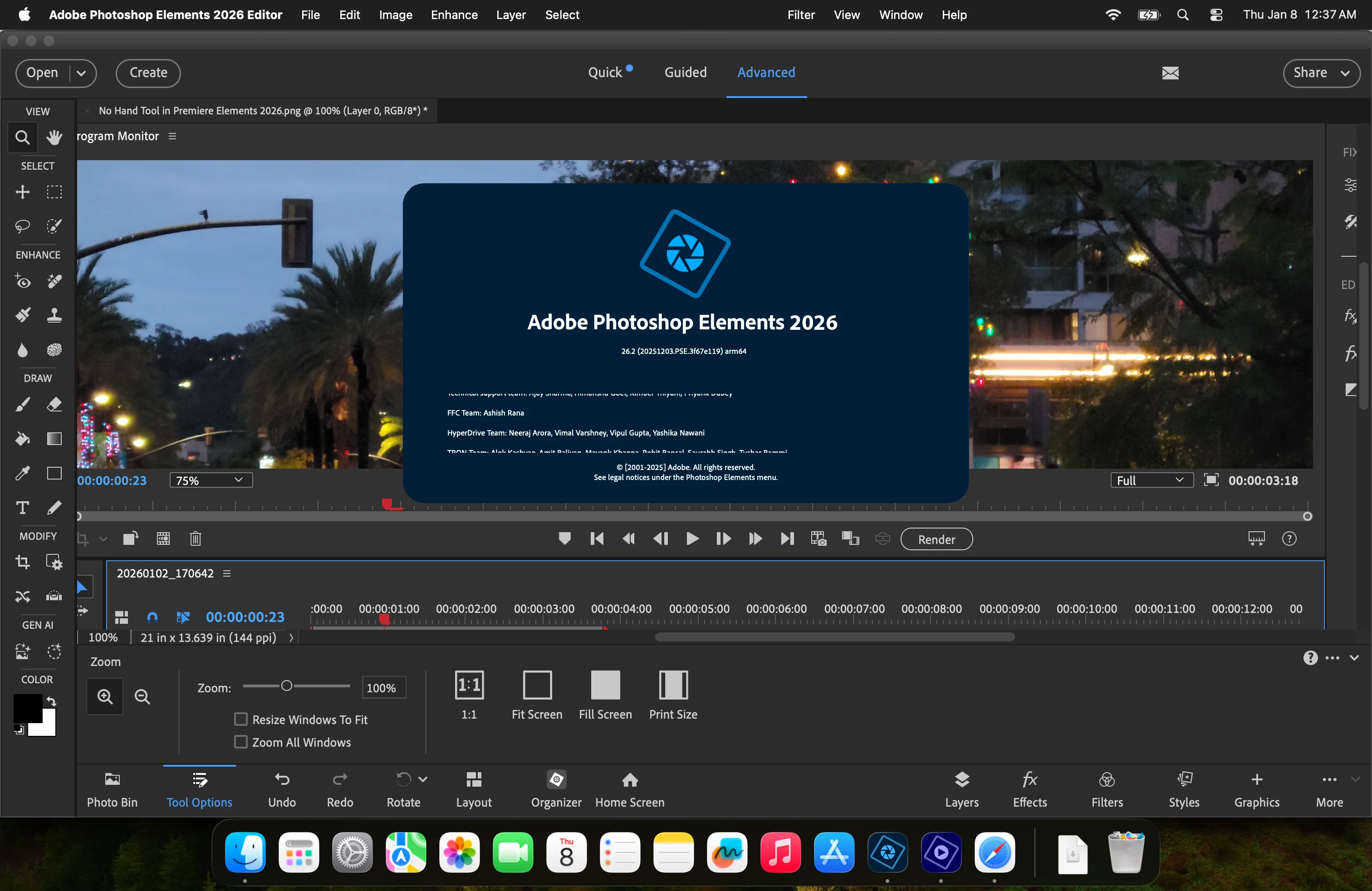
I have a Macbook Pro M1 Max using Tahoe. I installed Ver 26.2 of Photoshop Elements 2026 (see photo below). There's no option to disable Scrubby Zoom.

 

1 reply

99jon
Legend
January 8, 2026

It's only possible in the tool options top menu for the Creative Cloud version of Photoshop. I think it would make a good feature request for PSE so that we could zoom by dragging out a rectangle. Upvote if you agree.


It is possible to set preferences to zoom with the mouse scroll wheel. N.B. your background image shows Premiere Elements; with  Photoshop Elements tool options and splash screen. So I guess it's a composite you have made.

DJ_EdgyAuthor
New Member
January 9, 2026

Adobe's AI Assistant says that there should be an option to do it. I couldnt find it per its instructions. It must be thinking of previous versions of PsE.


The photo is actually a screenshot when I was editing an 8K video in PrE, I then opened the screenshot in PsE, and then clicked, "About Photoshop Elements." Sorry for the confusion, but good eyes on your part!