Participating Frequently
July 7, 2017
Answered

Can't find Crop arrows on image why so hard?

  • July 7, 2017
  • 1 reply
  • 719 views

I have been using PE 14 for awhile scanning & fixing old photos. Up until today, when I chose crop it would allow me to streach a crop by moving 1/2 way down a photo and arrow would appear. Now all that appears is a curved arrow which allows me to move an image ie straighten but not crop it. I have tried in Expert & Quick. I have tried every single menu item & tools & all the boxes at the bottom. Also did a search in Adobe and read the guides. It should not be this hard to do a custom crop ie just drag the arrows to get exactly the crop I want. Thanks for any help.
    This topic has been closed for replies.
    Correct answer Jeff Arola

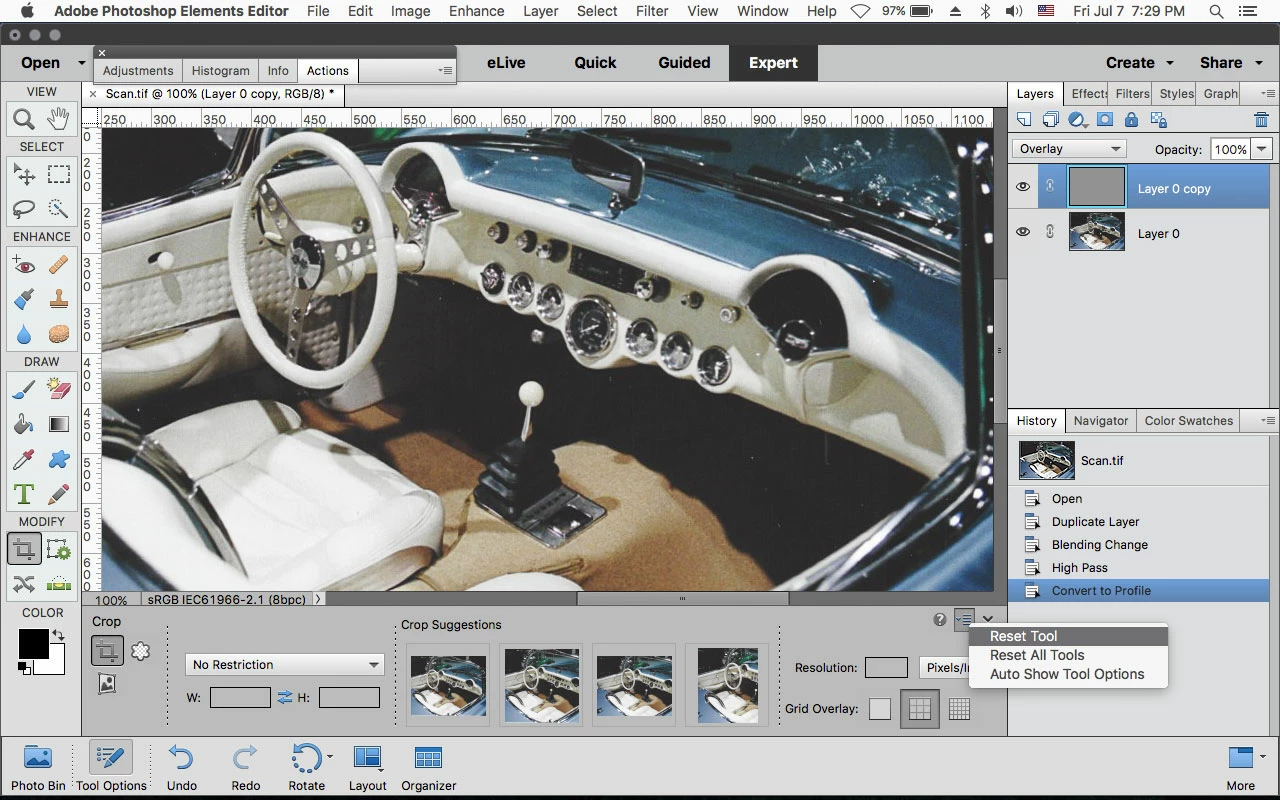
    I'd first reset the Crop Tool by going to the far right of the tool options at the bottom of the screen, click on the small area as shown in the below screenshot and then click on Reset Tool.

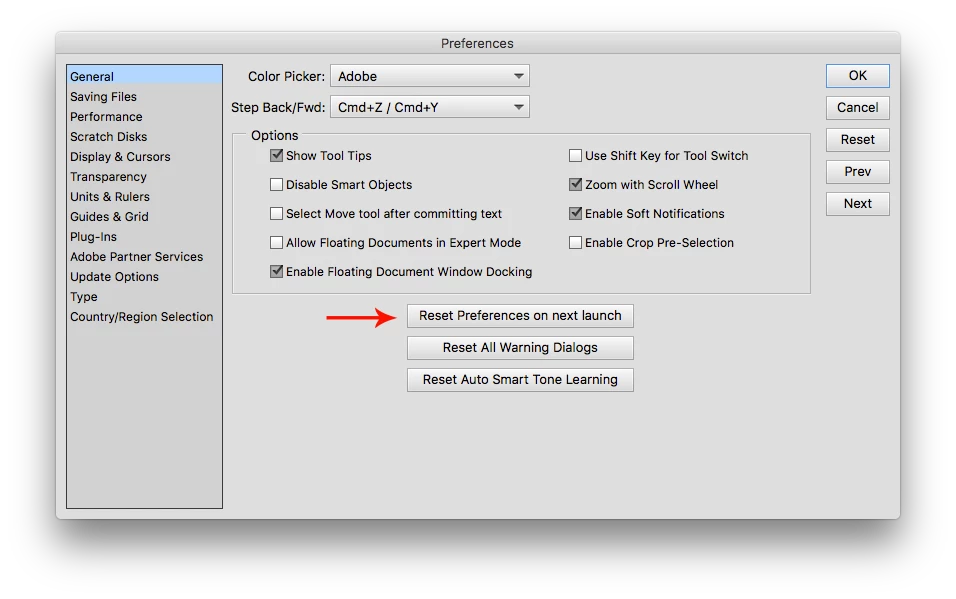
    If that doesn't work, reset the pse 14 editor preferences by going to Adobe Photoshop Elements Editor>Preferences>General (mac) or Edit>Preferences>General (windows) click on Reset preferences on next launch and restart the pse 14 editor.

    1 reply

    Jeff Arola
    Community Expert
    Jeff ArolaCommunity ExpertCorrect answer
    Community Expert
    July 7, 2017

    I'd first reset the Crop Tool by going to the far right of the tool options at the bottom of the screen, click on the small area as shown in the below screenshot and then click on Reset Tool.

    If that doesn't work, reset the pse 14 editor preferences by going to Adobe Photoshop Elements Editor>Preferences>General (mac) or Edit>Preferences>General (windows) click on Reset preferences on next launch and restart the pse 14 editor.

    rfallonaAuthor
    Participating Frequently
    July 8, 2017

    Thanks alot that worked. It's funny I use a lot of tools & while waiting for an answer I started using ACDSee Ultimate 10 which has more features yet is easier to use than Elements. I will keep using both programs. But it's funny I had to reset ALL tools to get this fixed, yet I am not sure how it got changed in the first place.