
Participant
February 9, 2025
Answered

Can't unstack photos PSE 12

  • February 9, 2025
  • 4 replies
  • 330 views

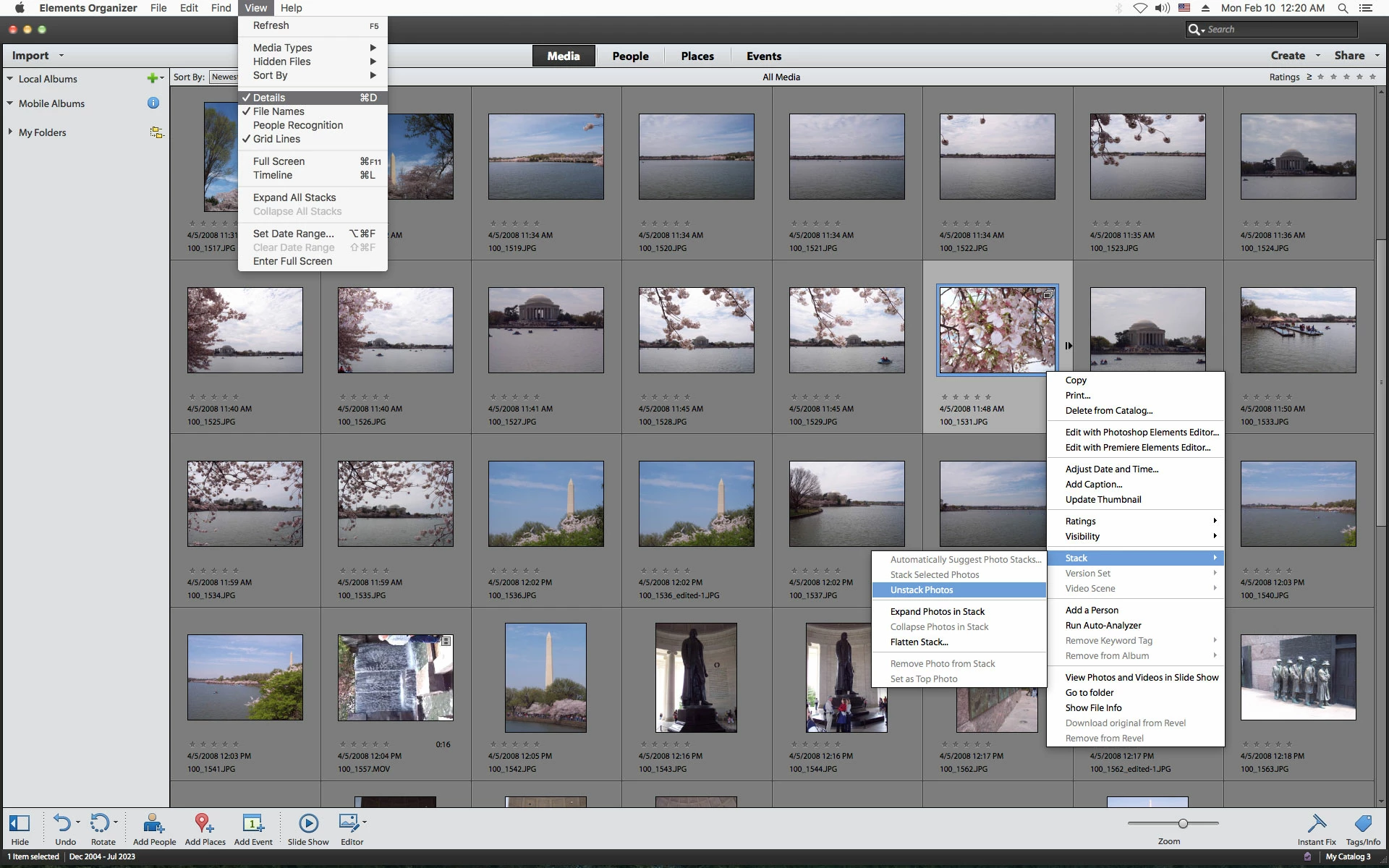
I'm using PSE12 on a Macbook Pro with Monterey OS.  I am unable to unstack the photos in organizer.   No problem stacking, but stacking is greyed out no matter what I try, so I can not unstack.  OptionD or CtrlD don't bypass the impediment.  Help, please
    Correct answer Jeff Arola

    Do you have Details enabled under View>Details?


    4 replies

    Jeff Arola
    Community Expert
    Jeff ArolaCommunity ExpertCorrect answer
    Community Expert
    February 10, 2025

    Do you have Details enabled under View>Details?


    Participant
    February 10, 2025
    Thank you. Apparently, >View>Details solved my problem.
    I appreciate the tip.

    Peter
    Glenn 8675309
    Legend
    February 10, 2025

    Stacking greyed out usually means it's not a stack.   A stack will always have a bunch of little "stacked" swquares in the upper right corner of the first image in the stack.

    Not much to unstacking:   simply right mouse click on the stack and choose unstack.  
    I mention that, even though it's pretty basic, simply because you have not said you did it. 

    davescm
    Community Expert
    Community Expert
    February 9, 2025

    Hi , I've moved your post from the Photoshop forum to the Photoshop Elements forum where you are more likely to get help relevant to your issue.


    Dave

    kglad
    Community Expert
    Community Expert
    February 9, 2025

    in the future, to find the best place to post your message, use the list here, https://community.adobe.com/

    p.s. i don't think the adobe website, and forums in particular, are easy to navigate, so don't spend a lot of time searching that forum list. do your best and we'll move the post (like this one has already been moved) if it helps you get responses.


    <"moved from using the community">