
Participant
March 25, 2025
Question

Cannot get Photoshop Elements to be able to be used.

  • March 25, 2025
  • 2 replies
  • 180 views

Photoshop Elements

Windows 11

My computer ended up with a blues screen.  After repairing it, I was attempting to reinstalll my applications.  

I uninstalled Photoshop Elements and reinstalled and I am still encountering the same issue.  Each time I attmempt to use Photoshop Elements, I receive the following even after completing and it say's, 
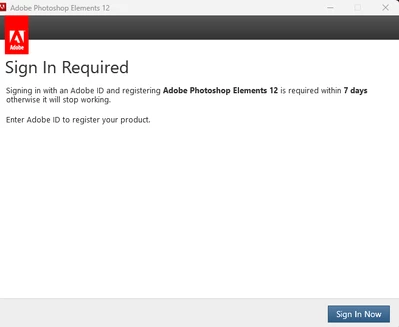
After doing so,  it say's signed in and resume what you were doing.  Any suggestion would certainly be appreciated.   It goes right back to the image and have to start again over and over.  Thank you in advance for your assistance Hank


2 replies

Greg_S.
Community Expert
Community Expert
March 25, 2025

Try removing your computer from the internet and activating the license offline with the instructions found here.

hank_1551Author
Participant
March 25, 2025

To the best of your knowledge are their any values in the registry that could be changed as to eliminate the Sign in requirement?

Peru Bob
Community Expert
Community Expert
March 25, 2025

No.

John T Smith
Community Expert
Community Expert
March 25, 2025

You need to ask program questions in the forum for the program you are using
To ask in the forum for your program please start at https://community.adobe.com/

Moved from Premiere Pro to Photoshop Elements