
Catalog Open Failure PSE 2022
I recently started working on my Adobe Elements Organizer 2022. I still have my 2020 version on my computer, but do not have it open when working on 2022. I bought 2022 for the video function and have started adding my videos. But I am especially concerned I am going to loose all my work because you cannot save meta data on videos.
I am a long time user of Elements since version 6 I believe...and have had many, many issues loosing data on new upgrades, costing me hundreds of hours. This one loaded fine, but when I log on I get this message:
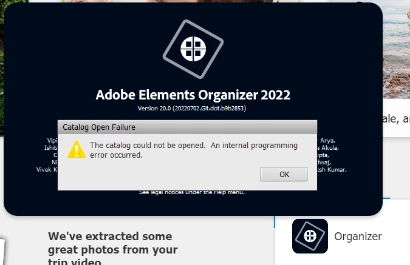
when I press okay, this comes up:
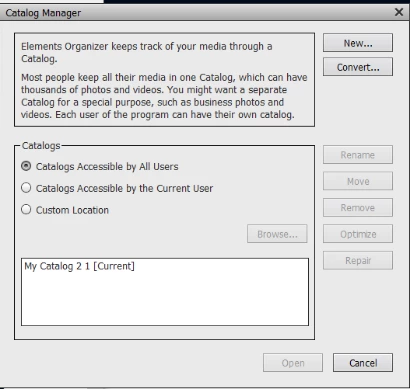
I have highlighted My Catalog 2 1 {Current} and run the Optimize and Repair. Optimize completes fine, but every time I select repair, even if if I haven't made any changes, I get this:
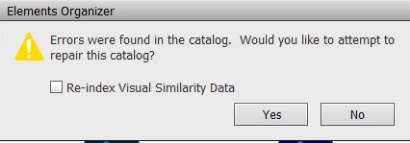
I press yes and it goes through the process and:
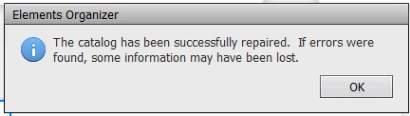
I press okay, highlight my catalog again and press Open.
It seems to open fine. I can see 53697 files... but before continuing tagging my videos I want to make sure I don't end up with a failure.
Here is my system's info in Elements:
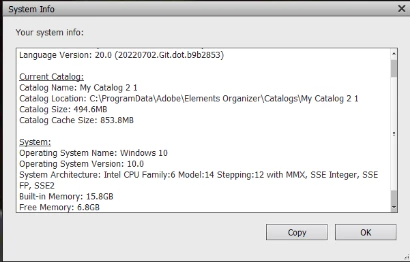
All of my photos are pulled from an external hard drive. I have the back up on a different hard drive.
Side question: I just did an incremental back up of my catalog from my 2020 version before opening 2022. Should I also backup 2022? It takes like a day or so to do an incremental back up usually...would I need to do a full backup with the new 2022 version? Do the video tags get backed up?
Thanks


 AdChoices