Answered
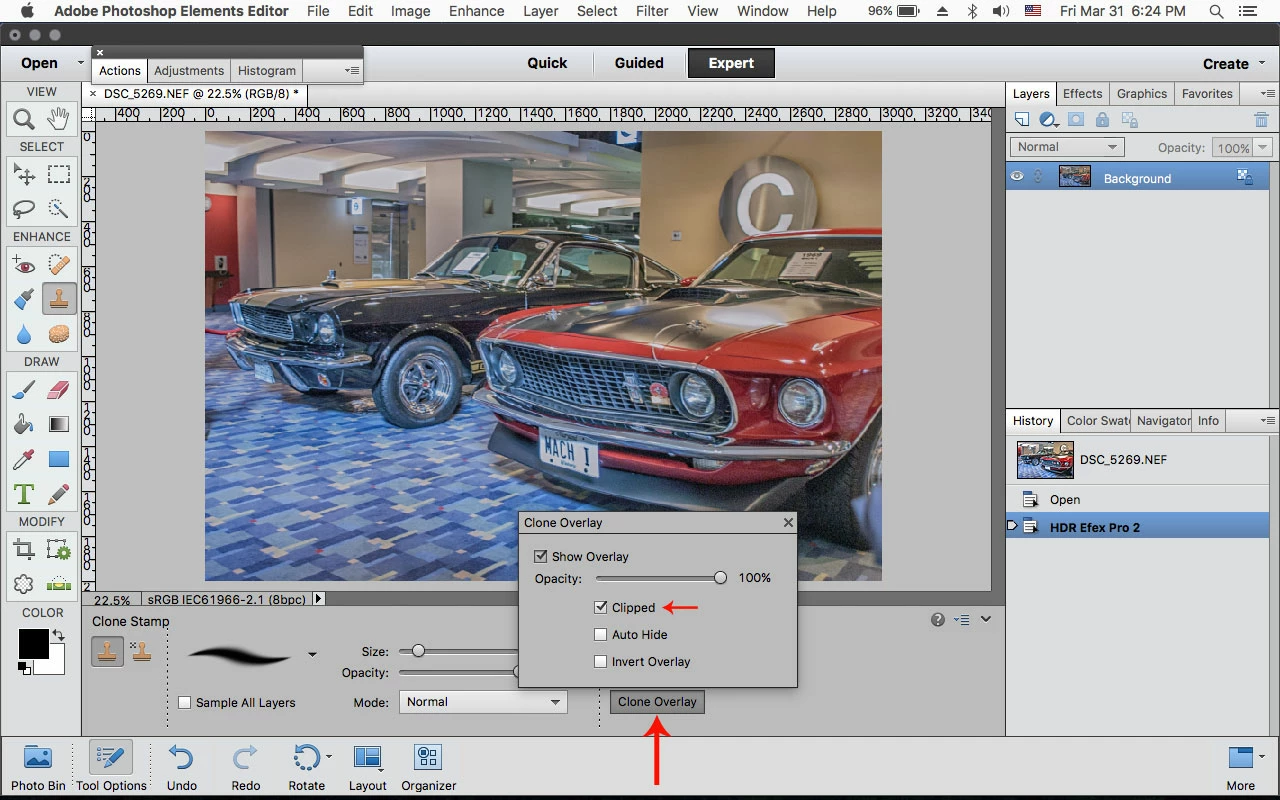
Clone only duplicates original photo
While working in only one layer, Elements 11 clone stamp insists on moving a duplicate layer of the image around the desktop area with the pointer. This happens only with regular clone, not pattern, and does not happen with any of the other tools. The original image stays fixed but the moving top layer is “live.” Holding down Control stops the problem but prevents using Clone. Already tried saving, re-starting program, Control Alt, and more. Can someone help?
 AdChoices