Inspiring
February 5, 2019
Answered

Cobalt blue creeping in on my pictures

  • February 5, 2019
  • 2 replies
  • 450 views

Working with RAW files I have noticed that a Cobalt blue color has begun to take over the black areas in my pix when working it the raw editor in PE19. I saw a reference to this phenom in the forums from 5 years ago that suggested right mouse on the blue are and select black from a popup. Right mouse only brings up the options for the view ratio. %%

Why is the blue there in the first place and how do I get it back to black

Thanks!!

    This topic is closed to new replies. Start a new post to keep the conversation going.
    Correct answer Jeff Arola

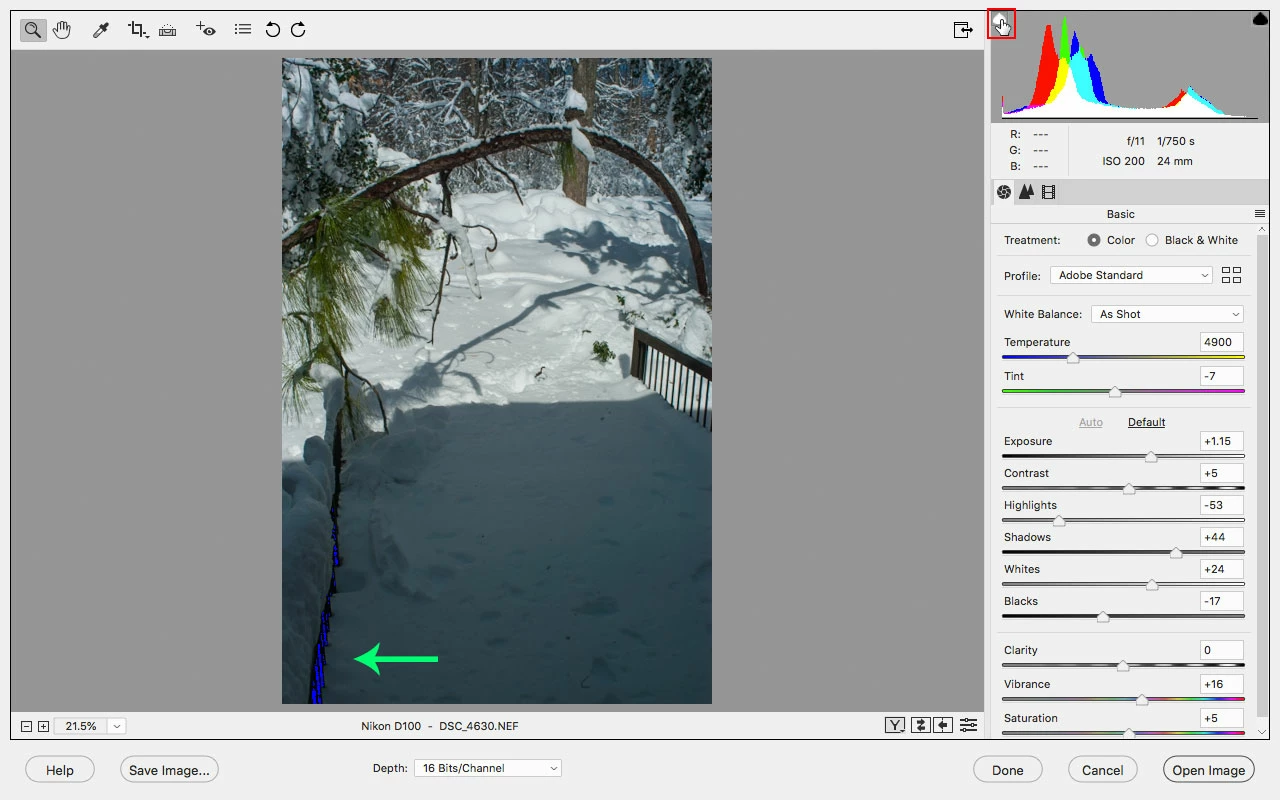
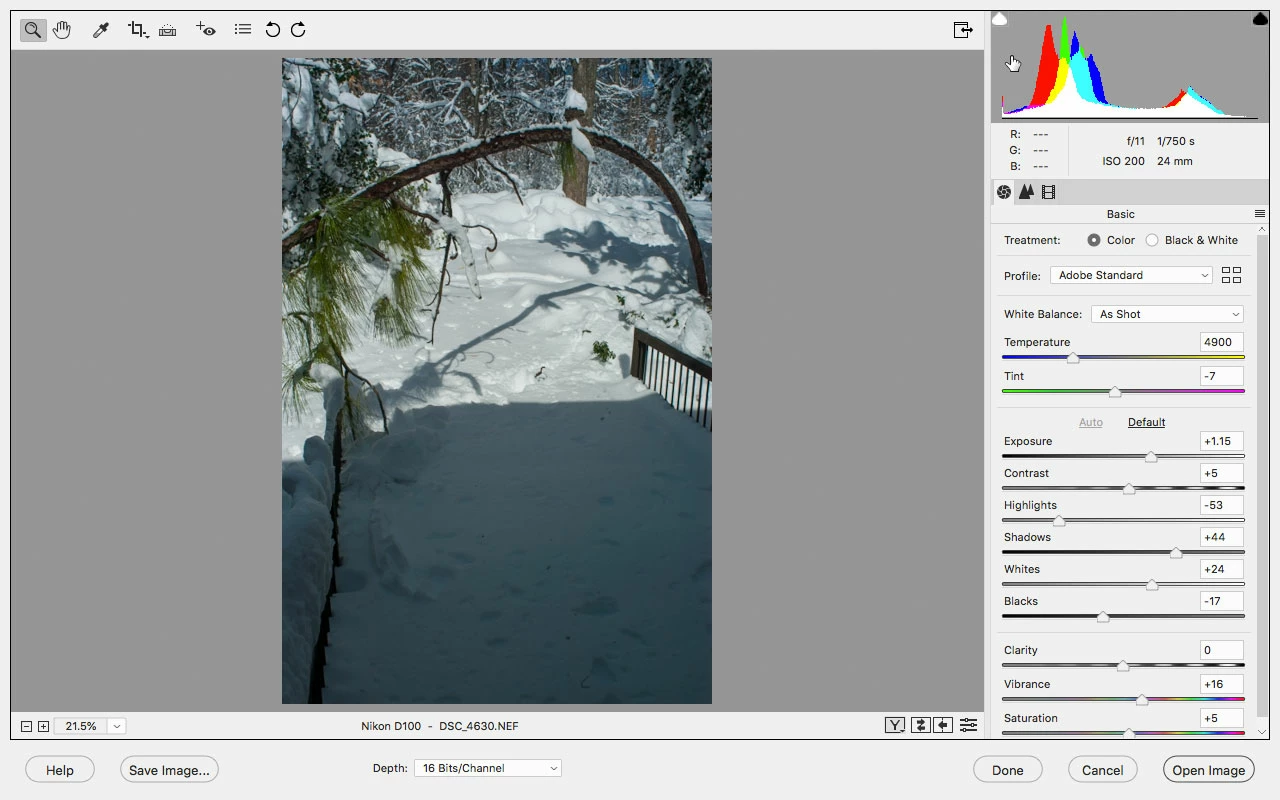
    Sounds like you have the Shadow Clipping Warning enabled.

    Click on the Triangle indicated in the screenshot below or press U to turn off.

    Shadow Clipping Warning On

    Shadow Clipping Warning Off

    2 replies

    Jeff Arola
    Community Expert
    Jeff ArolaCommunity ExpertCorrect answer
    Community Expert
    February 6, 2019

    Sounds like you have the Shadow Clipping Warning enabled.

    Click on the Triangle indicated in the screenshot below or press U to turn off.

    Shadow Clipping Warning On

    Shadow Clipping Warning Off

    HangerbumAuthor
    Inspiring
    February 6, 2019

    Well I'll be.... I remember cycling that function and wondering what it was as I did not see an immediate reaction on the pic. good call! Thanks much.