Known Participant
April 1, 2025
Answered

Collage on Photoshop Elements 2020

  • April 1, 2025
  • 1 reply
  • 269 views

Made a 7 picture collage in landscape mode from one of the loaded templates. I want to take that collage and import it into  a blank 8 x 10 page with a background color and import the collag onto it with text. How do I go about doing this

Thank you

Mec4cast
Correct answer Greg_S.

Here is one way:

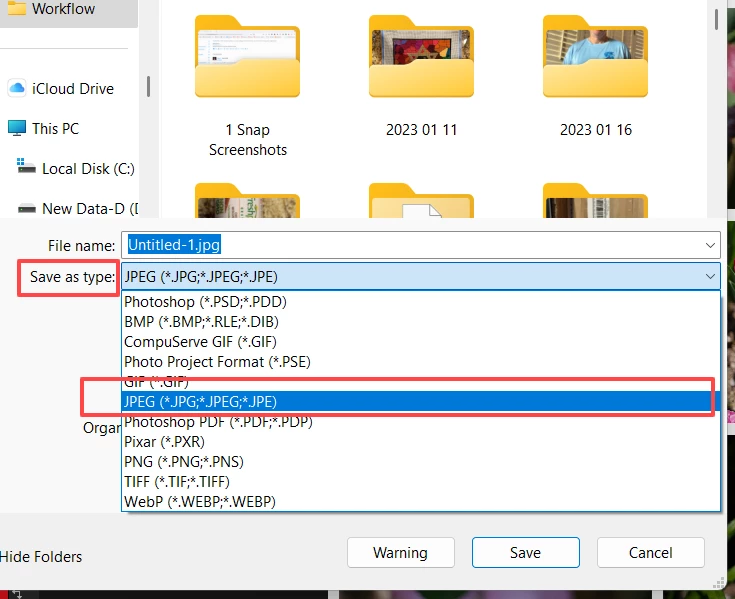
  • With the collage open in the Editor, use File>Save As and save the collage as a jpeg file.


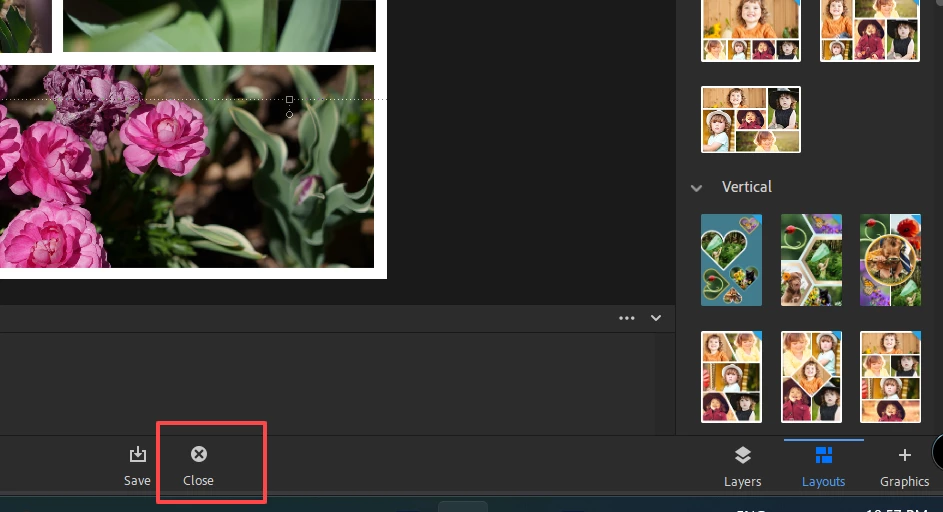
  • Close the Collage Editor using the Close button at the bottom:


  • Open the saved jpeg file
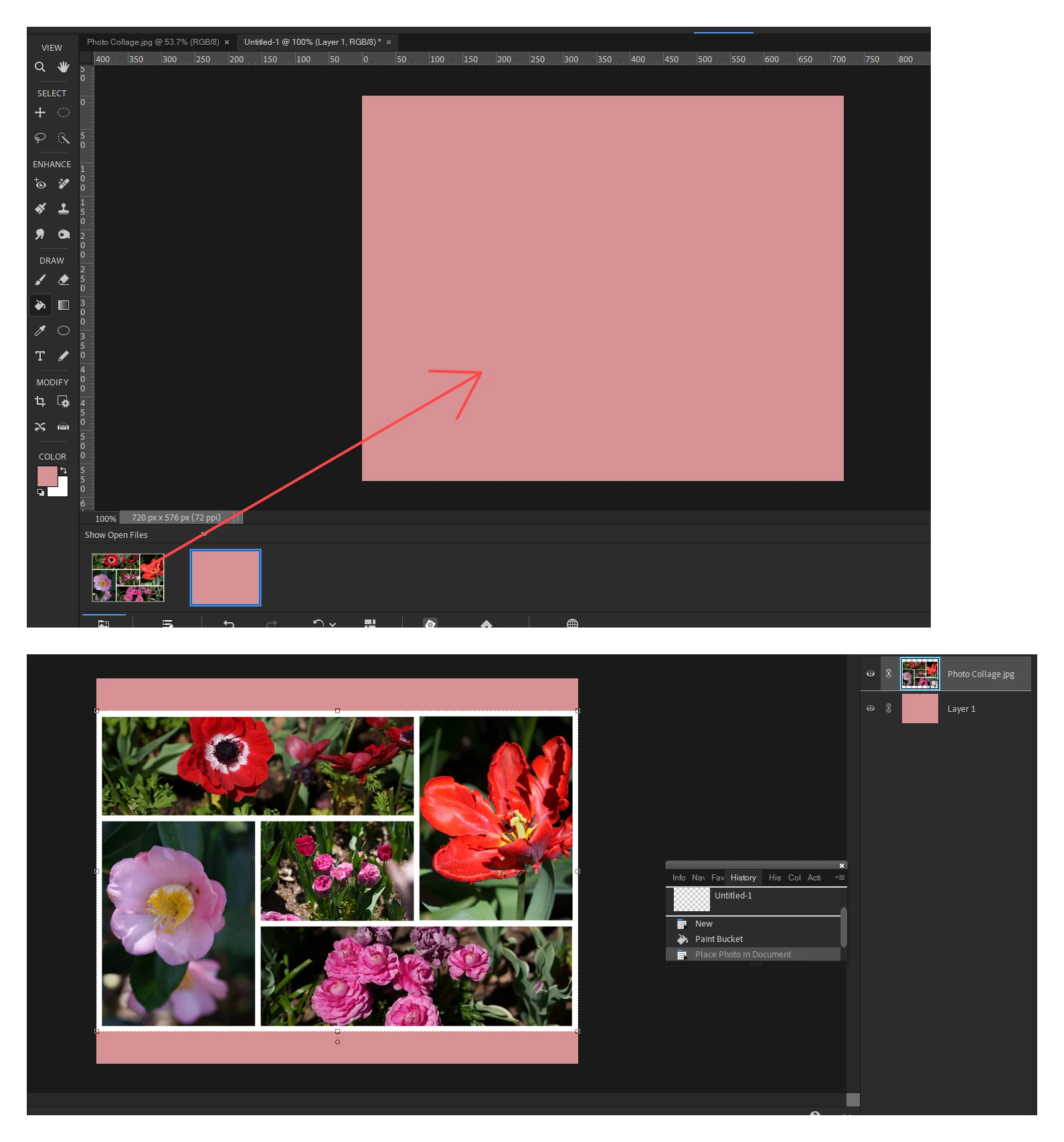
  • Create your new blank 8x10 file (using File>New>Blank File).  The Photo Bin should now show the collage jpeg and your blank file.
  • Use the Paint Bucket Tool to add the background color to the blank file.
  • With the blank file selected in the Photo Bin (and open in the workspace), click and drag the collage jpeg file up to the blank file.   It should now appear as a new layer on top of the colored background.  You can resize or reposition it using the Move Tool (V) and the layer handles.


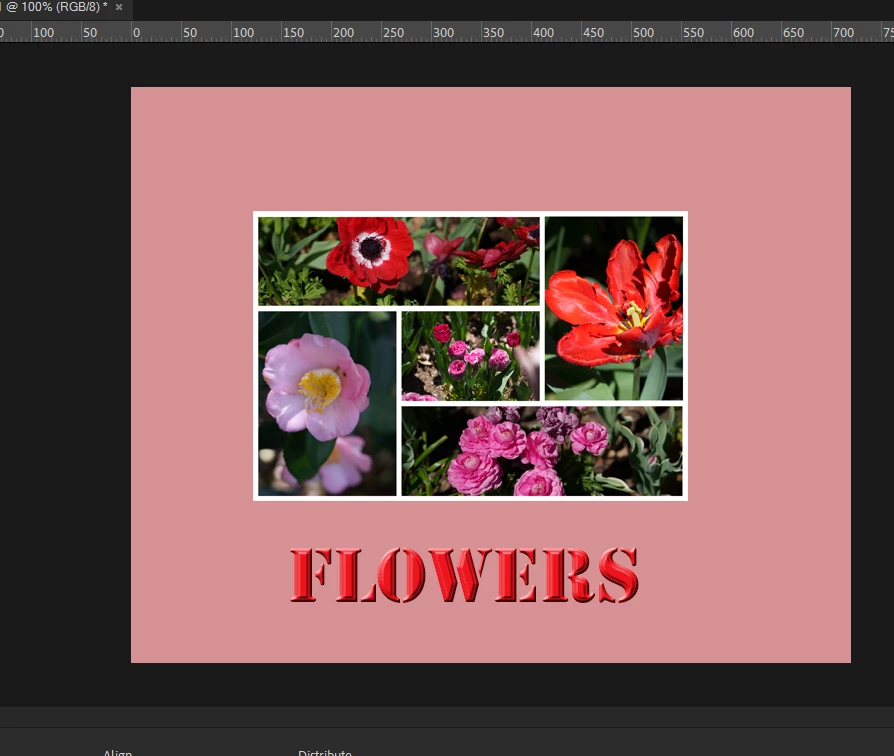
  • Use the Text tool to add your text.


1 reply

Greg_S.
Community Expert
Greg_S.Community ExpertCorrect answer
Community Expert
April 1, 2025

Here is one way:

  • With the collage open in the Editor, use File>Save As and save the collage as a jpeg file.


  • Close the Collage Editor using the Close button at the bottom:


  • Open the saved jpeg file
  • Create your new blank 8x10 file (using File>New>Blank File).  The Photo Bin should now show the collage jpeg and your blank file.
  • Use the Paint Bucket Tool to add the background color to the blank file.
  • With the blank file selected in the Photo Bin (and open in the workspace), click and drag the collage jpeg file up to the blank file.   It should now appear as a new layer on top of the colored background.  You can resize or reposition it using the Move Tool (V) and the layer handles.


  • Use the Text tool to add your text.


mec4castAuthor
Known Participant
April 2, 2025
Thank you so much. It worked beautifully!!!
Mary