

Answered
color range missing
Hello guys. I'm new to Photoshop and this community as well.
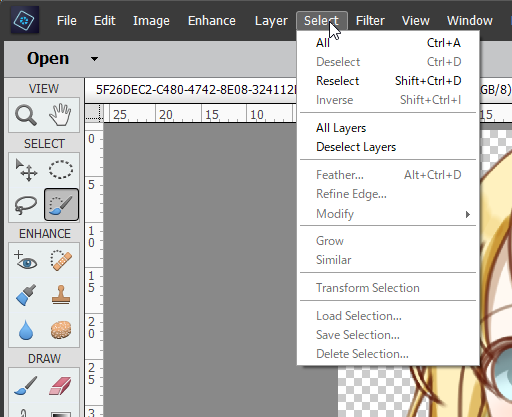
The problem I have is there's no such thing "color range".
I was instructed by this video tutorial: [How to Select and Change Colors in Photoshop - YouTube](https://www.youtube.com/watch?v=n9fwiNyDHLI)
In the beginning of this tutorial, there's "color range" selection in the select tab. But In my case, there's no such stuff. why and how do I use color range?
Thanks.
 AdChoices