


color reproduction problem
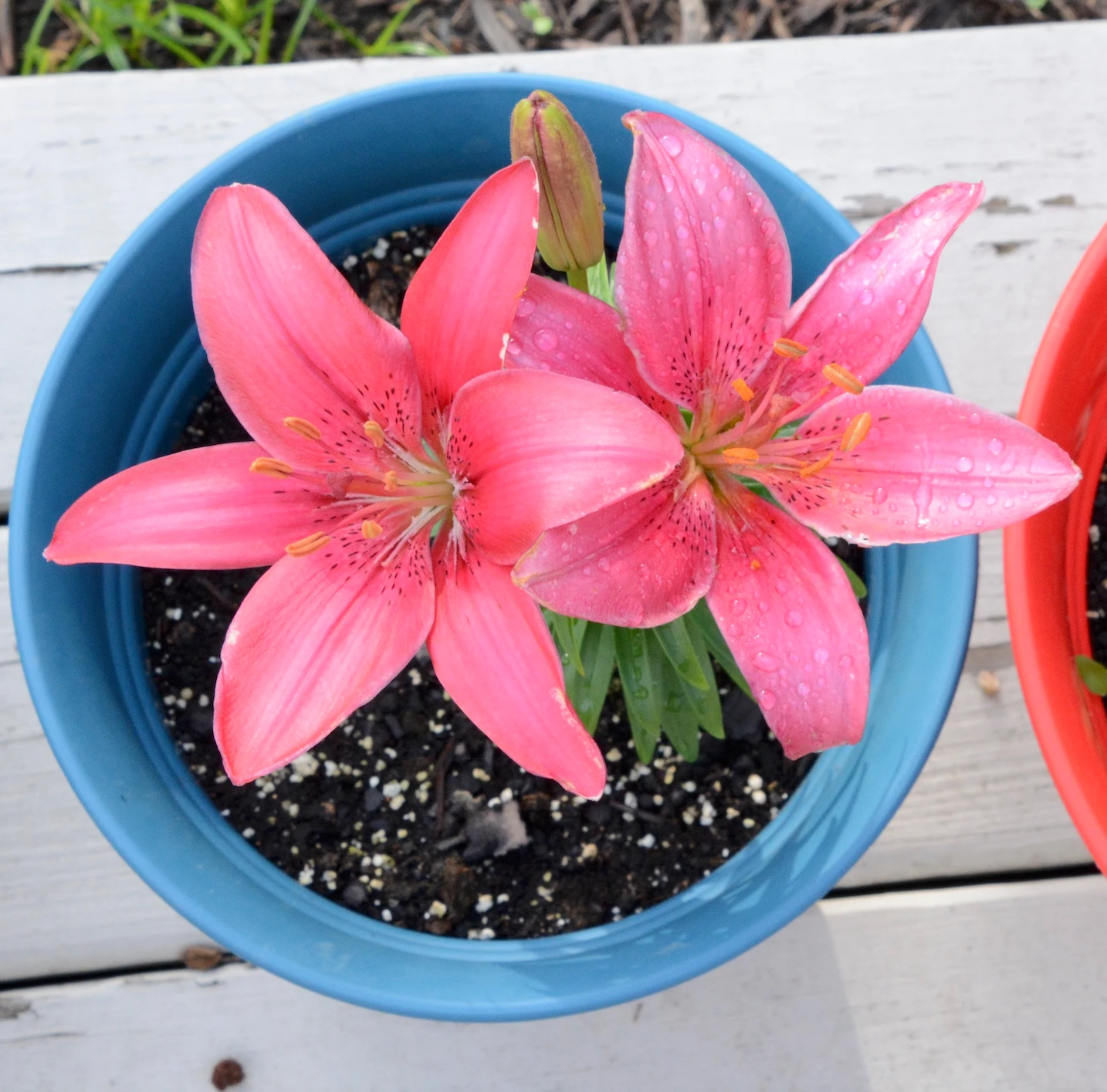
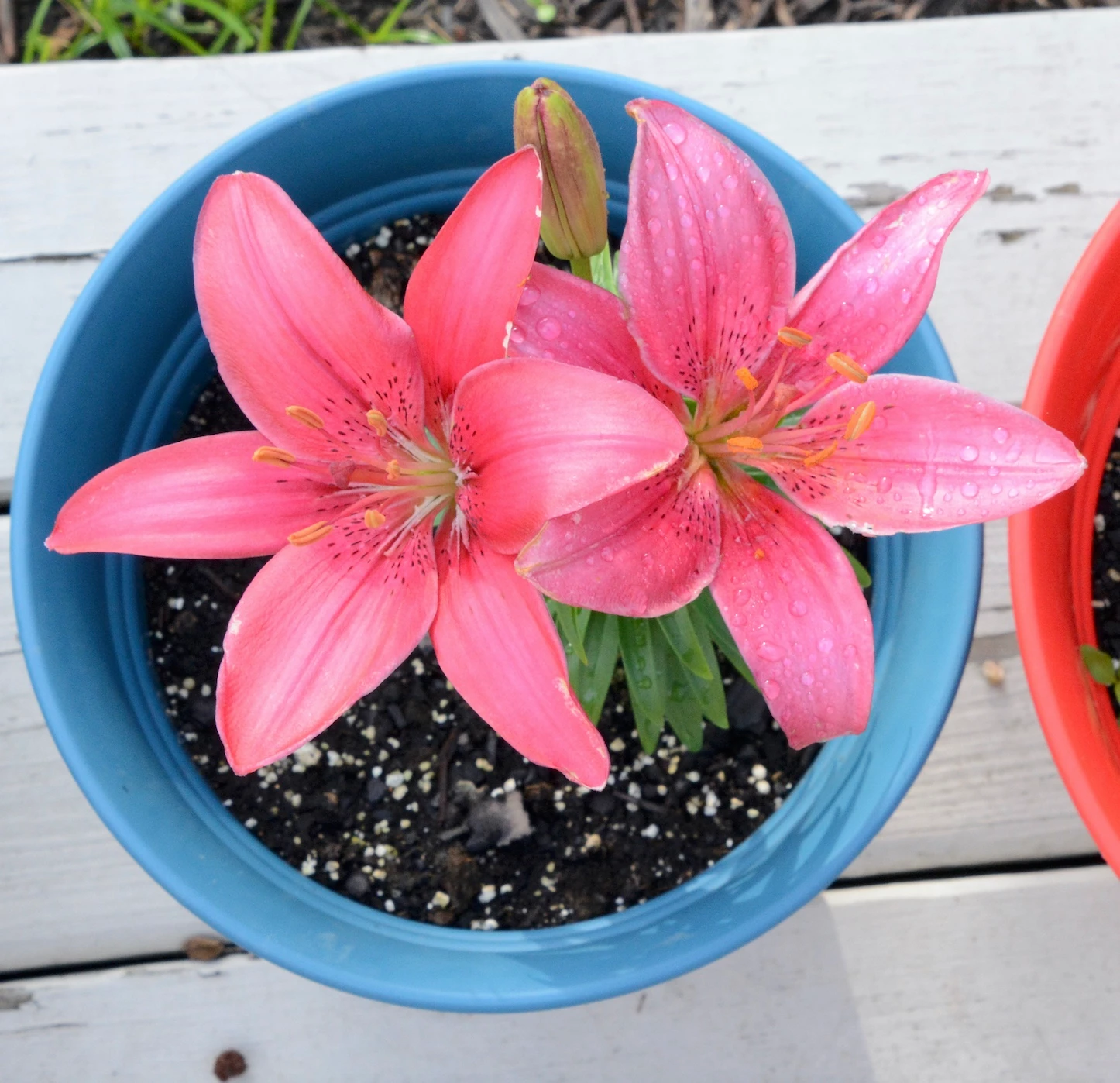
I just noticed a problem reproducing colors when opening files in Elements 13. See the examples above: the top file was downloaded directly from my SD card onto the (Mac) desktop. For the other one, I opened the downloaded photo in Elements and saved it, without any modifications, right back to the desktop. I get the same result whether or not I go through Camera Raw. In the first photo, the petals on the flower on the left have a rich, silky pink color, where in the other photo the overall look is more "bland" and somewhat washed out. Zooming up helps to see the difference. I have chosen "no color management" under color settings, because this gives the closest result to the original. Still, this is unsatisfactory. What settings do I need to change?

 AdChoices