

Silly Oyster
Participant
April 19, 2023
Question

Colorizing with Elements 2022

  • April 19, 2023
  • 2 replies
  • 454 views

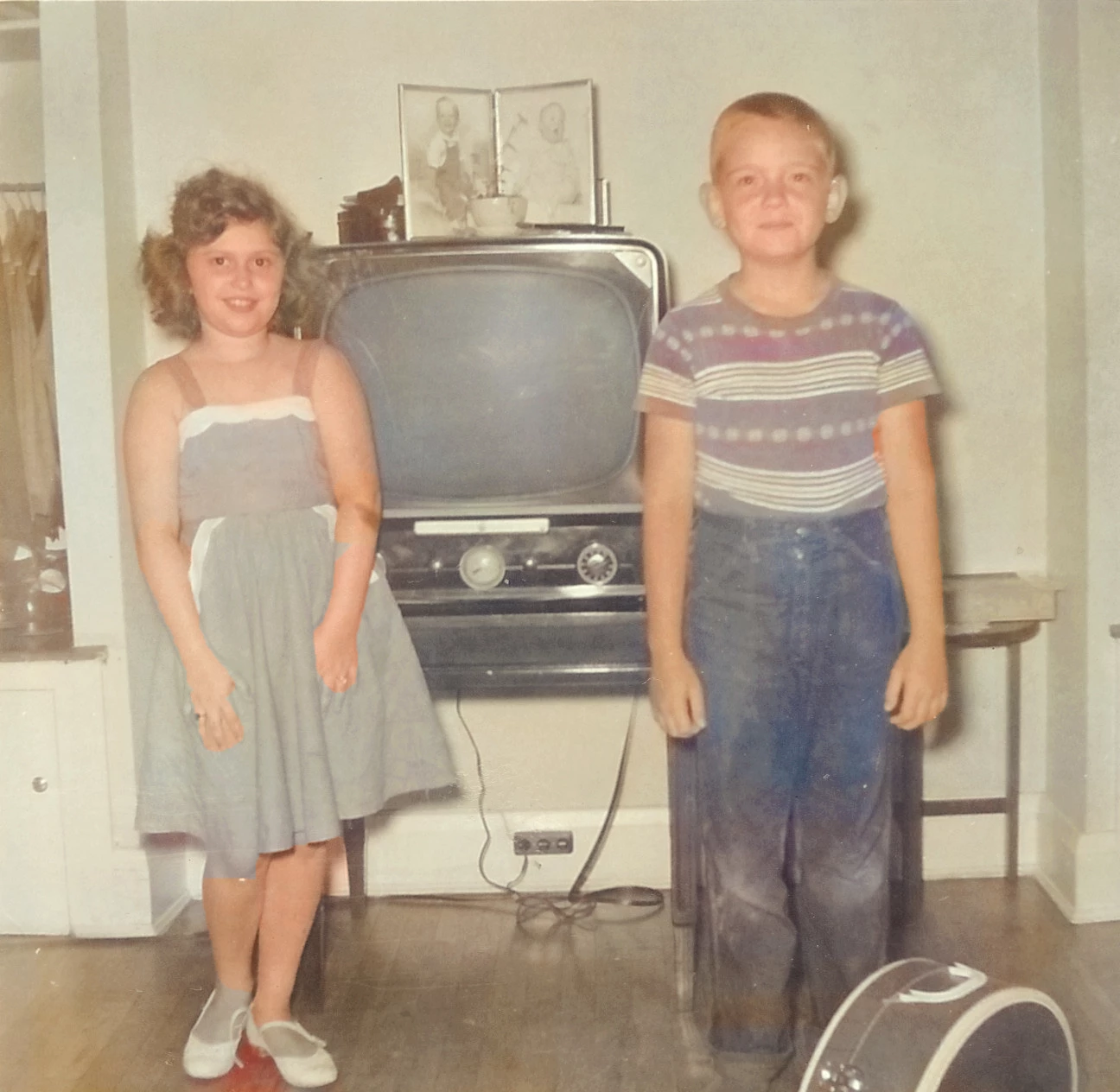
I am having a hard time with the colorizing process on b/w photos. The colorize command under enhance (auto) works pretty well. However, the devil in the details eludes me. The magic wand and the item selection tool in the manual mode will not allow me to get the really small area that need correction.  I have attached a typical photo. The fingers, feet, boys ears are eluding me. Any ideas would be appreciated.
This topic has been closed for replies.

2 replies

Greg_S.
Community Expert
Community Expert
April 20, 2023

@Silly Oyster said:  But, how does the "subtract" work?


Hold the Alt key to subtract from the selection.

Greg_S.
Community Expert
Community Expert
April 19, 2023

Hi.  I have a few suggestions for you.


  • You haven't given us the original B&W photo, but I have changed the color mode of the one you have posted, and I believe you would have an easier time with selections if you added some contrast.  Here, I have added a simple Auto Levels adjustment (Ctl+Shift+L).


  • The magic wand tool is probably not worth using except for changing the color of an object.  It will not be that useful for selecting greyscale portions of the image.
  • You should zoom in very close to see the details of the image.  If you use a mouse wheel to zoom in and out, this becomes very easy.
  • When using the Quick Selection tool, use the square brackets to change the size of the brush.  In your photo, this will help make the brush small enough to select just the fingers, or subtract the space between the fingers.


So you should be able to achieve something like this:

Silly Oyster
Participant
April 20, 2023

Thanks, I'm getting it. But, how does the "subtract" work?