
barrys51571289
Known Participant
May 29, 2022
Question

Conversion to Photoshop Elements 2022 creates corrupt catalogue in iMac

  • May 29, 2022
  • 3 replies
  • 640 views

I recently ugraded to PSE 2022, and converted my catalogs. When I try to delete a file in the new catalog in PSE 2022, I get this error:
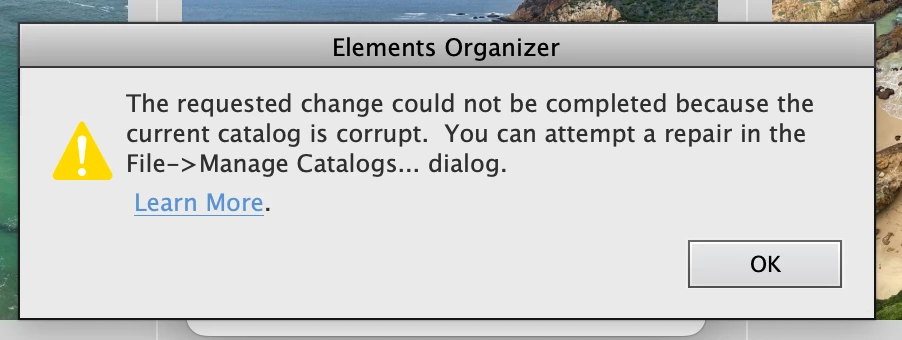
 

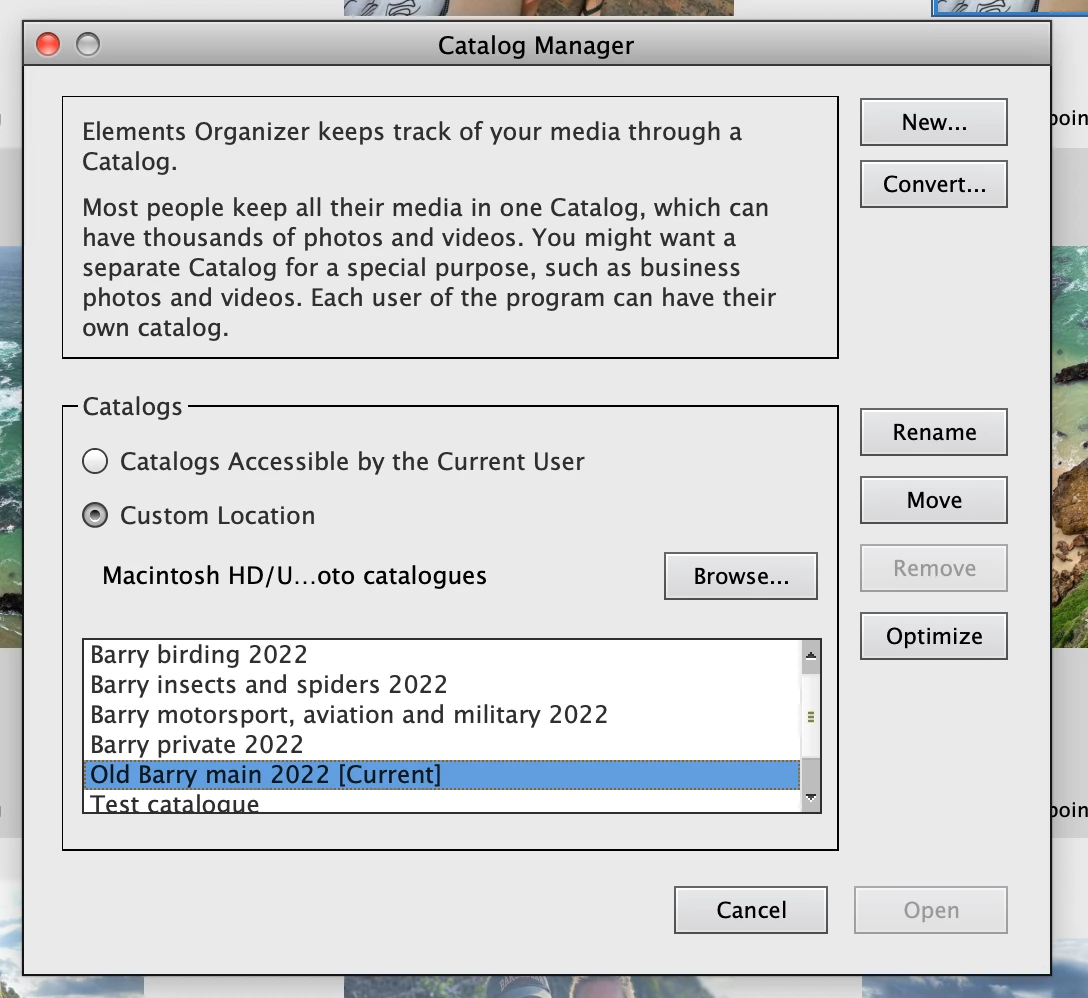
I have tried to do a repair, but the repair button is missing on the Catalog Manager:
I have tried the conversion several times, each time I get the same message.

I am using an Intel based iMac.


{Title edited by Moderator}

This topic has been closed for replies.

3 replies

Greg_S.
Community Expert
Community Expert
June 11, 2022

Barry, thanks for following up on my Missing Files request.  I will try to escalate your issue to Adobe and see if they can help fixing your catalog.  I would hate to see you lose your work on such a large catalog.

barrys51571289
Known Participant
June 12, 2022

Thanks Greg


Greg_S.
Community Expert
Community Expert
June 10, 2022

I don't know whether this is related but another user (on Windows) has had a similar catalog corruption.  See this thread

I have also had an interesting issue that may be related.  In preparation for a catalog conversion, I did a Find>All Missing Files search.  No missing files were found.  However, when I started the catalog conversion, I got a message that there were missing files.  When I followed through with the dialog to reconnect the supposedly missing files, I saw that the two files were no longer anywhere on my computer (because I had deleted them at some point), but these files were not present in the catalog and I could not delete them. 

I even tried to reconnect the "missing" files to some file copies that I renamed with the missing files' names.  Presumably, the copies that I made were files that were already in the catalog and could not be reconnected because they were already in the catalog.  I will try to perform the operation with copies of files that I know are not already in the catalog and see what happens.


@barrys51571289, can you follow my recipe with the original catalog and see if you have any missing files both using the Find>All Missing Files search and when you start a new conversion of the catalog?  Thanks.


barrys51571289
Known Participant
June 11, 2022
Hi Greg

Thanks

I do not have a problem with any missing files, either on Search or Backup.
I have exported my complete catalog (including photos) and restored onto an
external hard drive. No errors on export or restore. Sadly the newly
restored catalog shows the same corruption.

The problem is that catalogs which are working fine becomes corrupt after
working fine for a day or so.

So I could go to the effort of doing the whole new catalog process, only to
have them become corrupt again when used. I have four catalogs with over
120,000 photos generated over 40 years of photography.

I am sure that the problem exists with the combination of PSE 2022 and
Macos Monterey 12.4.

I have two Macs which I use, an older iMac 2017 with an Intel I7 processor,
and a new MacBook Pro M1. The new MacBook Pro has to run Macos 12.x, so I
cannot move back to Macos 11.x, I use the iMac for storage and detailed
photo editing, and the MacBook Pro for field trips (I do up to six week
photography trips).

So I really need a solution which works on PSE 2022 and Macos 12.4, on both
Intel and M1 machines.

Otherwise 15 years of PSE cataloging is at risk.

Regards

Barry Scott
Ranjisha Sengupta
Legend
June 9, 2022

Hi there,


Thanks for reaching out. Sorry about the trouble with Photoshop Elements 2022. We're here to help.

Which version of macOS are you using? Since when are you noticing that the feature is not present? Is it after any recent system or application update? Where are these catalogs located? 

Reinstall Photoshop Elements; check the steps from here: https://helpx.adobe.com/download-install/using/download-install-photoshop-elements.html.


To repair a corrupted catalog in Elements, please have a look at the following articles:

https://helpx.adobe.com/in/photoshop-elements/kb/troubleshoot-catalog-issues-organizer-elements.html

https://helpx.adobe.com/in/elements-organizer/using/troubleshooting-catalog-issues.html


Let us know if this helps.


Thanks.

Ranjisha

barrys51571289
Known Participant
June 10, 2022

The Repair function has not been available on Mac since PSE 18. Why was this useful tool removed?

MichelBParis
Legend
June 10, 2022
quote

The Repair function has not been available on Mac since PSE 18. Why was this useful tool removed?


By @barrys51571289

I am on Windows since the start of the organizer, so I have used the 'repair' option hundred times as it is a general and recommended 'good practice' when using database engines. I have had many issues with catalogs but I have NEVER seen the 'repair' button repair anything. Even with power failures, the sqlite database engine is pretty good to prevent serious damage, so I would not bother at all if the button disappeared also in Windows.


Your question has very little chance to get an answer from Adobe, so here are my guesses.

Adobe tries hard to keep the same features and behaviors in Mac and Windows, but there remains a few differences. Another one for instance is the ability to store your catalog folder on a network drive.

In most cases I see them as the result of more safety constraints from Apple side to protect their users. Adobe does not choose to stop a feature, but they can no longer program them in new OS versions.


So how is the 'repair' function supposed to work? If you compare the catalog structures of the Organizer since the start, you have a Microsoft Access engine up to version 5. The catalog is not a folder, it's a single file, catalog.psa. The Sqlite versio introduced with PSE6 makes the organizer available to Elements for Mac instead of Bridge. The catalog is now a folder with a bit more components than the main database. Then new new features are introduced in the organizer and are managed with new components added in the catalog folder.


Any serious database engine must have a builtin safety system to repair the database in case of a power failure or similar. My guess is that Adobe only programs an order to that Sqlite engine to do the repair. You can issue such an order yourself using an sqlite utility. However, what about other types of issues, corruption than the main database? Note that there are more sqlite databases in a catalog folder, including the thumbnail cache. Maybe the repair process from Adobe does repair more than the databases themselves, but I can't be sure.


So, my advice is to use the recent catalog backup function limited to the catalog folder. After each session, I allow that backup which is fast since it does not backup also the media files. I just had a situation last week where I recovered everything (I just had to wait for the thumbnail cache to be rebuilt in a night job).