Répondu
Converting an image to Sepia
I have Elements 12.
I need a step by step idiot guide to tell me how to convert a JPeg image from colour to sepia.
Treat me as a total beginner please!

I have Elements 12.
I need a step by step idiot guide to tell me how to convert a JPeg image from colour to sepia.
Treat me as a total beginner please!
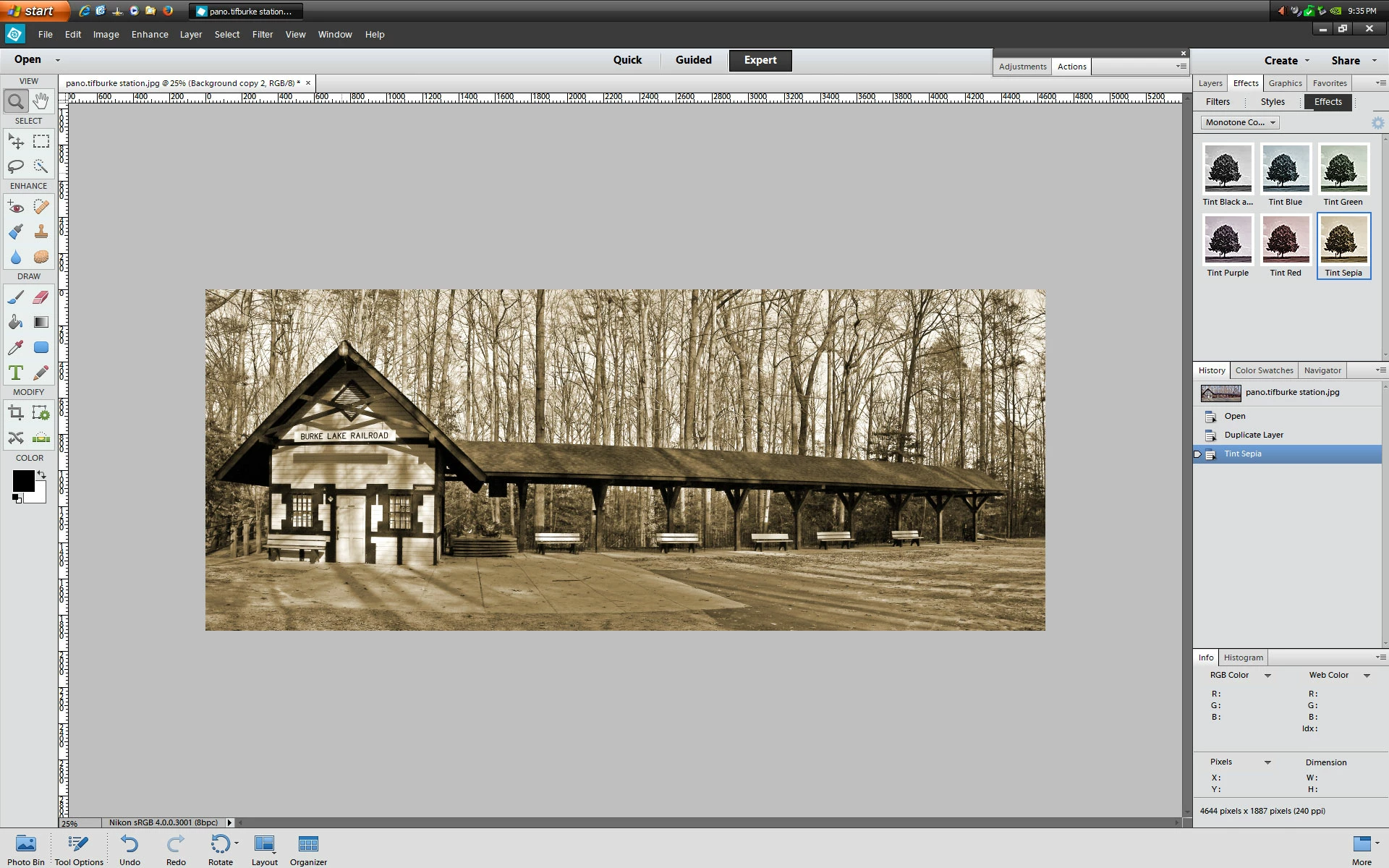
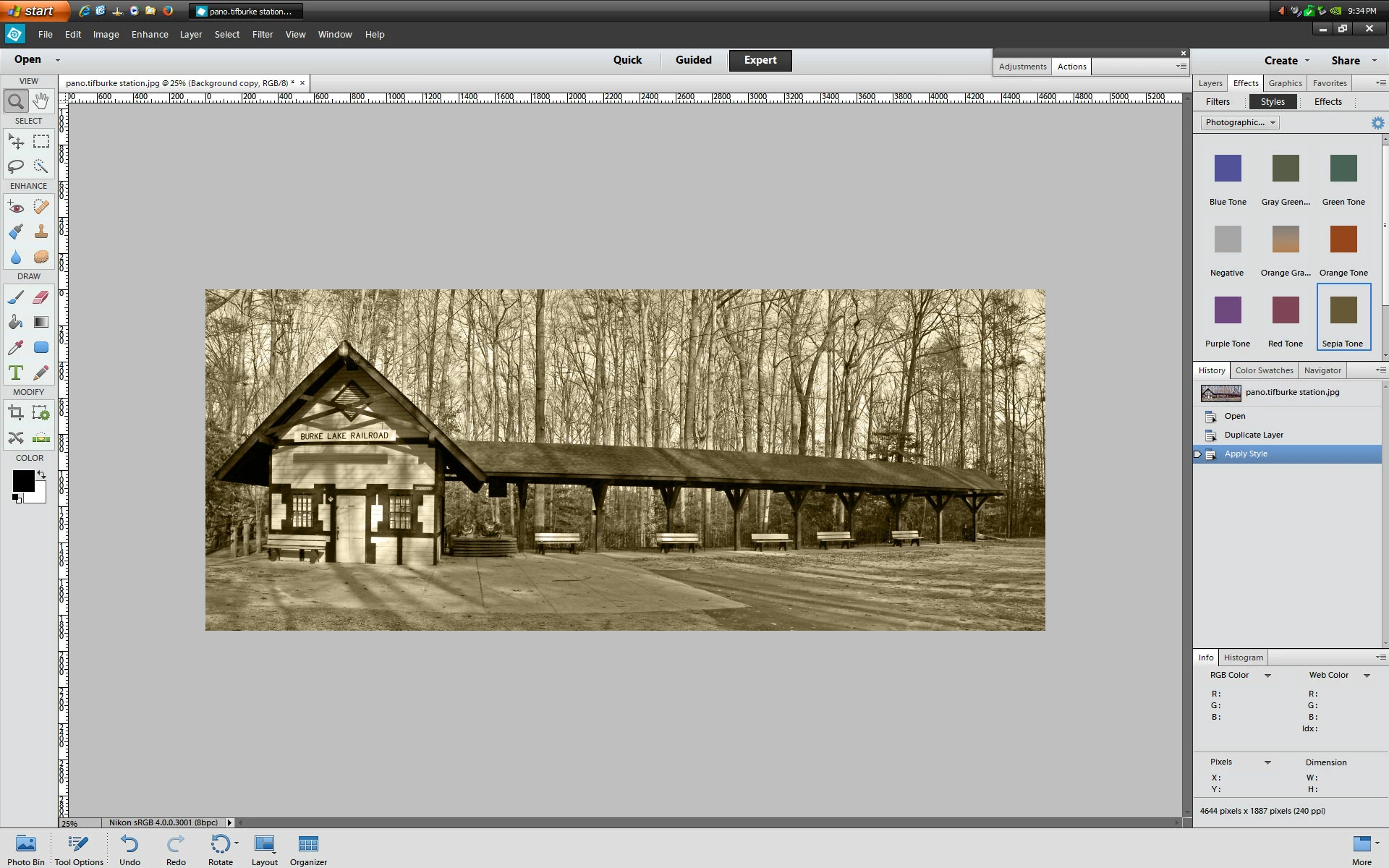
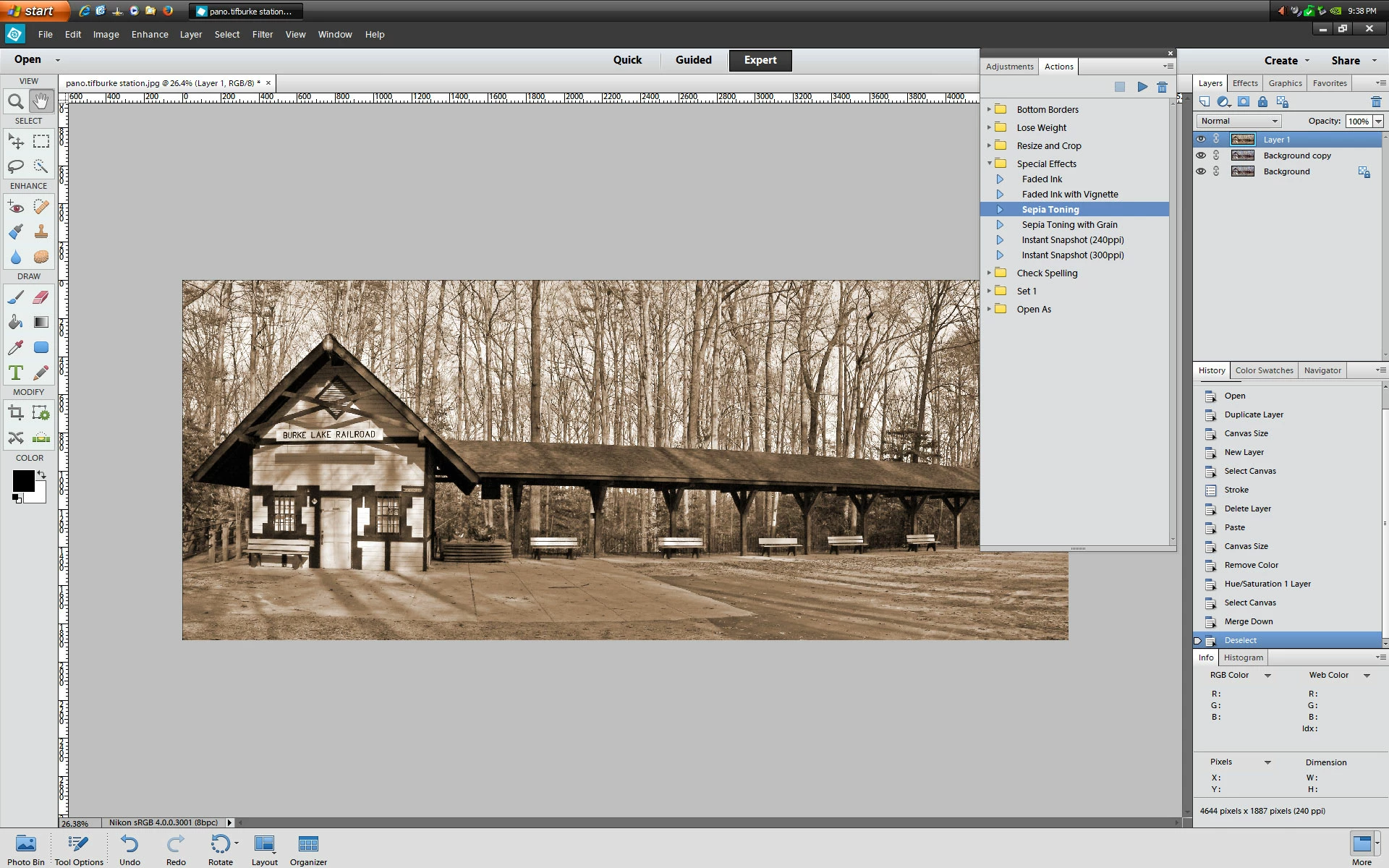
In photoshop elements 12 there are several other ways in Expert mode to get Sepia:
1. Window>Effects>Effects>Monotone Color>Tint Sepia
2. Window>Effects>Styles>Photographic Effects>Sepia Tone
3. Window>Actions>Special Effects>Sepia Toning
Enter your E-mail address. We'll send you an e-mail with instructions to reset your password.


 AdChoices