
Participant
January 9, 2019
Answered

creating a custom template in PSE 2019?

  • January 9, 2019
  • 1 reply
  • 485 views

Hello,

I'm a brand-new PSE user and am wondering if I am able to do what I need using this program.  I need to scan in a document that has 2 elements,  crop and straighten each one separately (so both elements are selected around their perimeter and are straight) and then orient them to each other in a precise, duplicatable way.  This file will be saved with two different sizes - one for print and one for web.  I will be doing several hundred at a time - and each one will need to have the exact same format - so simplicity and workflow is the name of the game.

I talked with someone more familiar to photoshop than me and she suggested creating a master template that I would essentially drag and drop the needed images into.   The two images are always the same - I've included a photo of that shows them both - a heart and a square. 
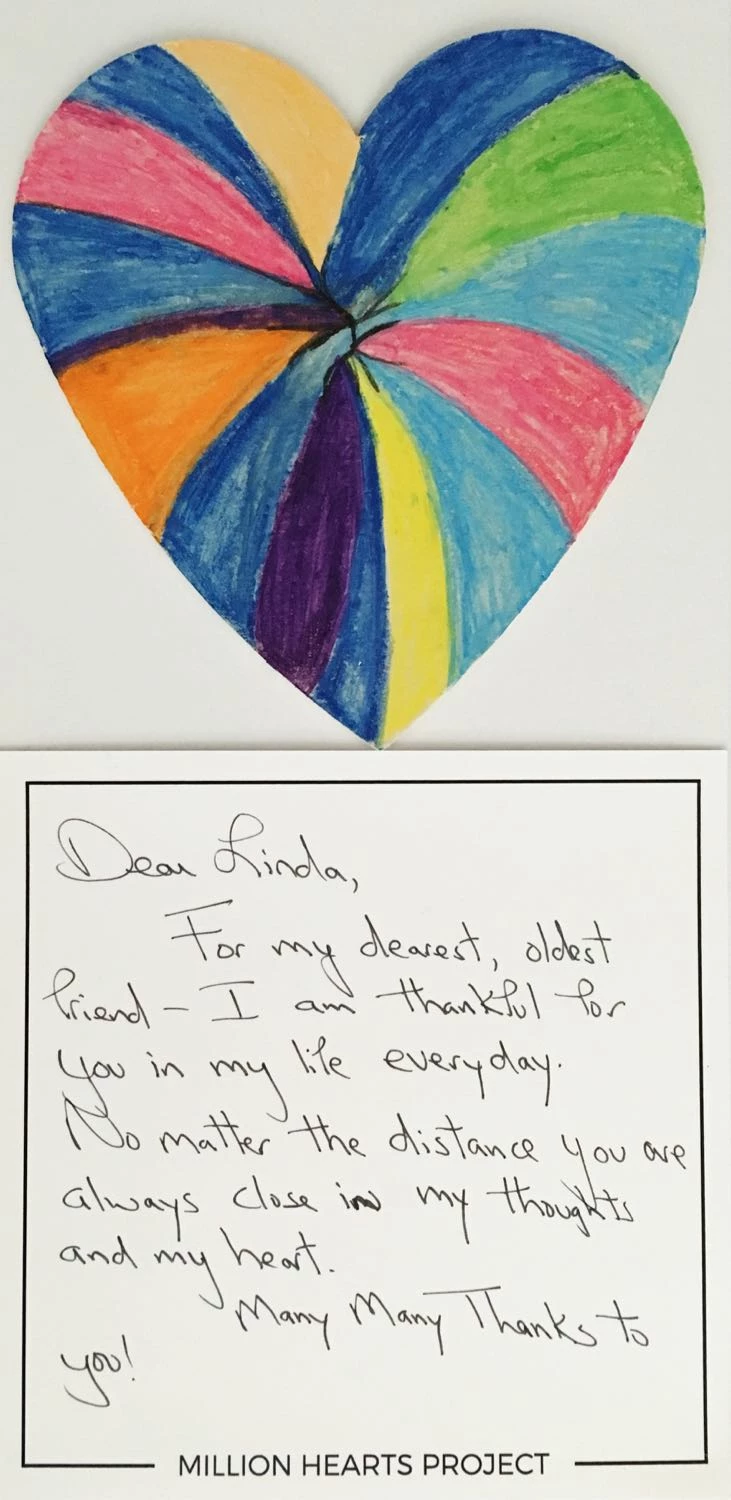
Is PSE the right program for me or do I actually need PS?  If PSE is the right program, could you steer me towards some tutorials that could help me create a workflow that will help me do what I need to do? 

TIA for your thoughts and expertise!
    This topic has been closed for replies.
    Correct answer hatstead

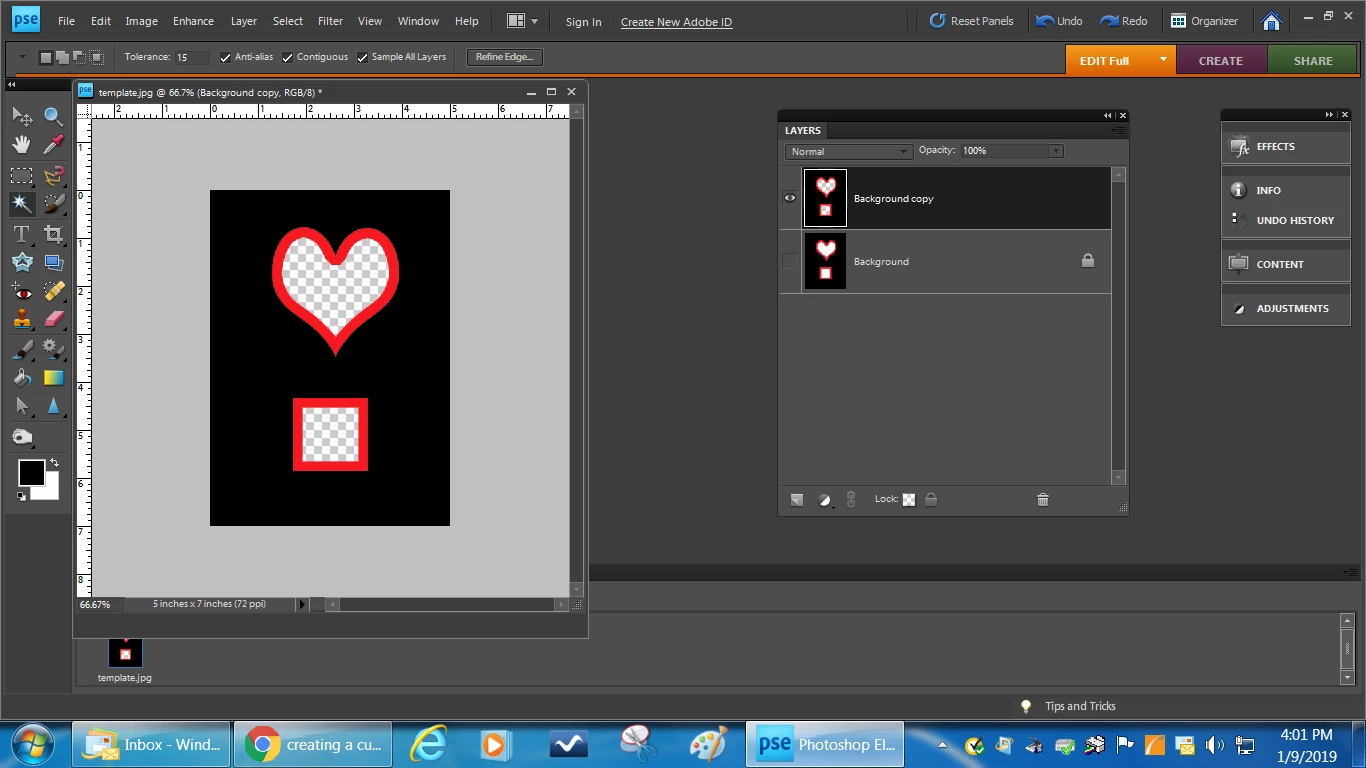
    You can make a simple template as I have done here for demonstration, and then place the heart shaped graphic and the message into the transparent areas. However, this is a manual process and labor intensive.

    Perhaps your friend can write an action in full Photoshop for your purpose. PSE can play actions provided the tools used to write the action in PS are available in PSE.

    1 reply

    hatstead
    hatsteadCorrect answer
    Inspiring
    January 9, 2019

    You can make a simple template as I have done here for demonstration, and then place the heart shaped graphic and the message into the transparent areas. However, this is a manual process and labor intensive.

    Perhaps your friend can write an action in full Photoshop for your purpose. PSE can play actions provided the tools used to write the action in PS are available in PSE.

    MichelBParis
    Legend
    January 10, 2019

    You may find interesting tutorials and videos about creating your own templates in Elements:

    http://photoshopelementsandmore.com/thread/1753/digital-scrapbooking-resources

    Look for the videos about 'drag and drop' templates.