
kathleenw6615717
Participant
May 2, 2018
Answered

Cropping in Photoshop Elements 6

  • May 2, 2018
  • 1 reply
  • 299 views

This just started a day ago.  When I go to crop a photo in Photoshop Elements 6, my photo shrinks to 1 inch and disappears.  I try to stretch it out to see if I will eventually reach the photo, but I can't find it.  I can still save photo by clicking on Undo crop
This topic has been closed for replies.
Correct answer Jeff Arola

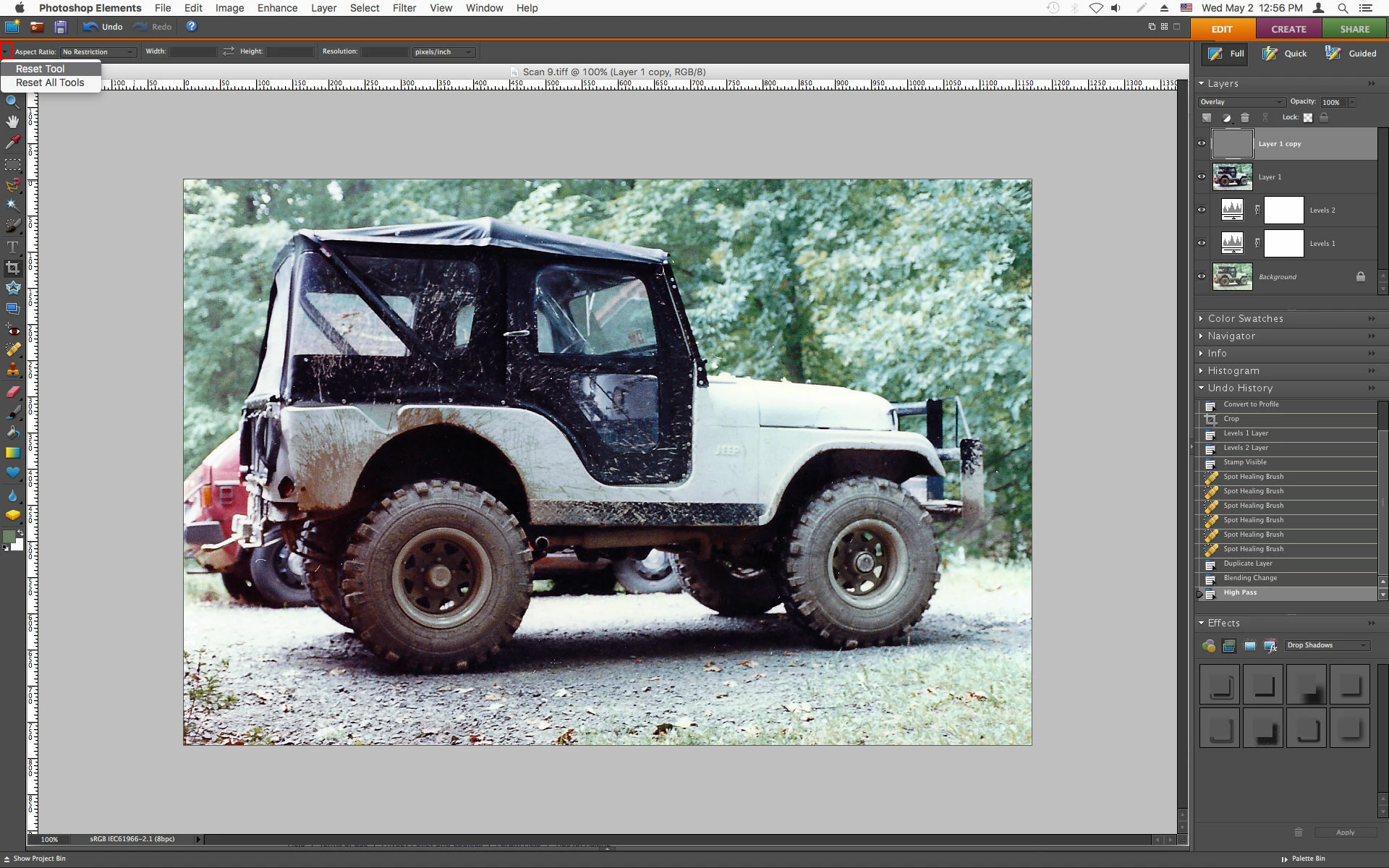
Most likely there is some small value inserted in the Width, Height or Resolution field.

You can reset the crop tool by clicking on the small down-turned arrow to the left of where it says Aspect Ratio in the tool options bar and then click on Reset Tool.

1 reply

Jeff Arola
Community Expert
Jeff ArolaCommunity ExpertCorrect answer
Community Expert
May 2, 2018

Most likely there is some small value inserted in the Width, Height or Resolution field.

You can reset the crop tool by clicking on the small down-turned arrow to the left of where it says Aspect Ratio in the tool options bar and then click on Reset Tool.

kathleenw6615717
Participant
May 2, 2018

OMG Jeff.  Now that I have FIXED IT ( YOU fixed it) I remember that happening Years ago.  Thank you so much for helping me.  I might still go ahead and purchase the 2018 version 16, but I am so afraid of change.  Thank you again so very much.  Katie

Katie

[Personal information removed by moderator.]