Try this:
1. Open the picture file
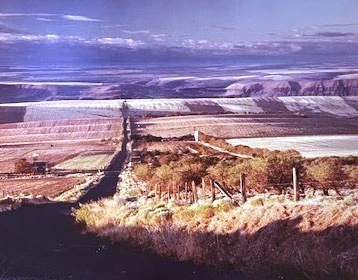
2. Go to Enhance>Adjust Lighting>Levels. Access the white eyedropper in the dialog to reset the white point. With the eyedropper, click on a "light " area below the fence. When I did this the entire picture came to life - the foliage at the bottom became visible!
3. Open a levels adjustment layer at the top and play a little with the 3 sliders. With my equipment this had little additional effect.
4. As for printing, we have to consider the resolution. The resolution of this file is 72 px/in. That is ok for web work, but for printing the rule of thumb is that the resolution should be in the 240-300 px/in range, although I have printed successfully below this value.
Go Image>Resize>Image size. Change 72 to 240, check Resample and Constrain proportions. ok it.
5. Make a test print




 AdChoices