
Participant
August 18, 2025
Question

Darstellung im Raster
  • August 18, 2025
  • 2 replies
  • 188 views

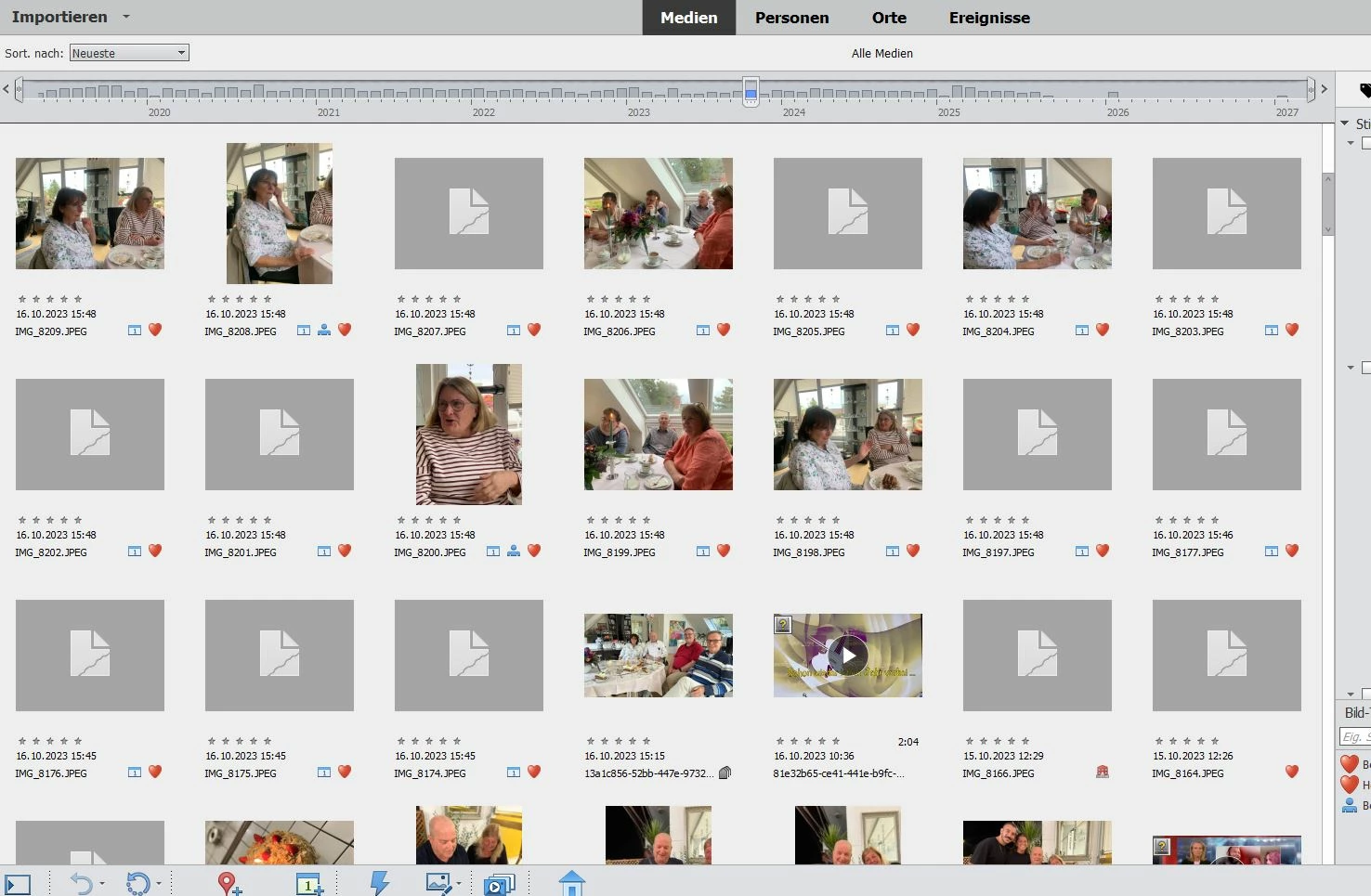
 Das ist das Ergebnis, wenn ich den Raster-Bildschirm einschalte. Ich habe nichts an den Bildern gemacht. Wenn ich ein Bild anklicke, ist das Bild verschwunden und dieses Zeichen erscheint.
Was kann das sein?
Was mache ich falsch?
Ich habe ca. 20.000 Bilder im Organizer. Das habe ich noch nie erlebt.

2 replies

Greg_S.
Community Expert
Community Expert
August 19, 2025

When you first imported the files to the catalog, did a proper thumbnail image appear?  

Is it only when you click on a thumbnail that it turns into a generic torn page icon?

I note that one of your video files shown in your original screenshot is missing:

Is it possible that the other files have been moved or renamed outside of the Organizer and that they are also missing from the catalog?  What happens if you double-click on one of the generic thumbnails?


What is the source of the images?  If they come from one of the newer high resolution camera phones, they may exceed the maximum size for the Organizer.


Can you open the file in the Editor?  It is possible that the file is a non-conforming jpeg format.  If you can open the file in the Editor and save it, the format should be corrected.


One other possibility: change the extension from JPEG to jpg.

Participant
August 23, 2025

Hi!

I have a similar problem to HerbertRo. As you can see from the screenshot, some of my pictures are displayed as they should, but most are just grey. It's been like this from when I first installed Photoshop Elements 2024 (in Windows 11). I have tried updating the thumbnails, but it doesn't work. I cannot open the grey images in Editor from Organizer, but I can open them in Editor "directly" from Windows Explorer. Strangely enough, when I have done that, the picture is visible in Organizer.

Greg_S.
Community Expert
Community Expert
August 18, 2025

Try selecting the generic thumbnails and pressing Shift+Ctrl+U.  This will update the thumbnail.

HerbertRoAuthor
Participant
August 18, 2025

Hallo Greg,
Vielen Dank für Deine schnelle Antwort. Leider funktioniert Deine Empfehlung bei mir nicht!
Wenn ich auf meiner Rasterseite ein Feld mit diesem Zeichen markiere, und dann mit Shift+Ctrl+U anklicke, passiert nichts!
Wenn ich jedoch ein Bild auf der Rasterseite anklicke und Shift+Ctrl+U eingebe, dann kommt anstatt des Bildes auch dieses dumme Zeichen! Und das lässt sich nicht rückgängig machen. 
Kannst Du mir weiter helfen?

Shift+Ctrl+U