
Participant
August 8, 2025
Answered

Dia Show Editor Adope Photoshop Elements 2025

  • August 8, 2025
  • 2 replies
  • 128 views

Hallo, ich habe Adobe Photoshop Elements 2025  vor einer Woche auf mein PC heruntergeladen.

Ich versuche eine manuelle Diashow zu erstellen und den Diashow-Editor zu benutzen.

Gehe ich in Organizer, Erstellen und Diashow:   Es wird sofort eine automatische Diashow erstellt. Darin gibt es  nur vorgefertigte Themen und Musik.

Im Foto Editor kann ich nur einzelne Fotos bearbeiten.

Ich habe deinstalliert, wieder neu installiert, ich weiß auch nicht, wie ich erkennen könnte, ob beim Installieren irgendwelche Komponenten fehlen.

Vielleicht kann mir jemand helfen oder mir sagen, wo ich noch Hilfe finden könnte.

Heike.
Correct answer Greg_S.

Nothing is missing.  You can only use the templates to create a slideshow in the Organizer.  If you want to manually create a slideshow, you would need to use Premiere Elements or some other slideshow editor.  


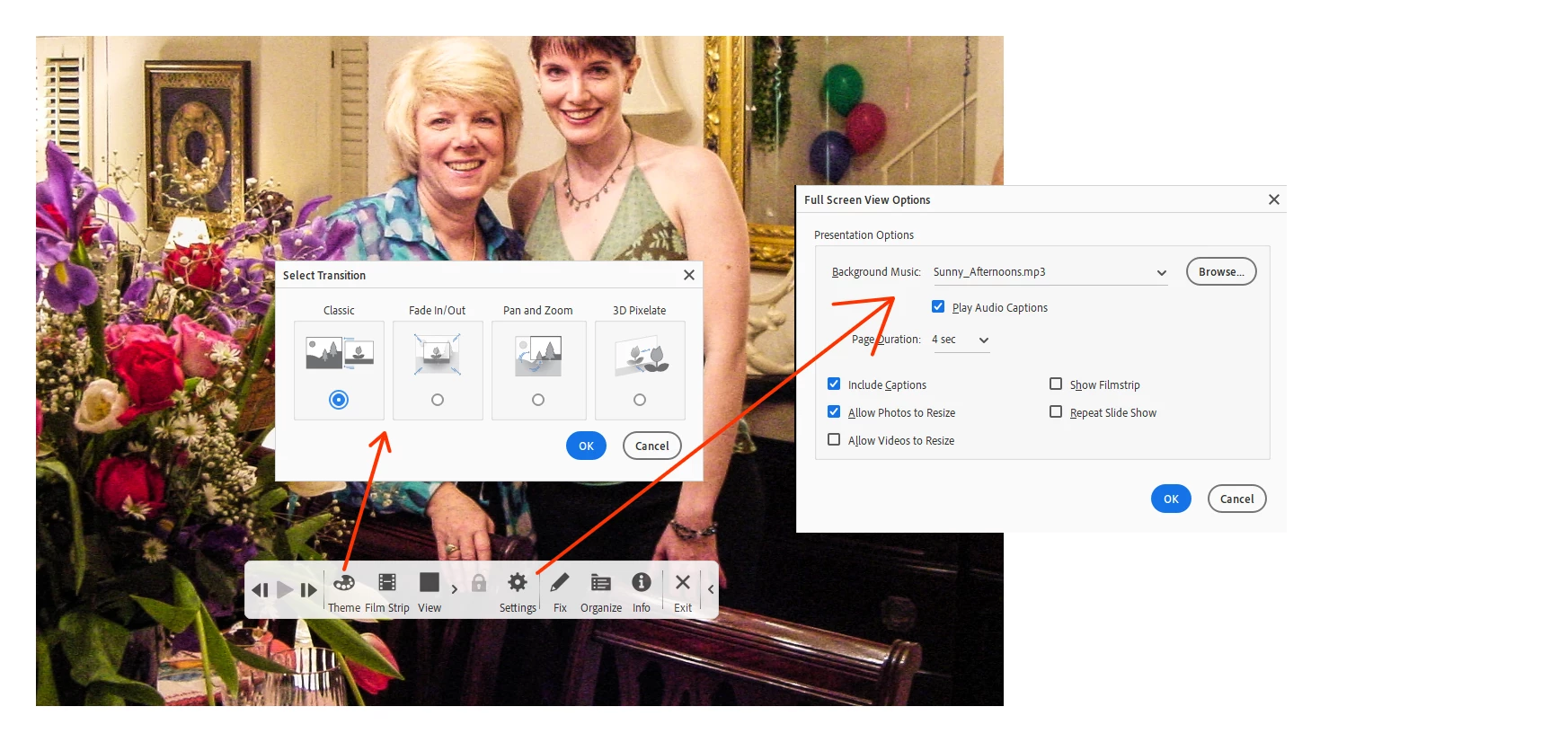
One other possibility for creating a slideshow on your computer, using the Organizer, is to create an Album and place your photos in the desired order in the Album.  If you then press F11, the photos will appear full screen,  and can be displayed in the desired order, as a slideshow, with more traditional templates and the ability to play music.  I suppose you could then use a video capture utility to capture the slideshow to a file.


2 replies

Greg_S.
Community Expert
Greg_S.Community ExpertCorrect answer
Community Expert
August 8, 2025

Nothing is missing.  You can only use the templates to create a slideshow in the Organizer.  If you want to manually create a slideshow, you would need to use Premiere Elements or some other slideshow editor.  


One other possibility for creating a slideshow on your computer, using the Organizer, is to create an Album and place your photos in the desired order in the Album.  If you then press F11, the photos will appear full screen,  and can be displayed in the desired order, as a slideshow, with more traditional templates and the ability to play music.  I suppose you could then use a video capture utility to capture the slideshow to a file.


kglad
Community Expert
Community Expert
August 8, 2025

in the future, to find the best place to post your message, use the list here, https://community.adobe.com/

p.s. i don't think the adobe website, and forums in particular, are easy to navigate, so don't spend a lot of time searching that forum list. do your best and we'll move the post (like this one has already been moved) if it helps you get responses.


<"moved from download and install">