Participant
July 15, 2017
Answered

Drop down menu missing text

  • July 15, 2017
  • 2 replies
  • 2322 views

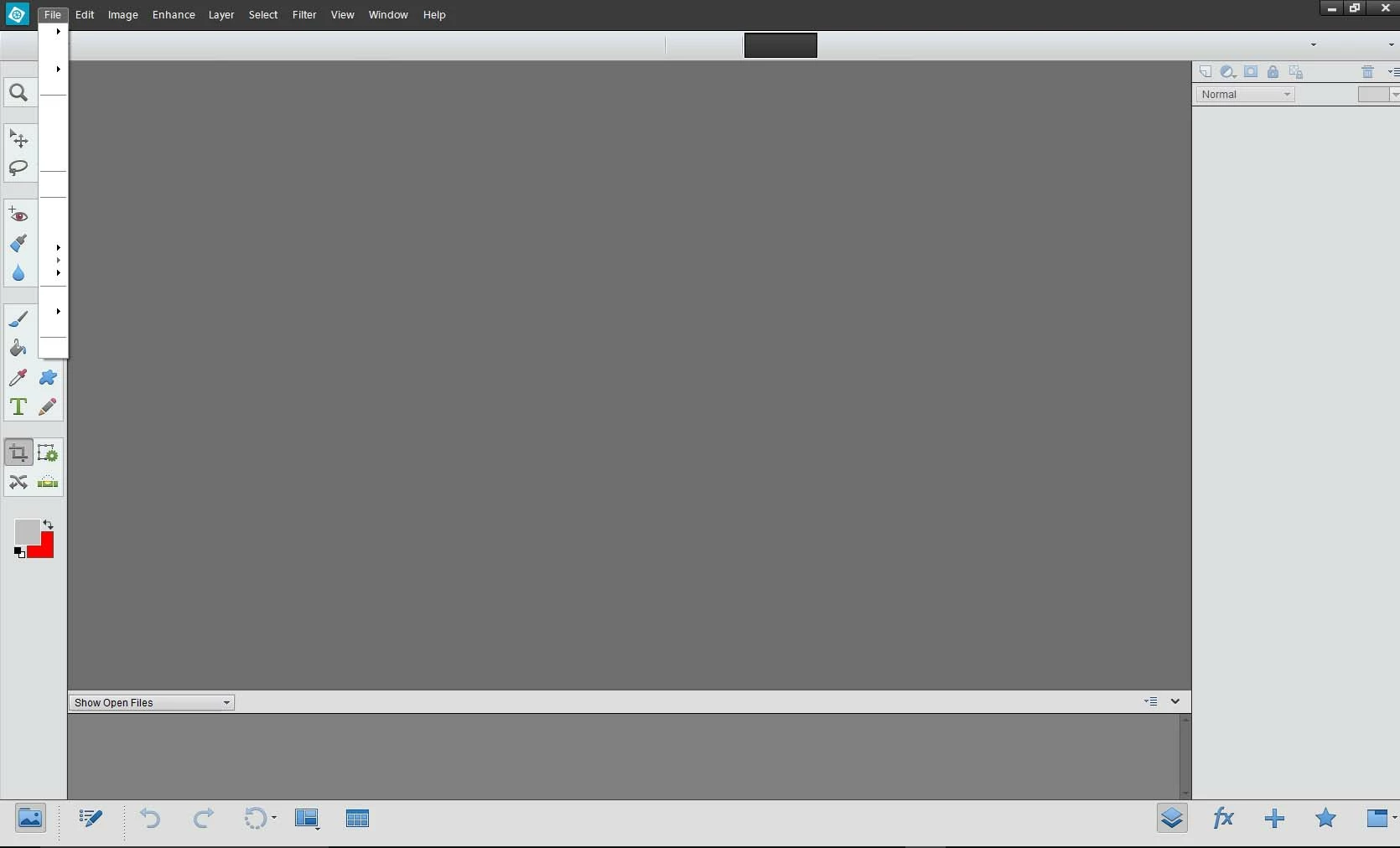
When I open Photoshop Elements 12 Photo Editor, there is no text in the drop down menus, just a thin white box with horizontal lines and arrows

If I restart my machine, the drop down text reappears

I have Windows 10 Pro  64 bit Version 1703 build 15063.483

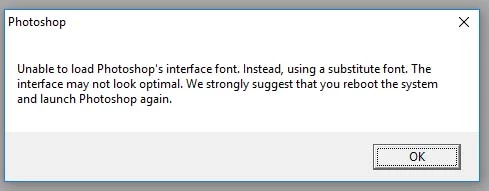
I also have Photoshop 6 and this opens with a message "Unable to load Photoshop's interface font...."

Could these two problems be connected?

The Photoshop Elements is the real problem as it renders the program unuseable

These is a recent problems

Here are screen shots of the problems:
    This topic has been closed for replies.
    Correct answer Jeff Arola

    Solution to a similar problem is being talked about in this thread https://answers.microsoft.com/en-us/windows/forum/windows_10-performance/photoshop-element s-10-pulldown-menus-are-now-bl…

    Please see if this is helpful.

    Thanks,

    Anwesha


    Anwesha,

    Could this be a cause of all the issues with certain photoshop elements versions and windows 10 creators update?

    Re: Problems in Windows 10 Creators Update with Fonts Installed via “Shortcut”!

    2 replies

    Participant
    August 3, 2017

    I refer to this discussion:

    Re: Problems in Windows 10 Creators Update with Fonts Installed via “Shortcut”!

    This link has a workaround which consists of 2 small files that change the registry

    As I suspected the problem is to do with the inability of Windows/Adobe to find an specific system font

    Anyway, this fix worked for me and I recommend it to anybody who has the same problem

    Thanks to https://forums.adobe.com/people/R_Kelly for this fix

    Participating Frequently
    July 17, 2017

    Hi Andrew,

    Sorry for the inconvenience.

    This is a known issue with Windows 10 Creator update and Microsoft has released a new Windows 10 update KB4016240 (Build 15063.250) that attempts to fix most of the common issues faced by users who upgraded to Windows 10 Creators Update.

    Please try installing this update and also clear preferences once before launching Editor. To do so,  keep Ctrl + Alt + Shift keys pressed while launching Editor.

    You will be asked to delete settings file. Say yes.

    Thanks,

    Anwesha

    Participant
    August 2, 2017

    I tried to install

    windows10.0-kb4016240-x64_0e60aebeb151d4b3598e4cfa9b4ccb1fc80e6e4d

    windows10.0-kb4016240-x86_7c7fcf0d4018e4244561cde531c3fb583d9f3051

    but I got a message from Windows Update Standalone Installer "The update is not applicable to your computer"

    My system says I have OS Build 15063.483 so maybe I have this update already but I cannot see it in Update History

    Participating Frequently
    August 3, 2017

    Solution to a similar problem is being talked about in this thread https://answers.microsoft.com/en-us/windows/forum/windows_10-performance/photoshop-element s-10-pulldown-menus-are-now-bl…

    Please see if this is helpful.

    Thanks,

    Anwesha