Walter_H
Legend
August 7, 2020
Answered

Drop Shadow in PSE2020

  • August 7, 2020
  • 2 replies
  • 2346 views
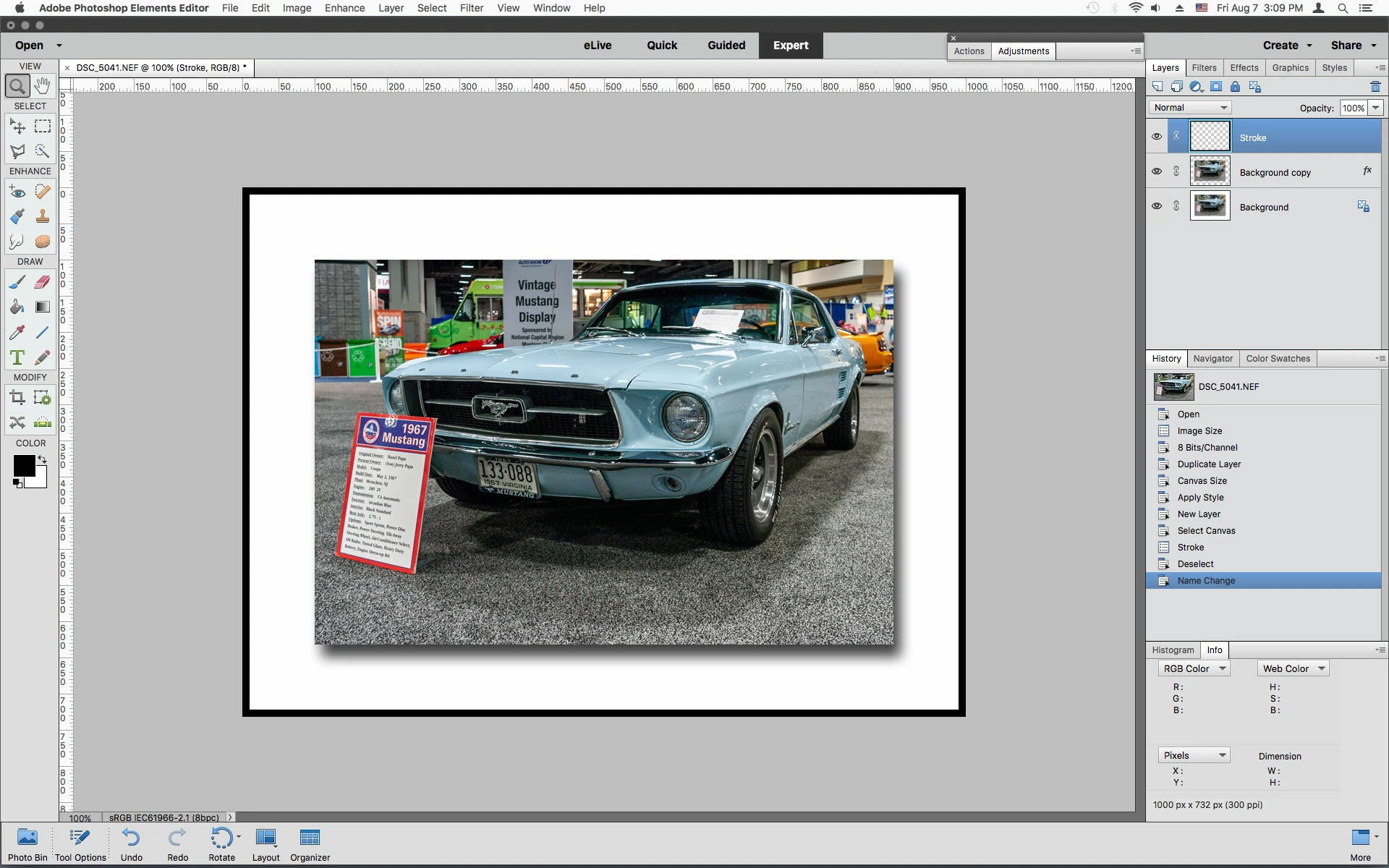
I recently followed instructions in a YouTube video to increase the canvas size and add a drop shadow to a few photos. It works perfectly in PSE 2020. But, at the end of the process, I did a select all and added a stroke (outline) around the white space. This added another shadow inside the stroke which I didn't want. The only way around this I found was to save the photo as a JPG after adding the drop shadow and then reload the photo and then add the stroke. Is there a better way to do this without the extra steps of saving as a JPG and then reloading it to add the stroke?

 
This topic has been closed for replies.
Correct answer Jeff Arola

You could make a new blank layer, Select All then Edit>Stroke


2 replies

Participant
January 1, 2023

This links to a video that is 10 years old and doesn't match the current versions.  It would be very helpful to have actual written steps instead of having to rewind and rewind and rewind videos to figure out what you are being instructed to do. 

Jeff Arola
Community Expert
Jeff ArolaCommunity ExpertCorrect answer
Community Expert
August 7, 2020

You could make a new blank layer, Select All then Edit>Stroke


Walter_H
Walter_HAuthor
Legend
August 10, 2020

Hi Jeff,

Sorry I'm late getting back to you. Your tip works perfectly!

Lighthouse on Gasparilla Island, FL


--Walter in Davie, FL