
Participant
September 16, 2019
Question

Druck Error

  • September 16, 2019
  • 3 replies
  • 349 views

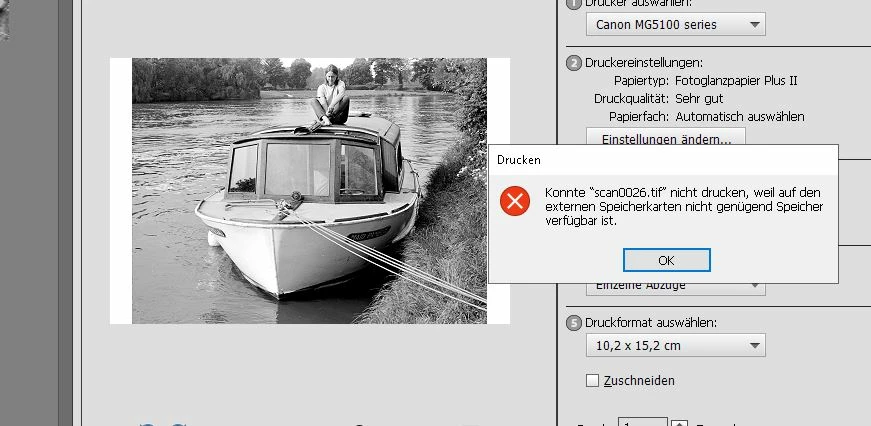
Elements 17 (Sep.2019), Windows 10. Druckt nicht. Fehlermeldung: "Konnte ...

.tif (...jpg) nicht drucken, weil auf den externen Speicherkarten nicht genug Speicher verfügbar ist." PSE17 und Druckertreiber (Canon) neu installiert, keine Änderung. Drucken aus allen anderen Programmen ohne Probleme.
 

This topic has been closed for replies.

3 replies

Peru Bob
Community Expert
Community Expert
September 16, 2019

- and it works. I have no idea why, but perhaps somebody can explain it?

If it works, just use it.

Rechlin19Author
Participant
September 16, 2019

Thank you, but that didn't fix it. Next I tried installing once more the Canon driver for 5150 Pixma, but this time directly from the Canon homepage. This contains the standard driver, which again didn't work- but besides an XPS printer driver:

"MG5100 series XPS-Druckertreiber Version. 5.56 (Windows 10/10 x64/8.1/8.1 x64/8/8 x64/7/7 x64/Vista/Vista64)

V 5.56, 01 September 2015"

- and it works. I have no idea why, but perhaps somebody can explain it?

hatstead
Inspiring
September 16, 2019
Thanks for the follow-up. Perhaps this driver is targeted for Windows 10.
hatstead
Inspiring
September 16, 2019

In Elements Editor, Expert tab, reset preferences to default. That may fix it.

Go to Edit>Preferences.General and look for this:

 Restart the computer after reset.