Participant
September 20, 2024
Answered

Ecriture inversée - Photoshop is becoming boring

  • September 20, 2024
  • 7 replies
  • 567 views

J'avais un vieux Photoshop sur un vieux Mac. Puis un jour, Adobe m'a retiré cette licence !!!
Bien entendu, ancienne boite ou CD jetés, donc pas le choix, faut payer une nouvelle licence.

Je paie, je télécharge.
Bien sûr, pas comptatible avec mon vieux Mac ! 
Pas grave, je'ai un jeune MacBook, ça marche.

Et puis tellement pratique de faire du Photoshop sur un petit écran !! 😞


Bref, sur cette nouvelle version, dès que je veux écrire, ça devient n'importe quoi.
Impossible d'écrire par exemple " 123 avenue Victor Hugo". Systématiquement, ça devient "Avenue Victor Hugo 123" !!!!!!

J'ai chagé les paramètres de pays, etc, RIEN N'Y FAIT !!!


HELP !!!!
Merci de m'avoir lu !
This topic has been closed for replies.
Correct answer Greg_S.

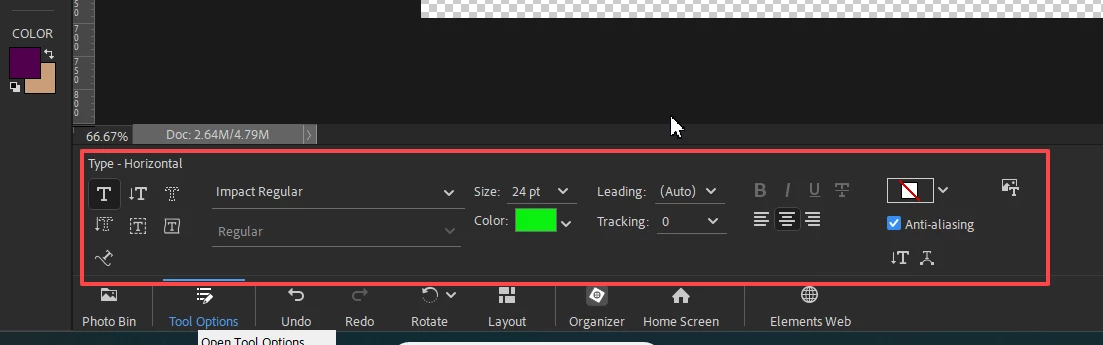
Sorry, I don't think your video was visible when I first saw your post.  Can you please show us a screenshot of the text tool options:


Does this problem occur with all fonts?

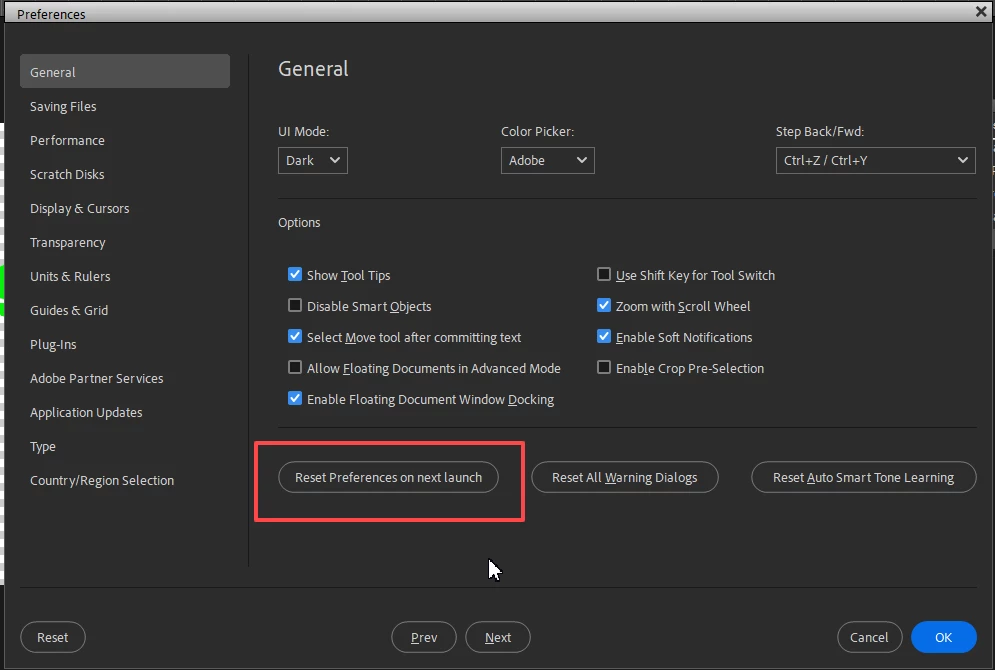
In the meantime, I suggest that you try resetting the preferences file. Go to Edit>Preferences>General tab and click the Reset Preferences on next launch button:


7 replies

Greg_S.
Community Expert
Community Expert
September 23, 2024

De rien!

Greg_S.
Community Expert
Greg_S.Community ExpertCorrect answer
Community Expert
September 23, 2024

Sorry, I don't think your video was visible when I first saw your post.  Can you please show us a screenshot of the text tool options:


Does this problem occur with all fonts?

In the meantime, I suggest that you try resetting the preferences file. Go to Edit>Preferences>General tab and click the Reset Preferences on next launch button:


30fevrierAuthor
Participant
September 23, 2024

YES !!!!! 
It works now after resetting the preferences !!!
Thanks for your support ! 
Eric

Greg_S.
Community Expert
Community Expert
September 22, 2024

Where exactly is the writing becoming reversed?  Please show us a screenshot.

30fevrierAuthor
Participant
September 23, 2024

Hi, Thaks for your support.
Did you look at the video ?
I have written "77" first and then immediately, the next character has began to be typed BEFORE "77" instead of after "77".
I did not move the mouse to write.

In France, you write the number FIRST, not after. But I can't do it. I have changed some parameters of country, but no effect.

Ged_Traynor
Community Expert
Community Expert
September 22, 2024

@30fevrier that looks like Photoshop Elements, try reporting the issue on that forum instead

30fevrierAuthor
Participant
September 21, 2024

Hello, thanks for your support.
Here is a short video. Hope it will explain...
Eric

Her below the link of this screen-video :

https://drive.google.com/file/d/1cOCKKDtkuX-FCTOEmKjJqq7bgKg5f-Mp/view?usp=sharing

johng44721896
Community Expert
Community Expert
September 21, 2024

Have you tried to reset the Character panel?

MarekMularczyk
Community Expert
Community Expert
September 20, 2024

Can you share some screenshots with us to show what's happening? Also, what version of Photoshop are you using? CC 2024?


Adobe Community ExpertAdobe Certified Professional