


Participant
Jun 3, 2022 5:07 PM UTC
Answered

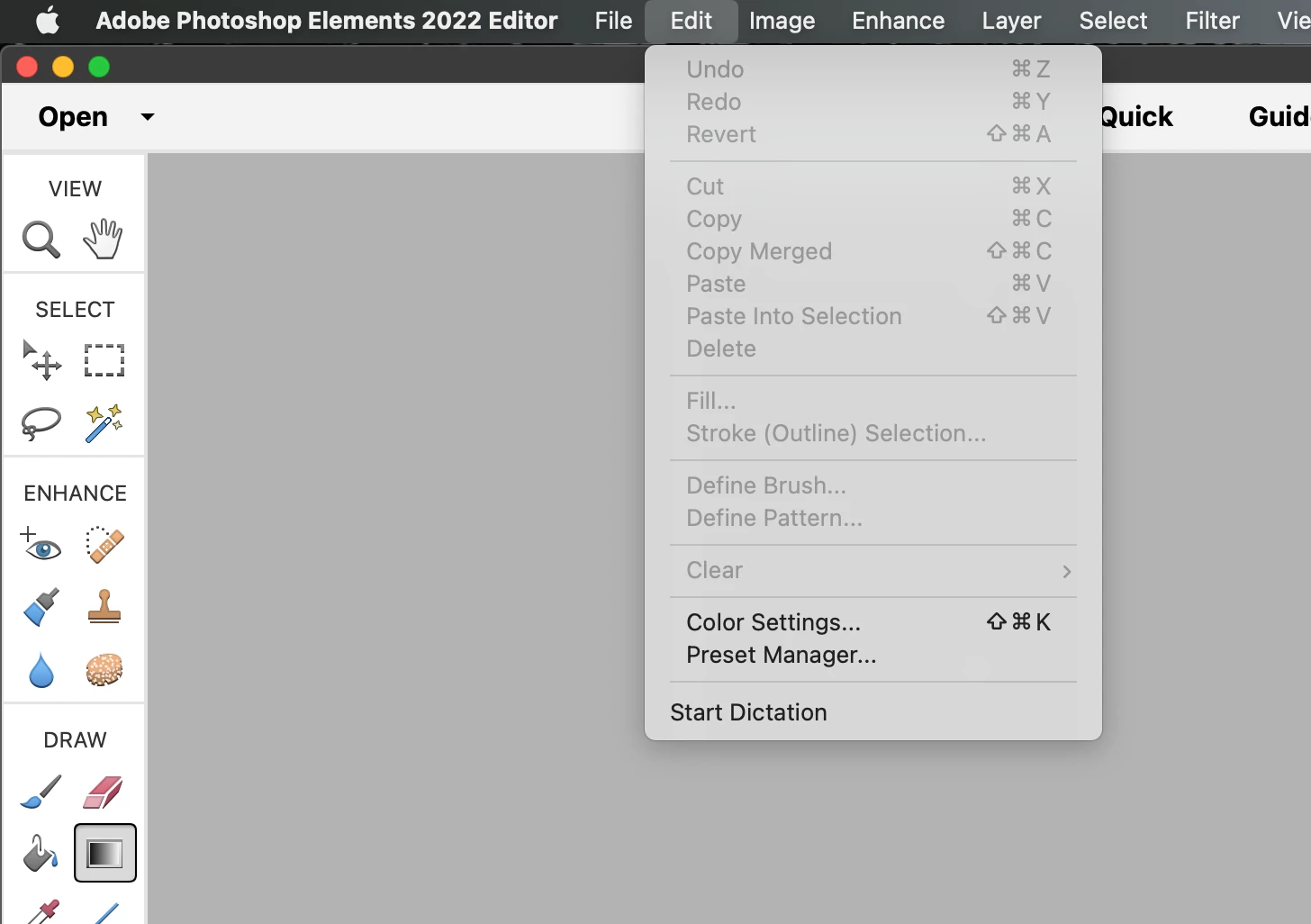
edit menu doesn't have a "toolbar" entry

I'm running Photoshop Elements 2022 on a Mac in Expert mode.  I need access to tools that are not displayed on the toolbar.  Standard advice is to use Edit/Toolbar, but my Edit menu doesn't have Toolbar entry.


How can I edit the toolbar?


This topic is closed to new replies. Start a new post to keep the conversation going.
Peru Bob
Peru BobCorrect answer
Community Expert
Jun 3, 2022 5:27 PM UTC

That only works for Photoshop, not Photoshop Elements.

You can't edit the Photoshop Elements toolbar.

5 replies

Glenn 8675309
Legend
Jun 4, 2022 11:51 AM UTC

If you are talking aboutthe greyed out stuff you need to have an image open.  You also need to be i nexpert mode to see all available tools. 

Translate
Peru Bob
Community Expert
Community Expert
Jun 3, 2022 5:28 PM UTC

What tools do you need that are not showing?

Translate
Participant
Jun 4, 2022 9:00 PM UTC

Thanks for your replies, Peru Bob.

I immediately need the Shapes tool, which I was using earlier, but now doesn't appear for some reason.

But aren't there a lot of other tools that won't fit on the Toolbar all at the same time?

Translate
Peru Bob
Community Expert
Community Expert
Jun 5, 2022 5:55 PM UTC

Translate
Peru Bob
Community Expert
Peru BobCommunity ExpertCorrect answer
Community Expert
Jun 3, 2022 5:27 PM UTC

That only works for Photoshop, not Photoshop Elements.

You can't edit the Photoshop Elements toolbar.

Translate
