Elements 11 Resizing the layers palette
Yeah, I know it's old. But, it's what I'm teaching from 'cause it's what the center has licenses for and what's installed on their computers........
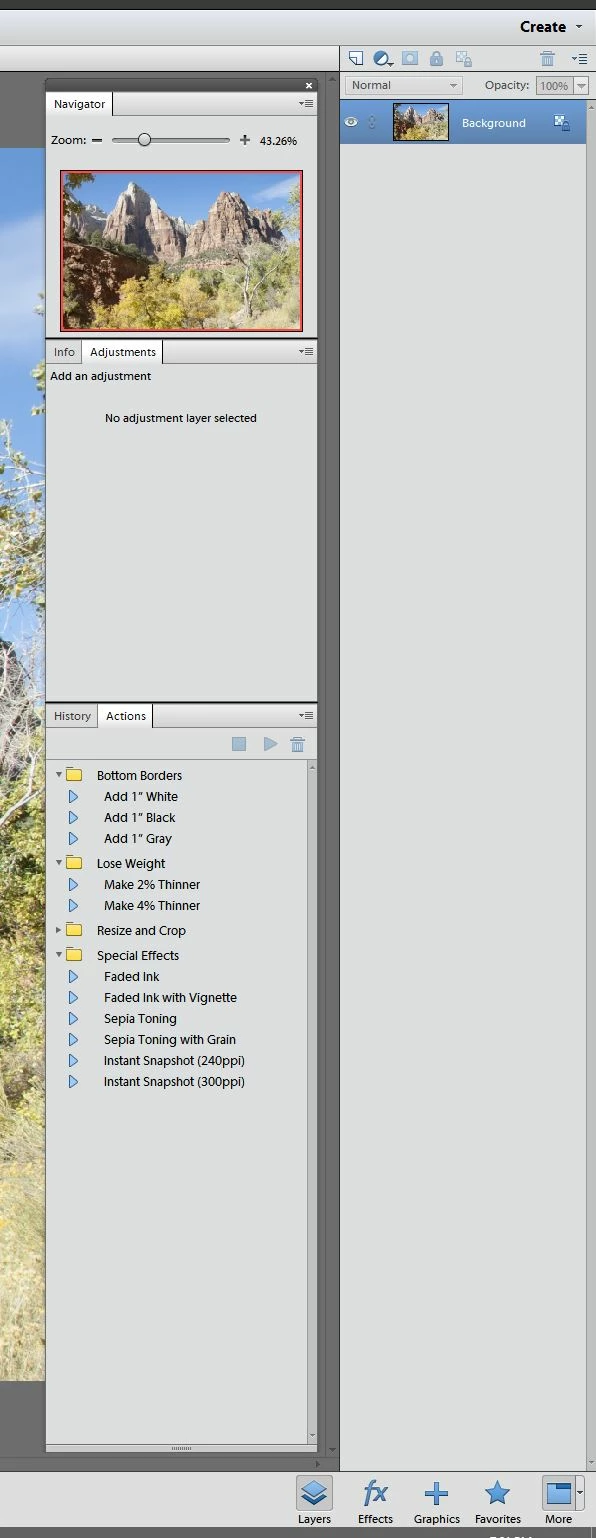
In the editor, I want to create a set of palettes SIMILAR to what I have in Photoshop. No problem UNTIL I turn on the Layers palette. Its a big thing that runs all the way down the right side of the screen... I WANT to attach it to the bottom of another palette, make it a more reasonable size, and put History, Layers, and Actions in the same palette so I can switch between them. There are NO handles to grab this thing to resize it....
Here's what it looks like. I want to stick Layers in with History and put the whole thing all the way to the right, where the big, ugly honking layers thing is at the moment.
How do this?
 AdChoices