This topic is closed to new replies. Start a new post to keep the conversation going.
Jeff Arola
Jeff ArolaCorrect answer
Community Expert
Sep 27, 2018 5:40 AM UTC

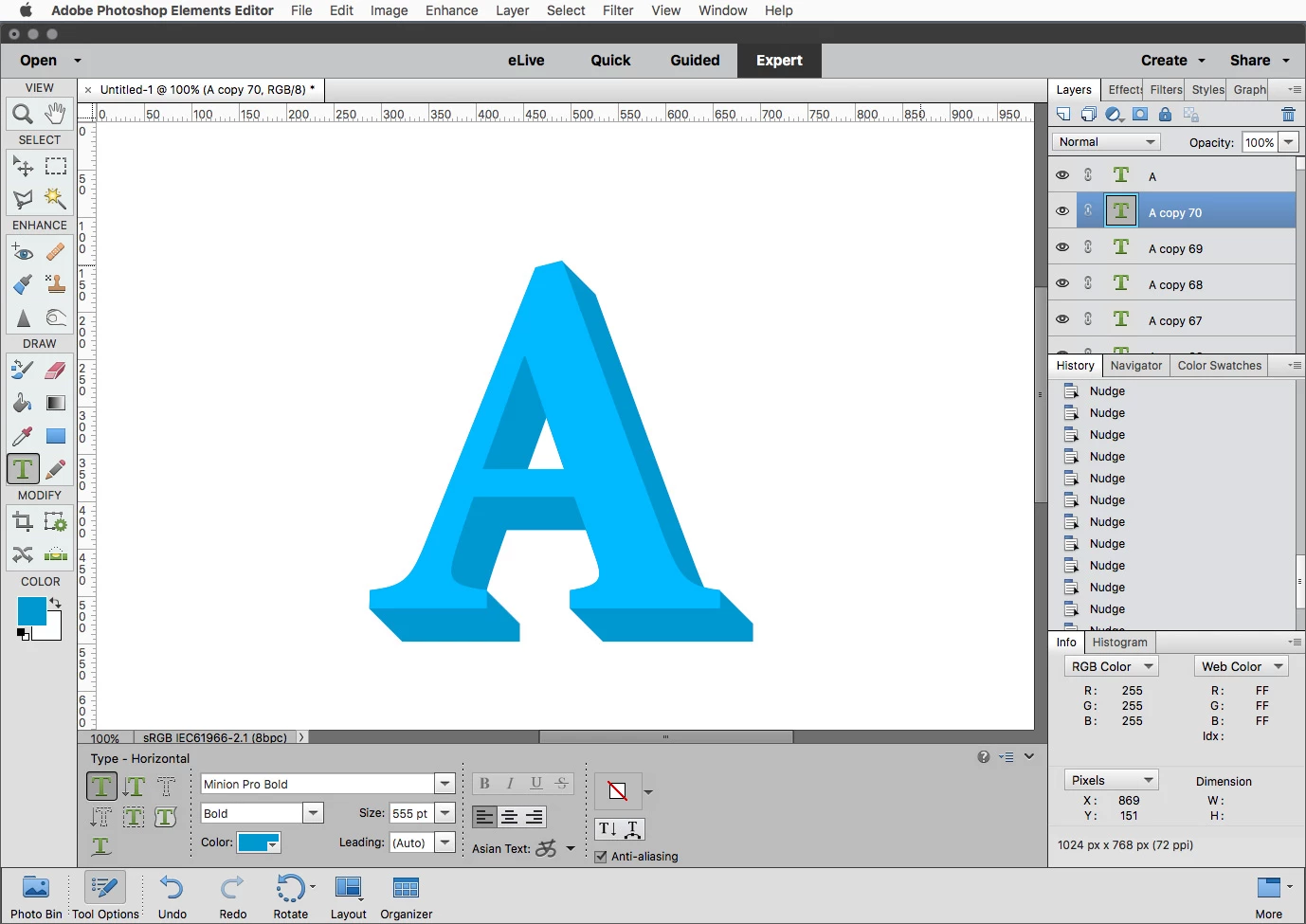
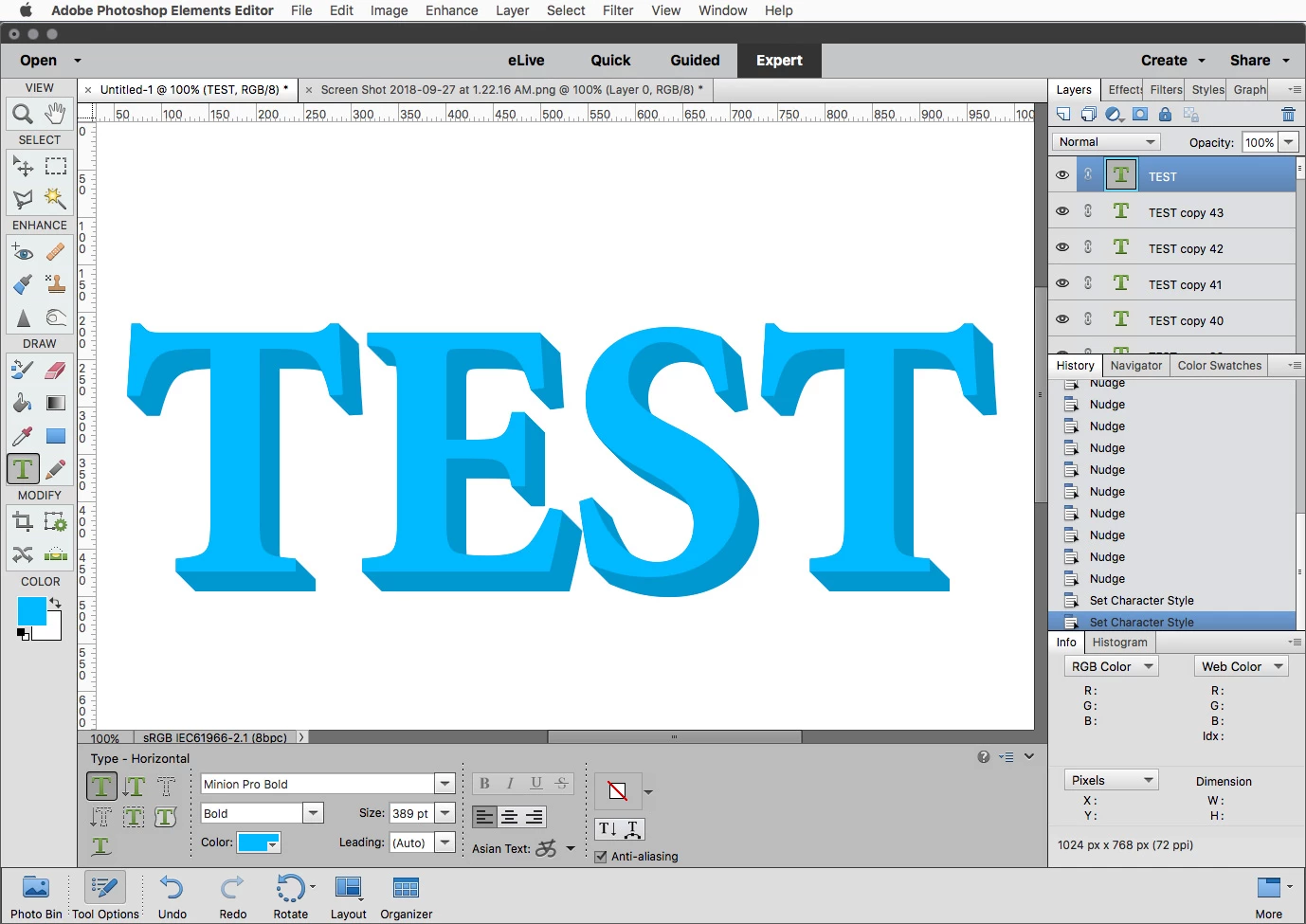
Here's another way:

1. After you create your type layer, duplicate the layer.

2. Change the color of the duplicated layer text to a slightly darker shade of color

3. Move the duplicated layer below the original text layer

4. Press the Ctrl+Alt (win)/Cmd-Option (mac) while using the arrows keys to extrude the type.

    In other words, keep the Ctrl+Alt keys pressed while clicking say the down arrow then the right arrow.

    Repeat till you have extruded the type to your liking.

7 replies

Jeff Arola
Community Expert
Jeff ArolaCommunity ExpertCorrect answer
Community Expert
Sep 27, 2018 5:40 AM UTC

Here's another way:

1. After you create your type layer, duplicate the layer.

2. Change the color of the duplicated layer text to a slightly darker shade of color

3. Move the duplicated layer below the original text layer

4. Press the Ctrl+Alt (win)/Cmd-Option (mac) while using the arrows keys to extrude the type.

    In other words, keep the Ctrl+Alt keys pressed while clicking say the down arrow then the right arrow.

    Repeat till you have extruded the type to your liking.

Translate
Inspiring
Sep 27, 2018 11:47 AM UTC

Good one, Jeff !  Have to add it to my bag of tricks

Translate
Inspiring
Sep 26, 2018 12:50 PM UTC

One thing you can try is to add a drop shadow.

In my older PSE version this is under Layer Styles > Drop Shadows.

In the top example I used a Hard Edge style, in the bottom example a Soft Edge style.

Under Style Settings you specify the size and position of the shadow via the Shadow Distance and Lighting Angle settings.

You can also use the mouse to drag the shadow where you want it.

PSE15 might have other Drop Shadows besides the ones I have.

Translate
terina00
terina00Author
Participant
Sep 28, 2018 4:57 PM UTC

Thanks.

My main concern was having it look like a block instead of a shadow.

Translate