
Participant
December 13, 2023
Question

Elements 15 - Smart Brush Issue

  • December 13, 2023
  • 2 replies
  • 359 views

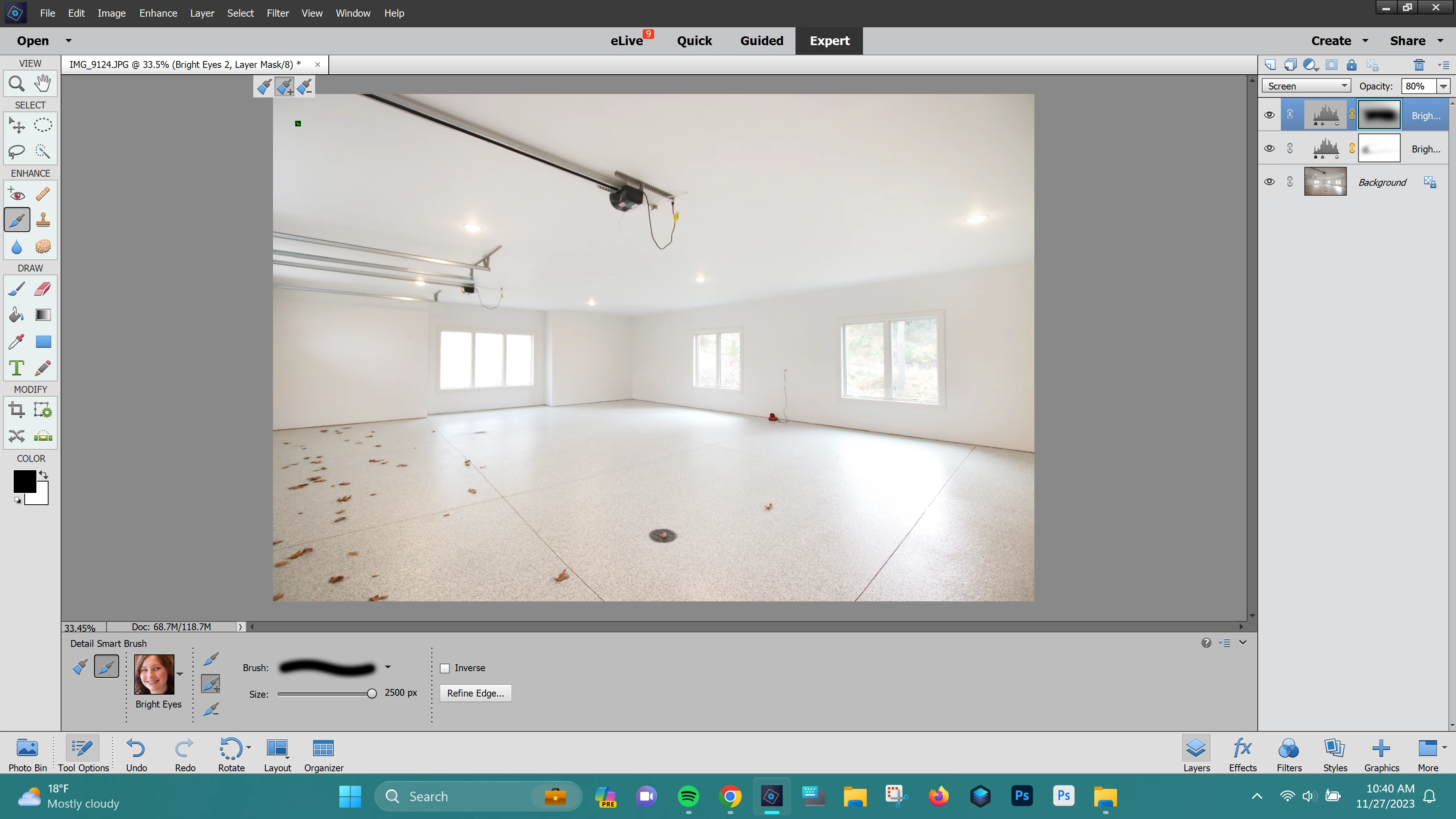
When using Detail Smart Brush, it was always a partial opacity brush - about 12.5% opacity. Recently, it will randomly change to full opacity.   I can change the overall layer opacity, but it will not create as seamless of a blend as when you can build up using a partial opacity brush. 

In my attached image you can see where it was a full opacity brush on start up, but in the middle of making edits, it changed back to the partial 12% opacity.  


There is nowhere to change the opacity of the smart brush. 

My application has been defaulting to 100% opacity brush, and just occasionaly switches back to normal.  


Anybody else having this issue, or have any ideas for a solution? 
 

This topic has been closed for replies.

2 replies

Jeff Arola
Community Expert
Community Expert
December 15, 2023

Are you using a Drawing Tablet like a Wacom?

Glenn 8675309
Legend
December 16, 2023

I have a drawing tablet--- I keep the stylus about 3 feet from the tablet.   When  I use the tablet along with my mouse, and the touch pads on the tablet sometimes the programs get a bit confused by the input from the drawing tablet.   It's a definate learning curve to get a tablet to work like you want it to.

Jeff Arola
Community Expert
Community Expert
December 14, 2023

A couple of things to try:


1. Reset the Detail Smart Brush Tool by clicking on the little down turned arrow and four lines at the right in the to

   options and click Reset Tool


2. Reset the pse 15 Editor preferences by going Edit>Preferences>General, clicking on Reset Preferences on next launch

    and restarting the photoshop elements editor.


Jord8nAuthor
Participant
December 14, 2023

Thank you for your response! I have tried both of these, but neither has worked to resolve it. 

Glenn 8675309
Legend
December 14, 2023

The default value of the smart brush is 100%.

Apply the smart brush (It creates an adjustment layer) then adjust the layer opacity after the smart brush effect is applied.

Regular brushes yo ucan adjust the opacity before you do anything, smart brushes you adject the opacity of the automatically created adjustment layer.