Participating Frequently
December 31, 2018
Answered

Elements 19 Not Validating Serial Number

  • December 31, 2018
  • 2 replies
  • 2056 views

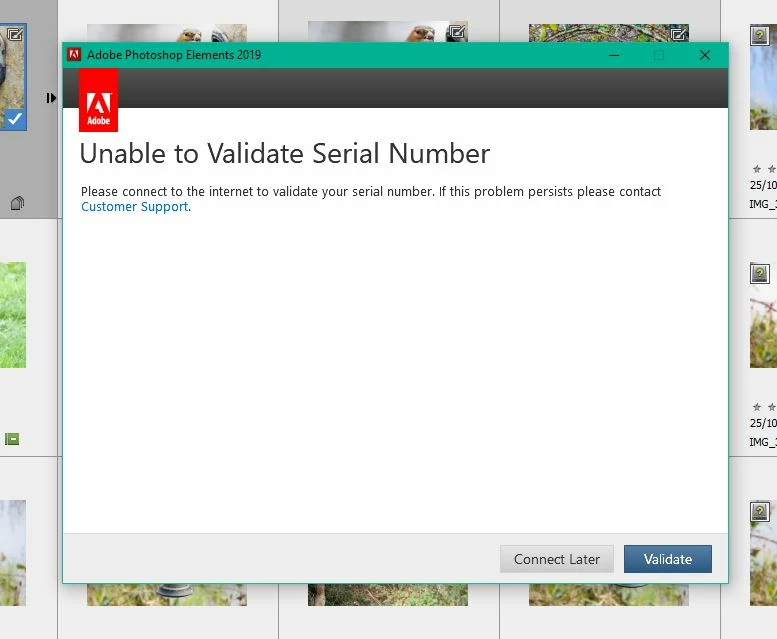
My new gift of Photoshop Elements 19 purchased from Amazon has installed and is running fine but it will not validate.  Every now and ten a message appears asking me to 'Validate Serial Number', when I click on Validate, after a few seconds it returns 'Unable to Validate Serial Numbe'r.  I keep trying as suggest but it will not validate. I have a Windows Laptop running Windows 10 Home 64 Bit.  I have tried turning off my Frirewall but to no avail.
This topic has been closed for replies.
Correct answer VipinGupta

Hi Vilpin,

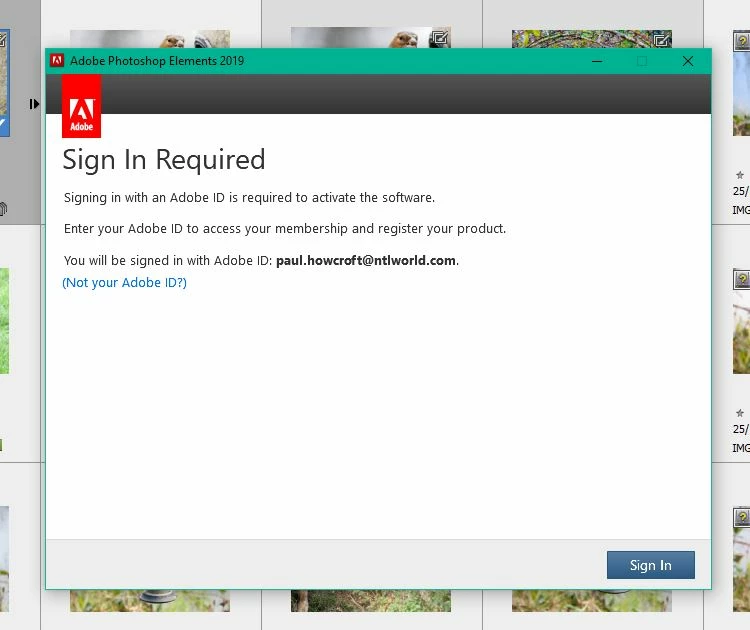
Screen shots below.  How do I attahed the logs to this?

Paul

@


Hi Paul,

As per the 2nd screenshot, it says that you do not have an active internet connection? If this is true, could you please make sure that you have an active internet connection and then again try to validate the serial key.

Or else, if you already have an active internet connection, then please try the following:

1) Check that you do not have a proxy setting that is blocking the product to reach to Adobe servers for validating the serial key.

2) Check your Host file and remove any entries that are related to Adobe.com

To check for proxy settings, please refer to the following article: HTTP proxy configuration on Windows 7 | Perfect Privacy

Host file can be found at the following location: C:\Windows\System32\drivers\etc\hosts

Please let me know in case of any queries.

Thanks

Vipin

2 replies

VipinGupta
Adobe Employee
Adobe Employee
January 2, 2019

Could you please share a screenshot for the error message that you get.

There could be more than one reasons behind the error.

Also would recommend to please use the Log collector tool to collect logs and share it with me using the direct message option.

Log collector tool link: How to use the Creative Cloud Log Collector tool

Please let me know in case of any queries or issues while using the log collector tool.

Regards,

Vipin

pgee10Author
Participating Frequently
January 4, 2019

Hi Vipin,

Attached are the screen shots that I receive when using Elements 19 Editor.

Thank you for your interest in my problem.

Kind regards,

Paul

Peru Bob
Community Expert
Community Expert
December 31, 2018

Use the chat option here:

Contact Customer Care