Answered
Elements 2018 scaling in editor
I have a 4K monitor. When I alter the scale in windows 10, the size of the font in editor does not change. However, it does change when I am in organizer.
Any suggestions?
I have a 4K monitor. When I alter the scale in windows 10, the size of the font in editor does not change. However, it does change when I am in organizer.
Any suggestions?
keithe38648442 wrote
I have a 4K monitor. When I alter the scale in windows 10, the size of the font in editor does not change. However, it does change when I am in organizer.
Any suggestions?
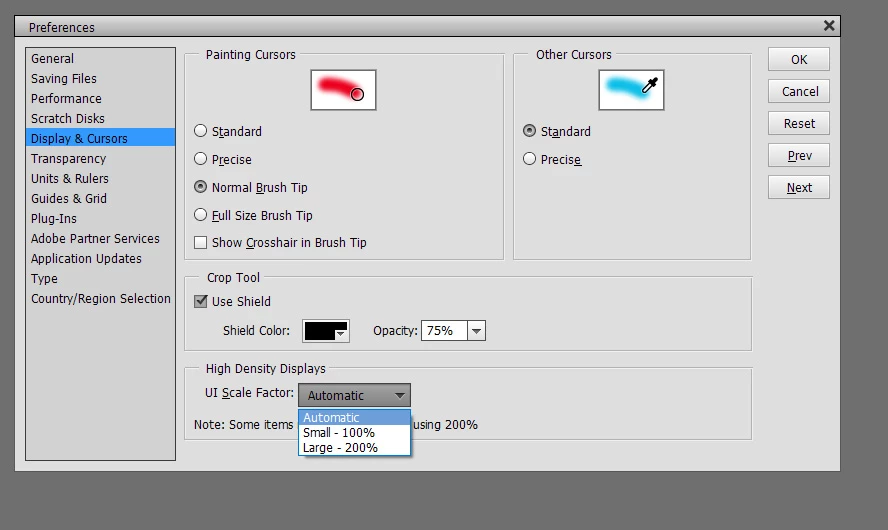
The editor and the organizer behave differently for font scaling.
As you have found, the organizer uses the options of the Windows display panel.
The editor (since PSE13.1) handles the problem differently, directly from the menu Edit >> preferences:
Already have an account? Login
Enter your E-mail address. We'll send you an e-mail with instructions to reset your password.
 AdChoices