


Inspiring
February 13, 2021
Question

Elements 2021 freezing after 30 mins of use and .psd files are corrupted and lost.

  • February 13, 2021
  • 3 replies
  • 424 views

Hi there.  Can somebody help me?

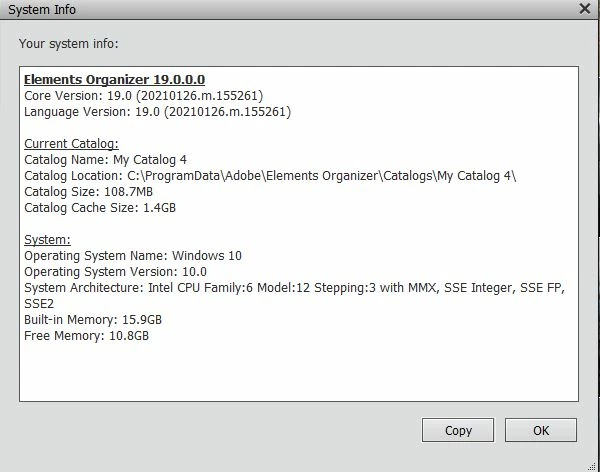
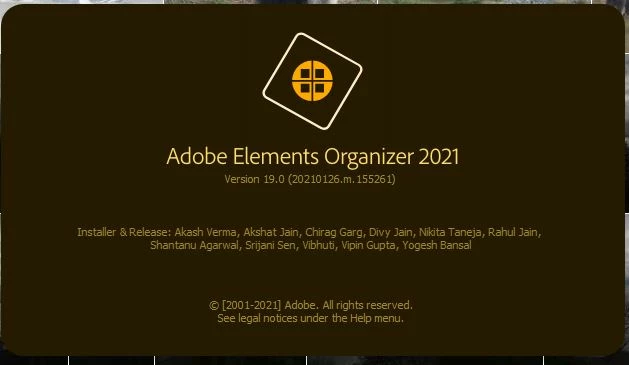
Since the last update, my Elements 2021 has been freezing.  This has happened while working on a file, the screen freezes and I can't even end Elements with Windows Ctrl Alt Del command.  I have to turn my computer right off and then back on.  The file I have been working on is retrieved as a black file with nothing in it.  Yesterday, I deleted Elements 2021 from my system and reloaded it.  Today it froze again.  Below is some further info:  (...also I don't use the Cloud).

I have an ASUS gaming computer which is about 2 years old, but should meet all the requirements for Elements 2021.
This topic has been closed for replies.

3 replies

Greg_S.
Community Expert
Community Expert
February 14, 2021

In the Organizer, go to Edit>Preferences>Media Analysis and uncheck all of the media analysis options.  If that makes a difference, there is a lot of activity that may be going on in the background that is interfering with the Editor.  If you want to perform face recognition and other analysis on your computer, leave the computer on overnight when you are not otherwise using the computer.

Greg_S.
Community Expert
Community Expert
February 14, 2021

. . .  also what kind of editing are you performing?  If you are creating a lot of layers with large size files, there may be a memory overload.

SrMomentAuthor
Inspiring
February 14, 2021

I already have all the media analysis and facial recognition stuff unchecked.  

The image I am working on consists of three layers - 1 original, 1 copy and a blank layer in which I am generating snow with a brush.   I have done many images with many layers and have never run into this problem.

I am sure now that there is an issue with the save feature - it has only been after I have saved the document a number of times that Elements freezes.  None of my other applications freeze; however, when Elements freezes I have to shut the computer down and restart.  I am almost to the point where I will revert back to Elements2020......


btw.....thanks everyone....I appreciate your help!

Pat

Peru Bob
Community Expert
Community Expert
February 13, 2021

Also:


How full is your hard drive?

SrMomentAuthor
Inspiring
February 14, 2021

Tons of room on both my C and D drive.  (I did a major clean-up job a few months ago).

Peru Bob
Community Expert
Community Expert
February 13, 2021

Try updating or rolling back your graphics driver directly from the video card manufacturer’s site.


SrMomentAuthor
Inspiring
February 14, 2021

Okay, I updated my Nvidia driver directly from their site.

.....I noticed that when Elements freezes, it seems to do so after I save (using Ctrl S, or File Save To).