
Question
Elements 2021 not print color
I have 2 win 10 machines. The one connected via wifi prints color & black/white ok.
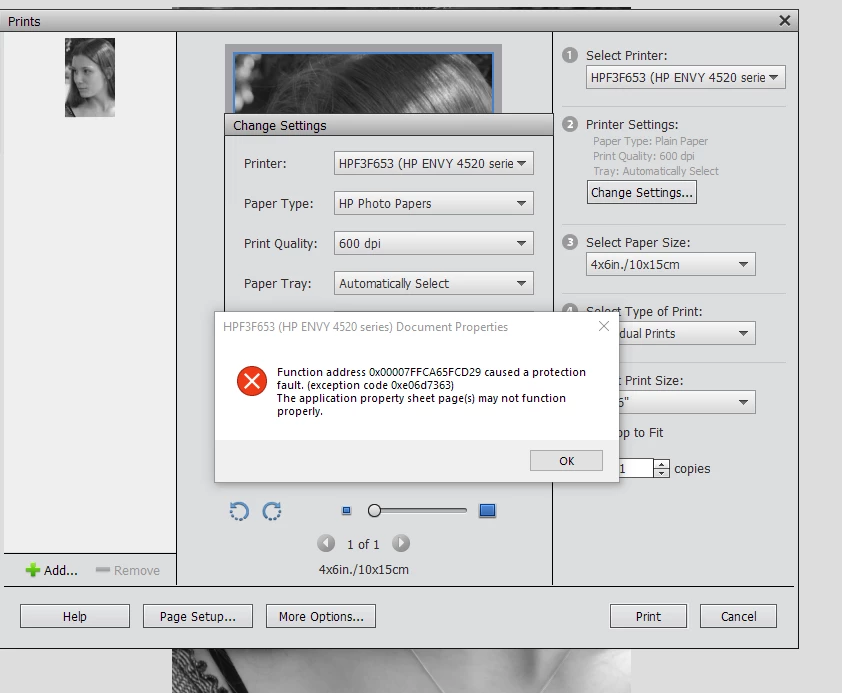
The other is connected via USB. The Photoshop Elements on the USB one will only print black/white on paper. If I go to Change Settings and select photo paper then print still prints in black/white and the ink will whipe off and is not absorbed.
If from Change Settings I select Advanced Setings it crashs and I get the error shown below.
Any help would be appreciated.


 AdChoices