
Participant
November 29, 2022
Question

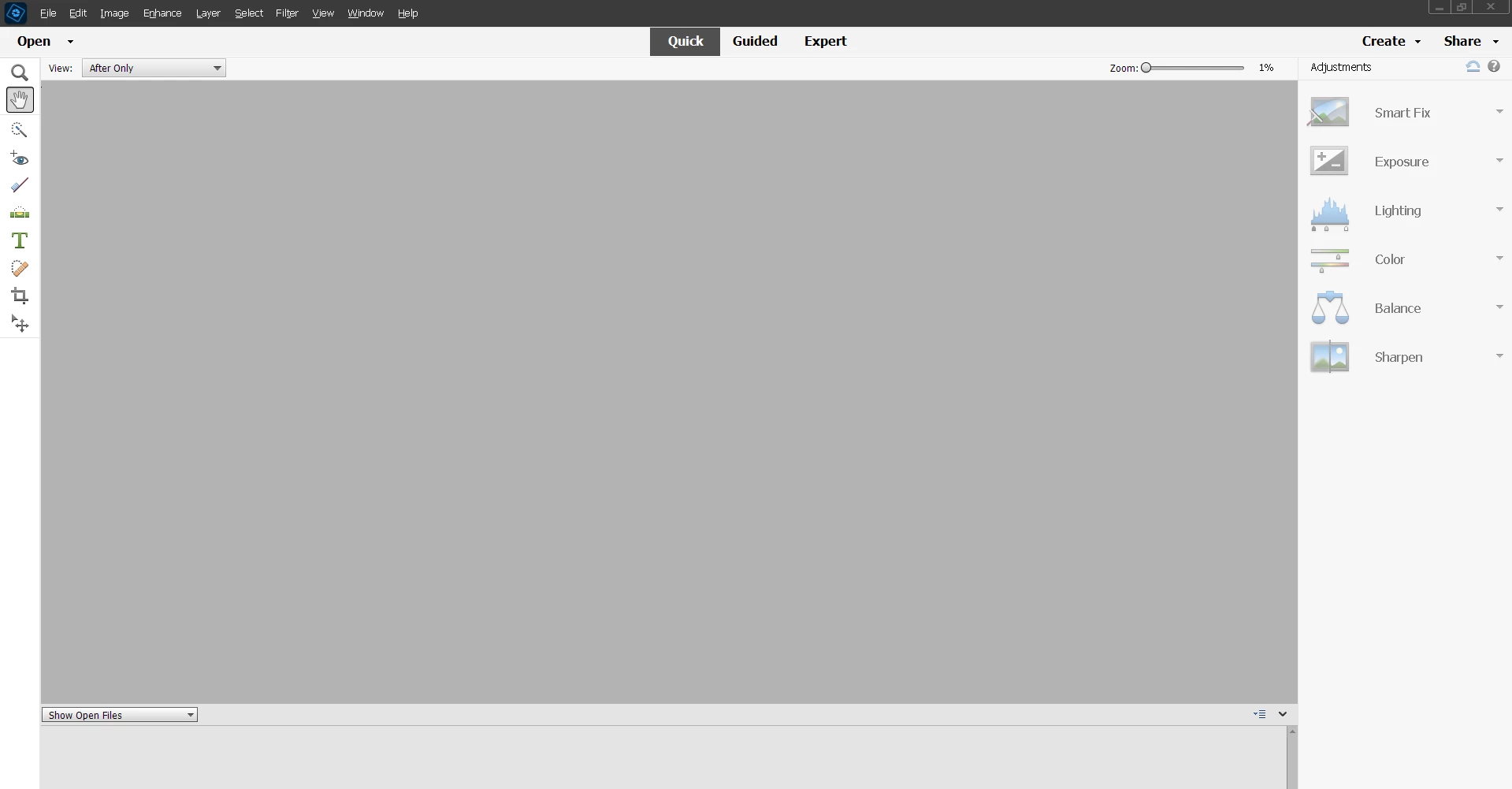
Elements 2023 User Interface Too Light

  • November 29, 2022
  • 1 reply
  • 311 views

Just purchased Elements 2023 and installed it. The user interface is way too light. I tried looking in Preferences to see if I could change it, darken it, but I could not see any UI settings. I know I could in Elements 2019. I have low vision and my personalization perferences on my computer, Windows 10, are set to High Contrast. I tried taking my settings off of High Contrast, but that did not help. If I am unable to change the User Interface to be darker, I will not be able to use Elements 2023. I will have to uninstall it and reinstall 2019. I am attaching a scree shot of what I see. It is just too light and I can not see menus, etc.  Susan
This topic has been closed for replies.

1 reply

Greg_S.
Community Expert
Community Expert
November 30, 2022

The only part of the UI you can change is the canvas.  And you can only make the change when a photo is open.

Right-click on any part of the canvas and you make your choice from the pop-up context menu.  The Select Custom Color choice opens a color picker that allows you to select whatever color you want.


Participant
November 30, 2022

I know about that. That does not help me any. I can not see the menus, tool bars, or panels. The UI is not user friendly for people with vision problems. As of now, I can not uae Elements 2023. I will most likely be asking for a refund and reinstalling Elements 2019. It's a shame as I was looking forward to using it.