
Answered
Elements 2024 catalog
Catalog file got currupted and now the program stalls. How do I find & delete the old catalog file so that I can creat a new file and get the program to work?

Catalog file got currupted and now the program stalls. How do I find & delete the old catalog file so that I can creat a new file and get the program to work?
Simply go to File>Manage Catalogs and create a new catalog:
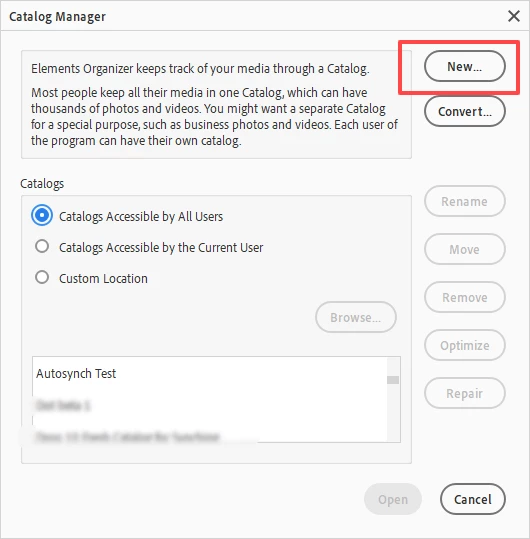
If you can't launch the Organizer because of a corrupt catalog, press the Shift key while launching the program. The catalog manager should open automatically.
How do you know the catalog is corrupt? Did you get some message? Do you have any automatic backups that were created before the corruption? Look in the following folder:
C:\ProgramData\Adobe\Elements Organizer\Catalogs\_AutoBackup_
If you have any sub-folders with long alphanumeric names, they will contain auto backups. Double-click on the catalog.pse24db file and the backup catalog should open.
Already have an account? Login
Enter your E-mail address. We'll send you an e-mail with instructions to reset your password.


 AdChoices