

bentkmich
Participating Frequently
March 29, 2024
Answered

Elements 2024, Mac edit keyboard shortcuts - where is it?

  • March 29, 2024
  • 3 replies
  • 1111 views

Bent from Norway here. I am a keen user of Photoshop Elements 2024, and follow a lot of training videos on Youtube. In these they use the left or right bracket to increase or decrease the brush size. I have a Norwgian keyboard layout, and the bracket keys don't exist on my keyboard. Do you know whether there is a possibility to assign other keys as shortcuts on my keyboard, for this very useful feature? On my keyboard I can use Optio + 8 or 9 to create the brackets, but they won't work as keys to increase or decrease the brush size.


I have been advised by an AI to look for the keyboard editor under the Edit-menu, but no such item is present there. The AI also asked me to look for a "Workspaces" item under the window menu, but nope ... it doesn't exist.


Is there something I need to download, or doesn't it exist?


Best regards,


Bent
Norway
This topic has been closed for replies.
Correct answer Jeff Arola

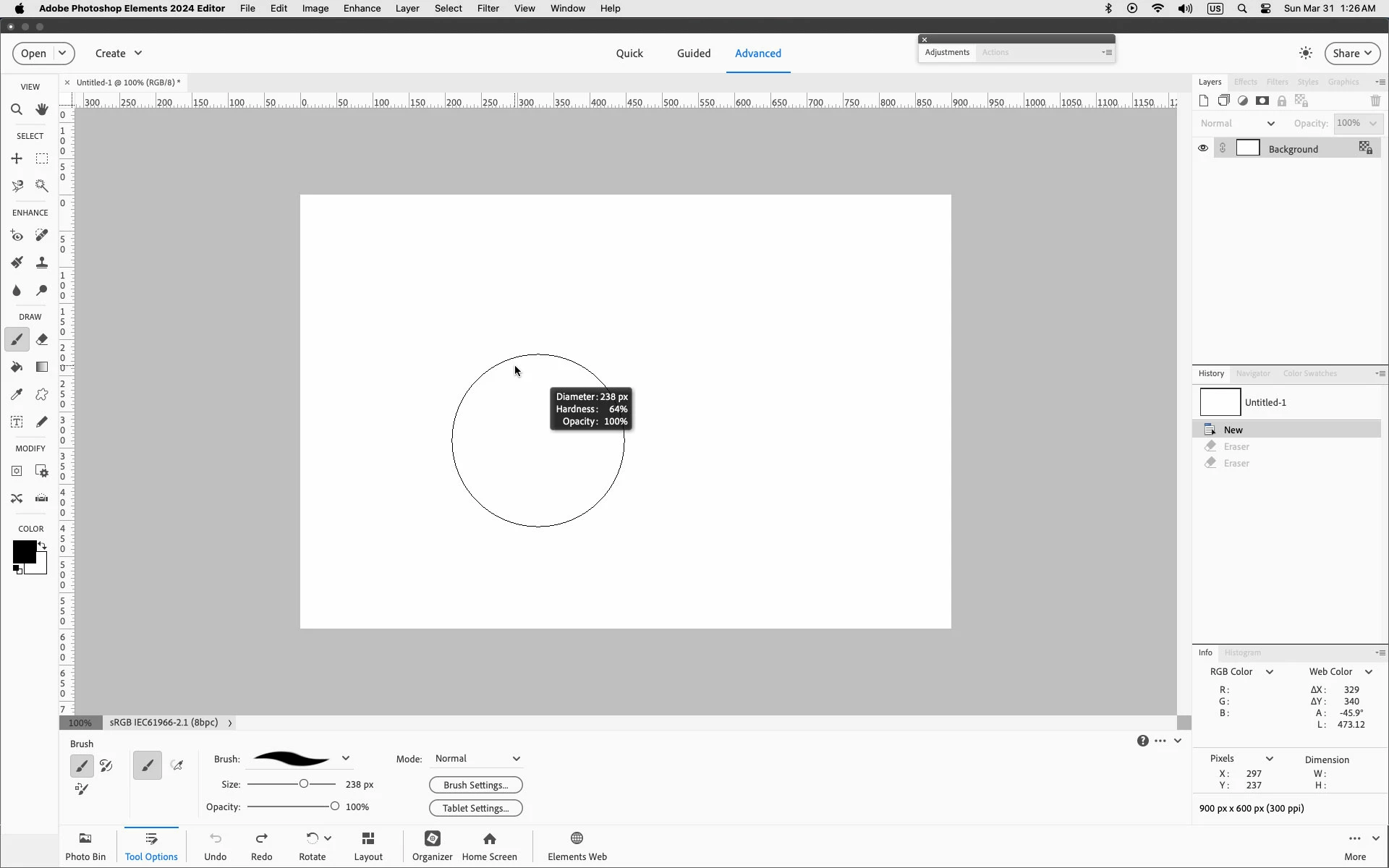
Another way to adjust the Brush Size is to press control+option, left click and drag left or right.

To change hardness, drag up or down.


3 replies

Jeff Arola
Community Expert
Community Expert
March 31, 2024

There is no keyboard shortcut editor in Photoshop Elements 2024.

That's in Photoshop CC that can be had with a creative cloud subscription.

bentkmich
bentkmichAuthor
Participating Frequently
April 2, 2024

I know it is in Photoshop CC, bc at work I have the CC sub. But I way prefer to use PSE 2024 at home, as it serves my needs way better. And you provided me with great help. Ctrl+Option+mouse movement (while held down left mouse btn) works for a number of tools it turns out.

Jeff Arola
Community Expert
Jeff ArolaCommunity ExpertCorrect answer
Community Expert
March 31, 2024

Another way to adjust the Brush Size is to press control+option, left click and drag left or right.

To change hardness, drag up or down.


bentkmich
bentkmichAuthor
Participating Frequently
March 31, 2024

Thanks Jeff. This is a really good one. Excellent and thank you!


I am still wondering though, where the on earth I can find the keyboard shortcut editor in the mac version of PSE 2024.


Regards,

Bent

hatstead
Inspiring
March 29, 2024

Bent,

The bracket keys are next to the letter P on my keyboard.

Google "How to set up computer keyboard shortcuts." You will get several hits, but I don't know if they will work on your Norwegian keyboard.

In PSEv.2024, open a picture file, and activate the brush tool. On the tool's option bar at the bottom, click on "Tool Options". This will provide access to sliders for size & opacity.

bentkmich
bentkmichAuthor
Participating Frequently
March 31, 2024

Yes, a workaround I have is to temporarily swap to a US keyboard layout, and use the corresponding keys on my norw layout, and when I have finished brushing I swap back to norw layout. But it is not a solution, it is a workaround.


I know of course where to finde the tool options and the sliders, it is just so awkward in my opinion.


Another guy, Jeff, taught me another solution Ctrl+Option+drag left/right to increase/decrease size, and drag up/down for softness. Now that is a powerful tool and it works wonders!


... and yet ... I cannot find the keyboard shortcut editor in the mac version of PSE 2024.


Thanks for your reply.


Best regards,


Bent
Norway