
Participant
November 23, 2023
Answered

Elements 2024 only outputs processed RAW files in sRGB colour space.

  • November 23, 2023
  • 2 replies
  • 1283 views

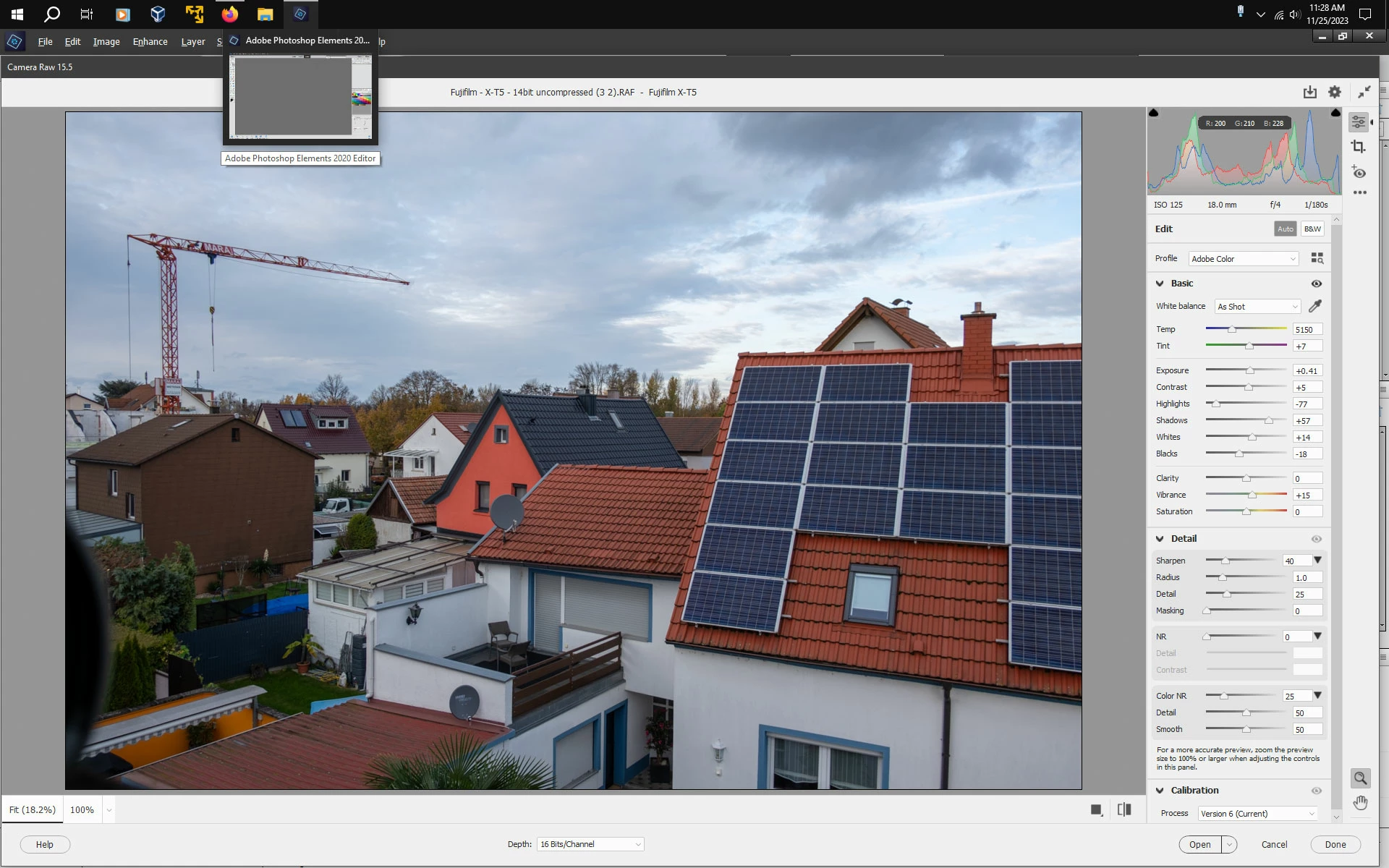
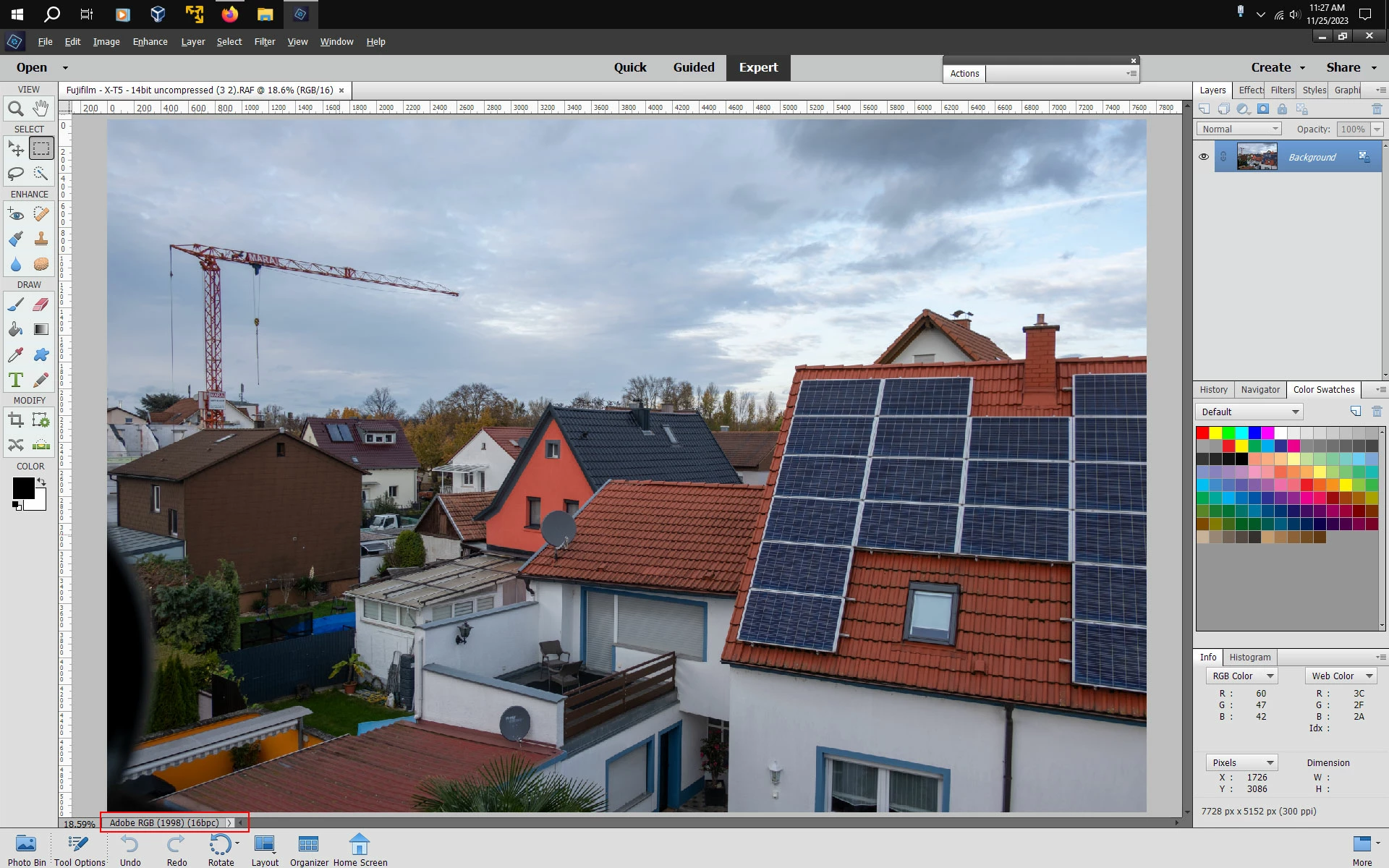
Previously I have set Elements to work in Adobe RGB colour space. Discovered that converted raw files from Camera Raw can only be output in the smaller sRGB colour space. I often do further edits, including colour manipulation so need as large a space as possible to maintain quality and detail in my finished prints. It's not an issue for images for the web but could be for prints. This seems a backward step. So reluctantly I am getting a refund and returning to using the 2020 version where I can choose my colour policies. Shame because I wanted 2024 as it opens Fuji XT5 RAWS. Back to dng's as a workaround.
This topic has been closed for replies.
Correct answer Jeff Arola

It's not the camera raw plugin, but a bug in the 2021 and later photoshop elements application itself.


If want to try the camera raw plugin from pse 2024 in 2020, first save the old camera raw plugin from 2020 so if the the 2024 15.5 camera raw plugin doesn't work you can go back.


1. go to

   C:\Program Files\Common Files\Adobe\Plug-Ins\Elements 18 and move the File Formats folder to a safe place


2. go to

    C:\Program Files\Common Files\Adobe\Plug-Ins\Elements 24 and copy the File Formats folder


3. go back to

    C:\Program Files\Common Files\Adobe\Plug-Ins\Elements 18 and paste the just copied File Formats folder from

    Elements 24


sample Fuji XT-5 image from here:

https://raw.pixls.us/


2 replies

Jeff Arola
Community Expert
Jeff ArolaCommunity ExpertCorrect answer
Community Expert
November 25, 2023

It's not the camera raw plugin, but a bug in the 2021 and later photoshop elements application itself.


If want to try the camera raw plugin from pse 2024 in 2020, first save the old camera raw plugin from 2020 so if the the 2024 15.5 camera raw plugin doesn't work you can go back.


1. go to

   C:\Program Files\Common Files\Adobe\Plug-Ins\Elements 18 and move the File Formats folder to a safe place


2. go to

    C:\Program Files\Common Files\Adobe\Plug-Ins\Elements 24 and copy the File Formats folder


3. go back to

    C:\Program Files\Common Files\Adobe\Plug-Ins\Elements 18 and paste the just copied File Formats folder from

    Elements 24


sample Fuji XT-5 image from here:

https://raw.pixls.us/


Participant
November 25, 2023

Ah, the penny has dropped - it's not the camera raw bit. Thanks for your reply and I will have a go with your instructions about swapping the versions.

Participant
November 27, 2023

It worked! I can now open Fuji Xt5 RAW files in my 2020 version and still output in Adobe RGB colour space.

Thank you Jeff.

Jeff Arola
Community Expert
Community Expert
November 23, 2023

What operating system are you using?


You should be able copy the camera raw plugin from pse 2024 and use it in pse 2020 so you wouldn't need the dng converter.

Participant
November 25, 2023

Thanks for replying Jeff. However it is the 2024 camera raw plugin that's the problem so I wouldn't want to overwrite the 2020 version. My disappointment with Elements 2024 is all about the raw converter only outputting files in the sRGB colour space. In my 2020 version when I set the Colour Settings option (found in the Edit menu) to Optimise for Printing then the coverter recognises this setting and outputs file colour info as Adobe RGB.  In 2024, despite me making the same setting the coverter ignores this and outputs as sRGB, a smaller colour space less forgiving of editing.  It's a bit like the converter only outputting RAWs as JPEGs - digital information has been thrown away from the RAW file for no discernible reason.  

Digging deep into earlier forum discussions I've discovered other users highlighted this issue a year ago with the 2021 and 2022 versions so it is known to Adobe. If it was a bug then it would have been sorted with an update. I can only conclude that Adobe thinks Elements users don't edit extensively, don't print or do "serious" photography.

Not so.

Note to Adobe - re-establish the broken link with an update and get some customers back.