


Question
Elements has two main editing environments for RAW pix: can I switch back and forth between them?
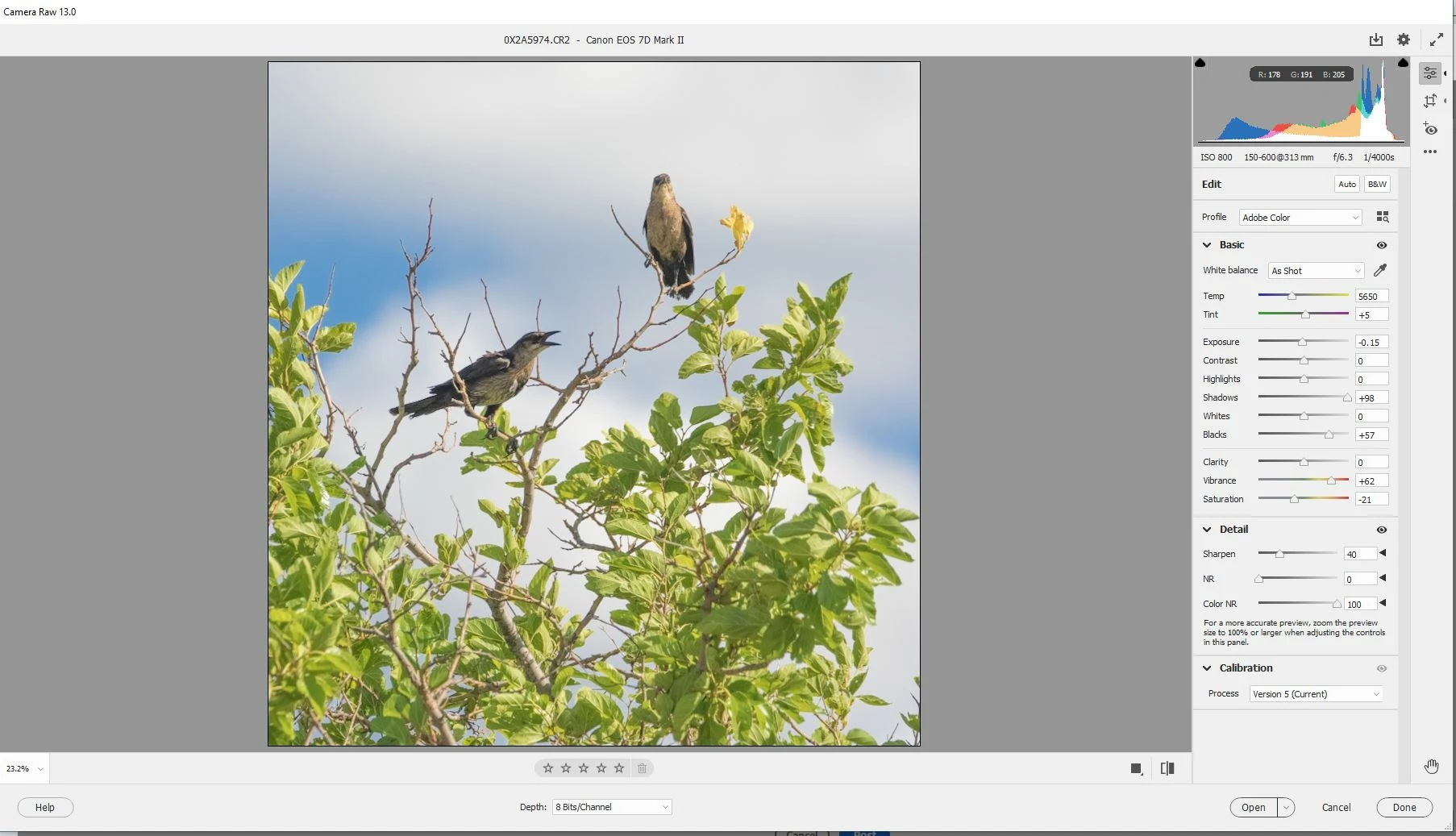
[1] When I open a RAW photo with Elements the first thing I see is a nice panel of controls on the right side of the screen that I will call PANEL A, shown in the screenshot below --
To close this workspace, I click a little button marked OPEN (right side of screen bottom) which saves the picture with any changes made with the controls on the right side of the screen, and then opens up a new set of controls, shown in the screen shot below, which I will call PANEL B
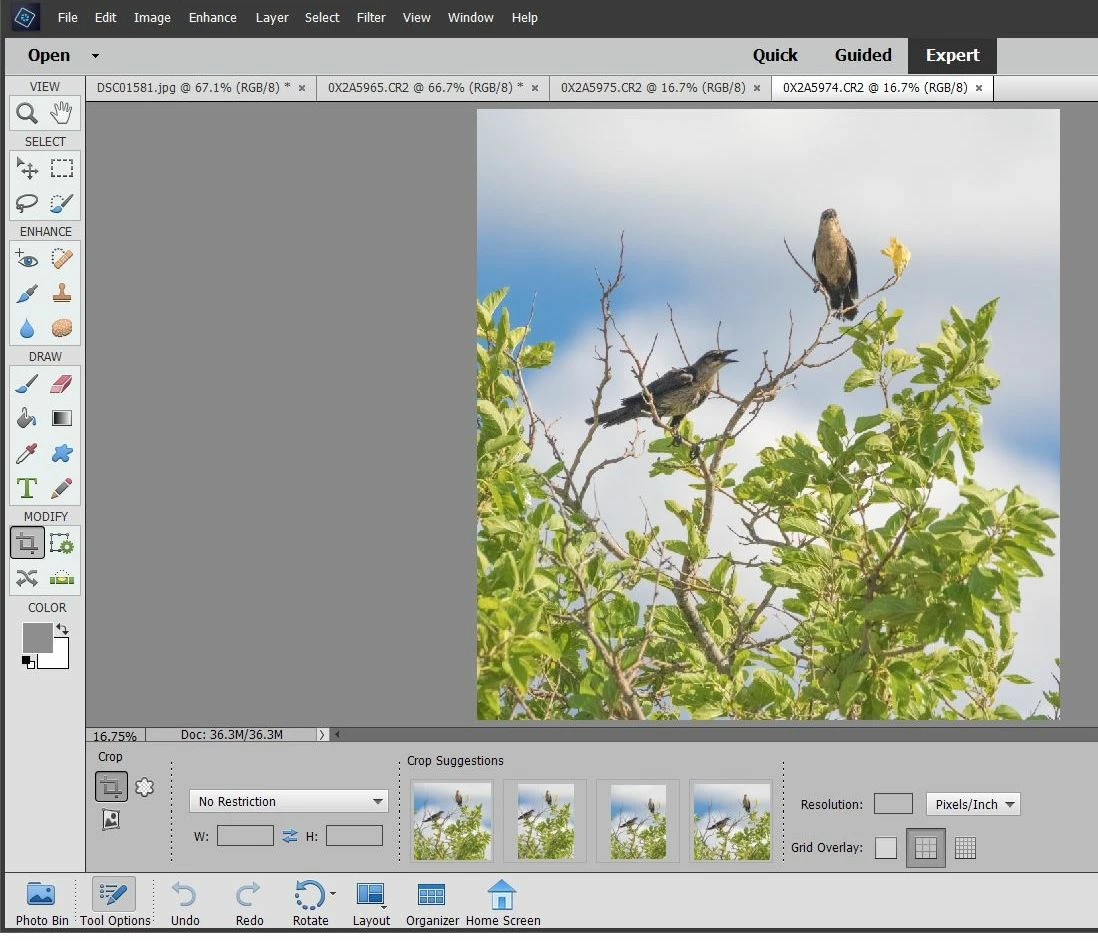
QUESTION: Is there a way to revert to PANEL A while in the PANEL B environment ?
 AdChoices