
Elements Organiser add location to media file doesn't
Hi,
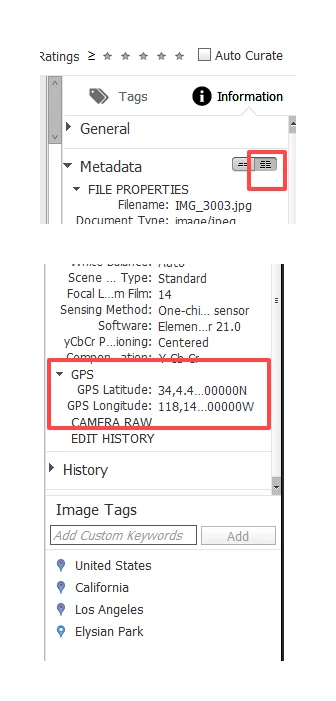
Using Elements Organiser 2022 Places dialogue, I can drag and drop an "unpinned" image onto a map and it will stay pinned there. Even when I close and restart Organiser. But when I look at the file, its last modified date hasn't changed and (not surprisingly) there is no GPS data or place name associated with it. In fact its only the Organiser Catalog that has been updated. This is immediately obvious when the image is deleted from the catalog and re-imported. It is no longer is pinned.
I've read https://helpx.adobe.com/uk/elements-organizer/using/adding-places.html which talks about adding location data to your media files. It would seem that the one thing Organiser doesn't do is add location data to the media files. One of the reasons I upgraded from my older license was because the mapping function died when Adobe had a bust up with Google - they used Google Maps.
To be honest I really don't like Elements Organiser (it is painfully slow) and far prefer Bridge. But Bridge has no mapping function at all.
Any idea how I can search my images for those with no GPS data and add that data using Adobe Elements or Bridge? I've used an app called GeoTag - which is fine tagging folders of new images that I know have no GPS data. But in no way will it work with Adobe.
Thanks.


 AdChoices