
lucyw43084688
Participant
July 30, 2023
Question

Elements Version 13 - "close grid lines" not working

  • July 30, 2023
  • 2 replies
  • 231 views

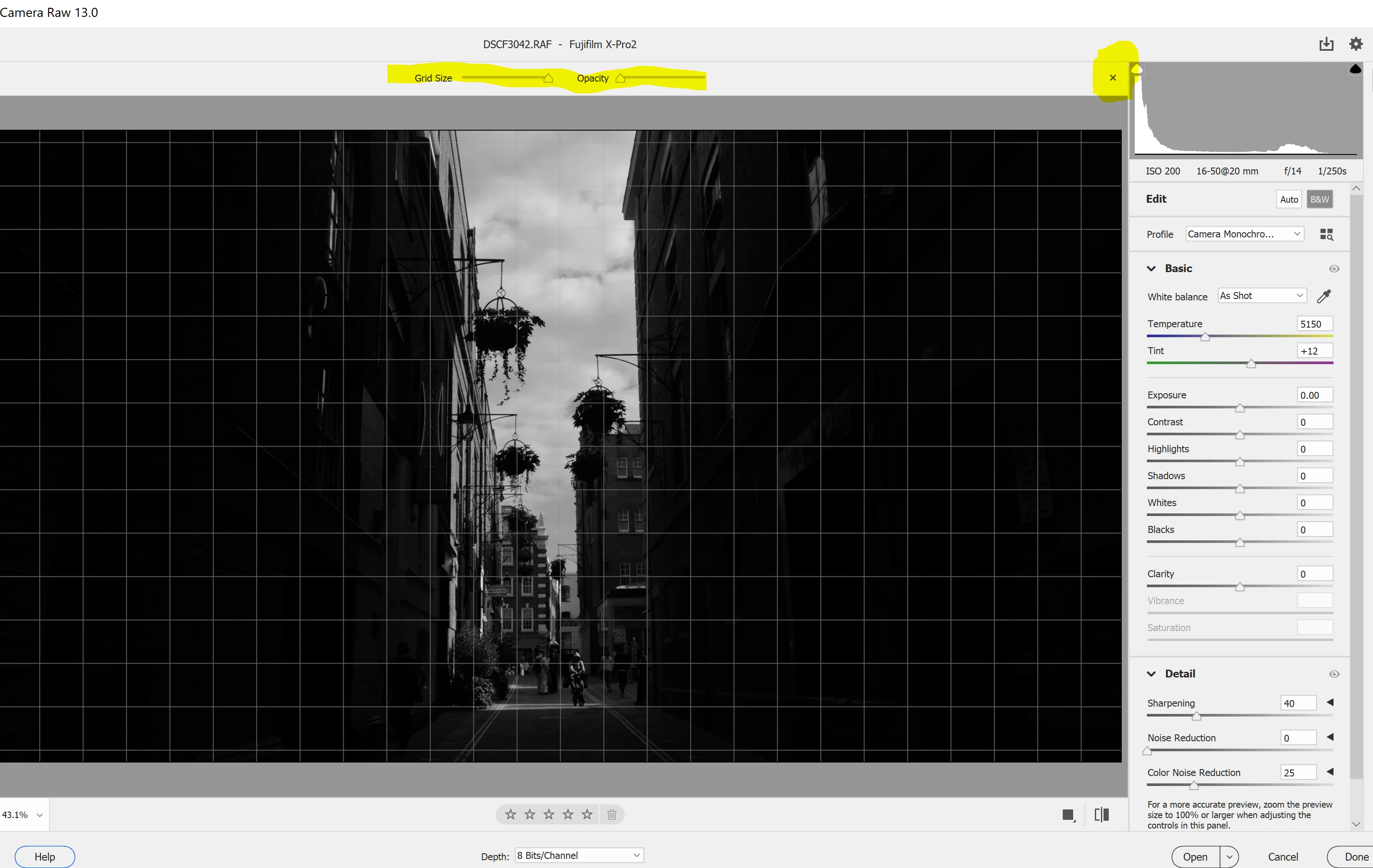
Hey, does anyone know how to turn off the grid lines when editing Raw files in elements Version 13?

There is a button to close the grid lines but it won't close when I click it. I dislike the automatic grid lines and would like to get rid of them. See the yellow highlight in the image below for what I mean. 


This topic has been closed for replies.

2 replies

Jeff Arola
Community Expert
Community Expert
July 31, 2023

I would try a reset of the camera raw preferences.


In the photoshop elements editor go to File>Open, select a camera raw file, then hold the Shift Alt and Ctrl keys down while pressing Open.

(Shift Option Cmd on a Mac)


Keep holding the keys and you should get the following dialog asking if you want to Delete the Camera Raw preferences.

Press Yes.


hatstead
Inspiring
July 30, 2023

Check in the Editor under the View menu to toggle the grid on/off. If that does not work, reset prefences to default. Go to Edit>Preferences>General and click on the button to reset on next launch.

lucyw43084688
Participant
July 30, 2023

thanks for that. Sadly neither worked. The grid was toggled off in elements (but I tried what you said anyway). The problem is editing raw images on opening in the Cammera Raw editor before they make it into elements. I can't figure out how to get the "x" to close the grid lines options as its supposed to. I'll keep searching. Thanks!