
Participant
November 15, 2016
Question

Elminate Sun from Photo

  • November 15, 2016
  • 2 replies
  • 245 views

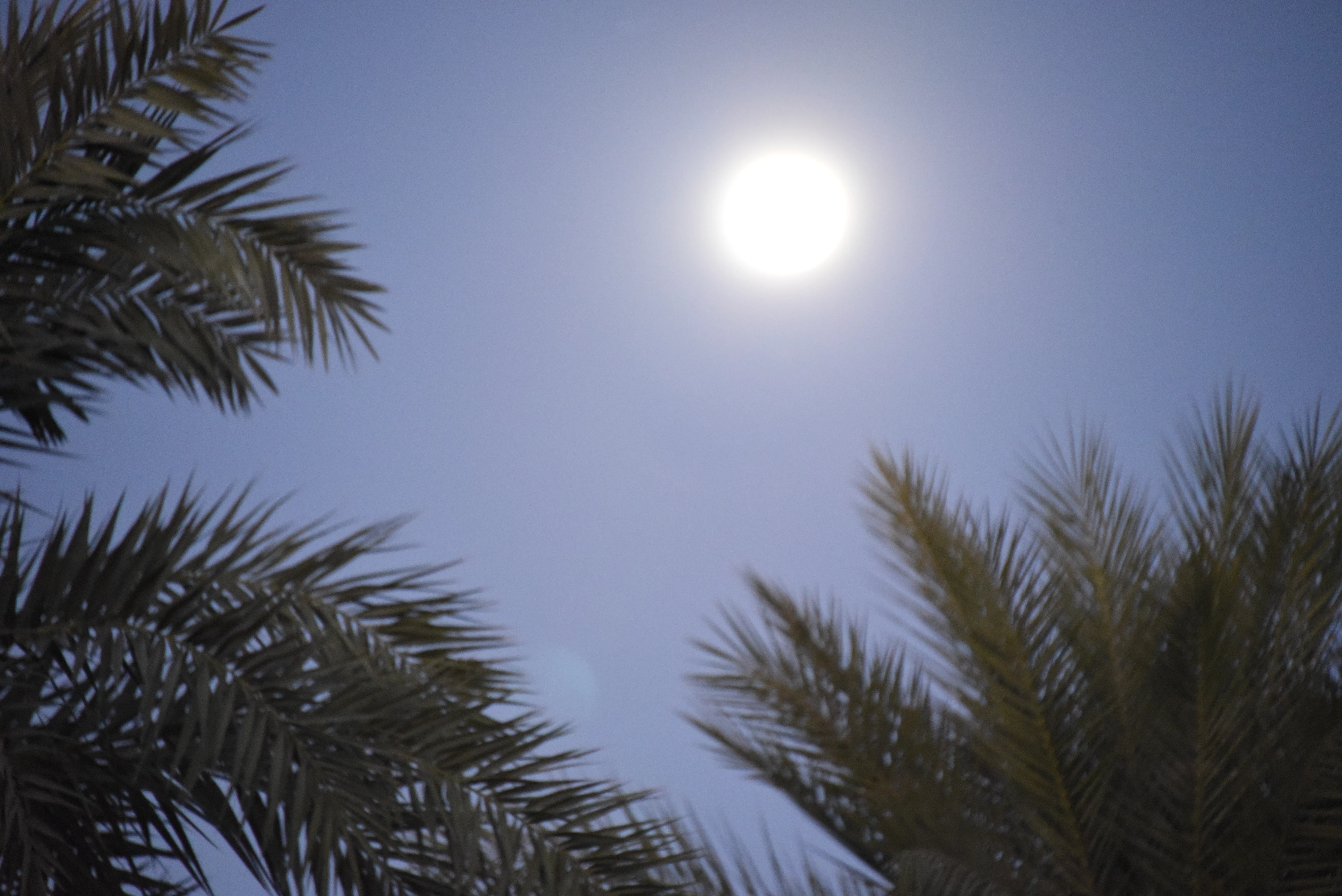
I am trying to merge two (2) photos. One has the moon the other has the same scene but the foreground (which includes a blown out moon in it. 

I am trying to eliminate the blown out moon from this photo.  Tried a bunch a ways (clone stamping etc. but can't quite get it even. 

Any suggestions? Appreciate the help.
    This topic has been closed for replies.

    2 replies

    hatstead
    Inspiring
    November 15, 2016

    I am trying to eliminate the blown out moon from this photo. but can't quite get it even.

    Try this:

    1. Open the picture file
    2. Activate the Rectangular Marquee tool, and make a selection of a portion of the sky below the moon. On the tool's option bar set feather = 20 px.
    3. Place the sky selection on its own layer (CTRL+J)
    4. Activate the move tool and drag it over the moon - use the corner and side handles to manipulate the sky selection
    5. Use the eye dropper tool to sample the blue color
    6. Activate the Brush tool
    7. Open a blank layer at the top in the layers palette, and with brush opacity about 30% touch up any spots that need it.

    Peru Bob
    Community Expert
    Community Expert
    November 15, 2016