
Error Opening Larger PSD Files
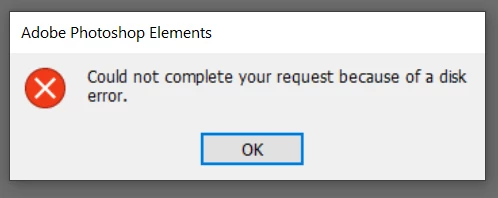
I use PSE just about every day, in Expert mode only. I have large PSD files, several over 1 GB, but most in the 500 MB range. As of the last few days, I cannot open the larger ones. They crash with an error "could not complete the request because of a disk error", which I believe is not really related to disk problems. I have no errors on the smaller PSD files. However, all PSD's are taking significantly longer to load recently.
Configuration:
- I use Windows 10, PSE 15
- Files stored on 1 TB hard drive, which is currently less than 50% used
- Dell laptop with 32 GB memory
- In PSE, Preferences > Performance shows: Available Ram 25619 MB, and Let PSE use 70% (I had this on 80% originally and tried also with 90% and 70%).
I have no clue why this would just suddenly happen with the last couple days. I have plenty of disk space and available Ram. I had a problem recently (reported here) with eLive causing problems. I don't use eLive. That turned out to be some change Adobe implemented that incorrectly affected PSE users that don't use eLive. So, I have strong suspicions that this recent issue is due to something else they implemented around the time I started having this problem.
Any help would be appreciated. Thanks.


 AdChoices