Walter_H
Legend
April 15, 2020
Answered

Error While Defining Brush in PSE 2020

  • April 15, 2020
  • 4 replies
  • 1513 views

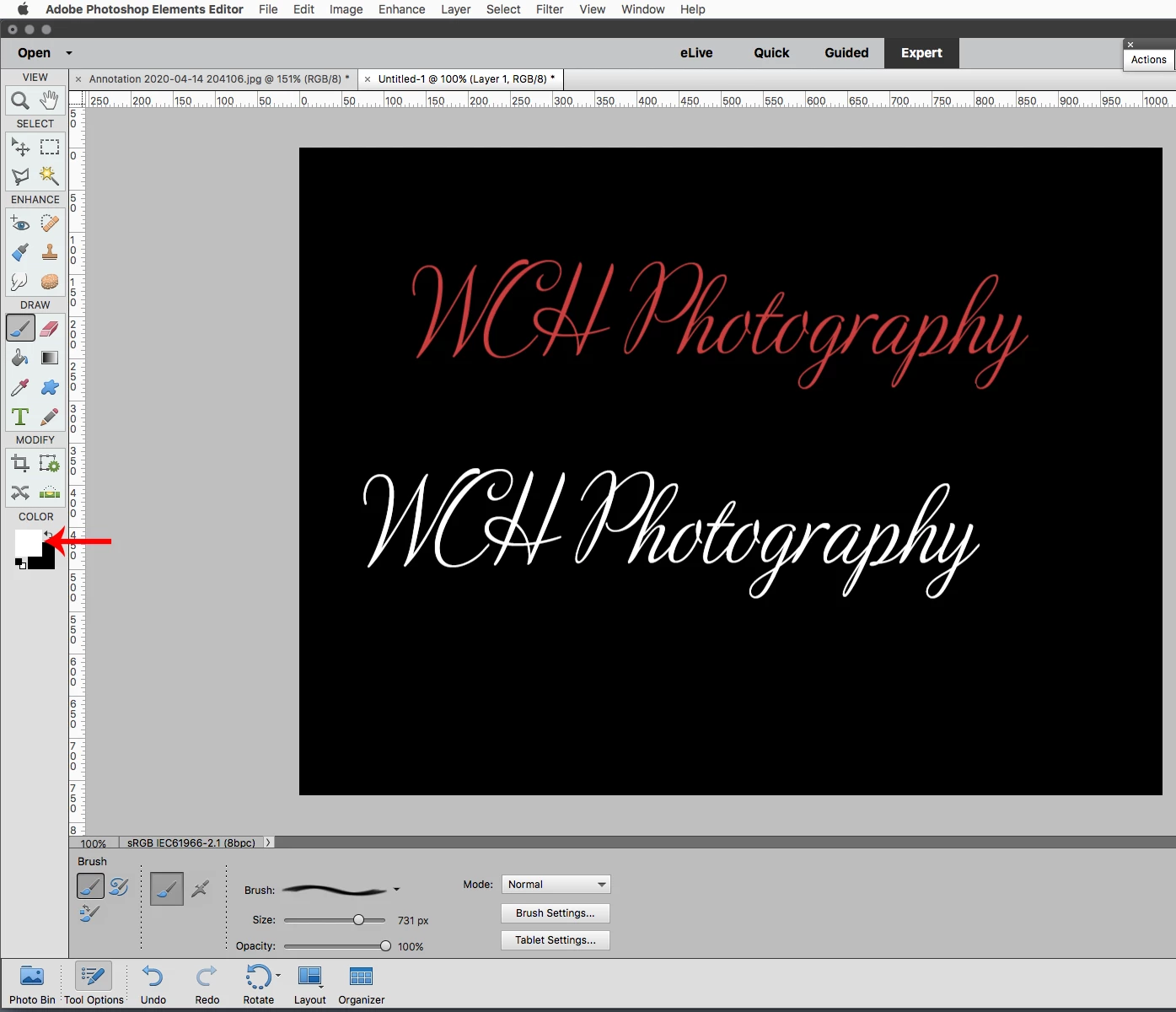
I am trying to define a brush that will be a watermark on dark background photos. It is white 18 pt text on a transparent background. I get the following error:
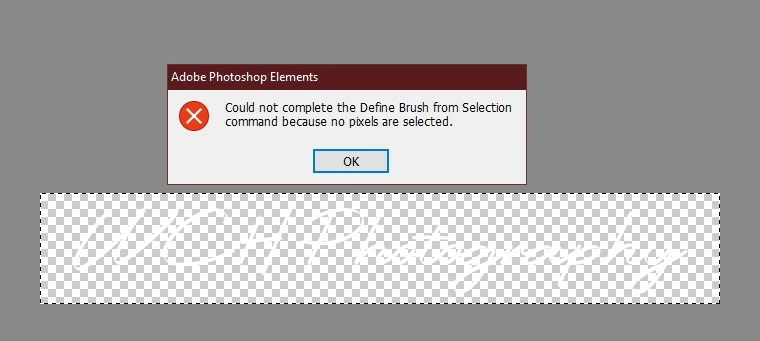
If I change the R,G,B color values to 254,254,254 instead of the default 255,255,255, the Define Brush command works perfectly.


Am I doing something wrong? Why won't it work with pure white color?
 

This topic has been closed for replies.
Correct answer Jeff Arola

When  making a brush to be saved as a preset you have to think in terms of the range Black 0, 0, 0 solid no

transparency to White 255,255,255 fully transparent.


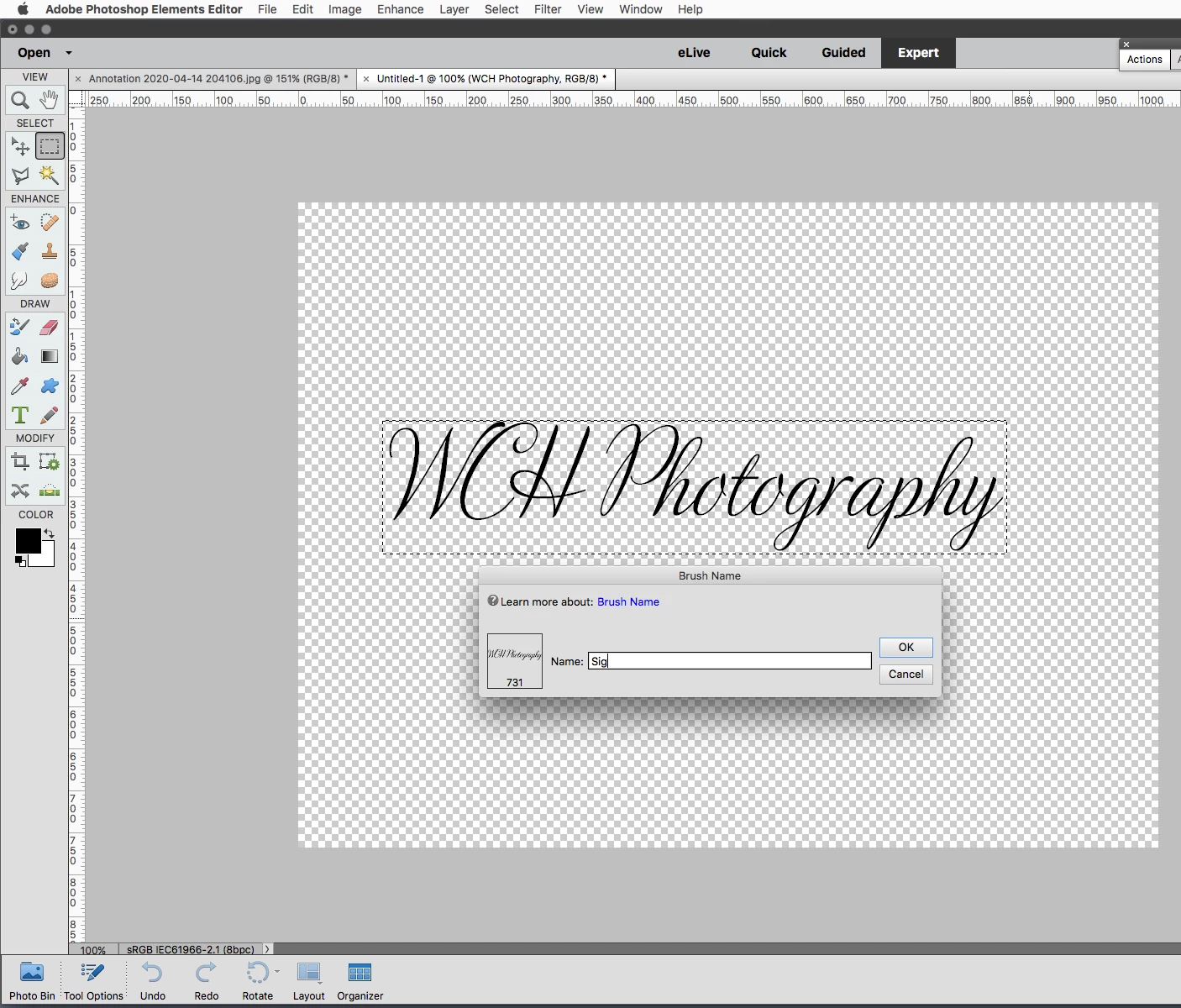
So what that means if you want your brush to be a solid color, make your logo Black 0,0,0, define the brush

preset, then you can use any color such as white to stamp your brush.


Sig/logo black when defined as brush preset


Change the Foreground Color Chip in the tool panel to any color you want your brush and stamp.


https://www.photoshopessentials.com/basics/photoshop-brushes/make-brushes/


4 replies

Jeff Arola
Community Expert
Jeff ArolaCommunity ExpertCorrect answer
Community Expert
April 15, 2020

When  making a brush to be saved as a preset you have to think in terms of the range Black 0, 0, 0 solid no

transparency to White 255,255,255 fully transparent.


So what that means if you want your brush to be a solid color, make your logo Black 0,0,0, define the brush

preset, then you can use any color such as white to stamp your brush.


Sig/logo black when defined as brush preset


Change the Foreground Color Chip in the tool panel to any color you want your brush and stamp.


https://www.photoshopessentials.com/basics/photoshop-brushes/make-brushes/


Walter_H
Walter_HAuthor
Legend
April 16, 2020

Hello Jeff,


Thanks for your tips on using watermark brushes. This looks like it will work for me. I'll give it a try.


I occasionally use a program called Photopolish to bulk add a watermark to lots of photos in a single operation. It lets me move, rotate, or re-size a watermark, but I can't change the color or opacity of the watermark. That's why I was trying to create a pure white watermark brush. I basically just wanted to create a PNG image file with a transparent background to use in Photopolish. But then I thought that as long as I'm in PSE why not also define a brush to use in PSE.


--Walter in Davie, FL
99jon
Legend
April 15, 2020

The sequence can be a bit tricky.

When the PNG file is open in expert mode Use:

File >> Define Brush

Choose a name and click OK

Select the brush tool and click the pull down list of brushes. Then click top-right in that dialog on the context menu (with horizontal lines) and choose Load Brushes.

You should see a message prompting to save changes. Click Yes and you should be taken to the system folder for saving brushes as .abr file.

Re-enter your brush/watermark name and click save.

In the next dialog select your saved abr file and click Load

That should add it to the list of brushes for future use. New brushes are usually found at the bottom of the list.


Walter_H
Walter_HAuthor
Legend
April 15, 2020

Hello 99jon,


I don't have a Define Brush option on my File menu in PSE 2020. There IS a Define Brush option on my Edit menu. But, when I load the PNG file and select the Edit>Define Brush... option I get the same exact error message!


Note: this error only pops up when I'm using pure white as the foreground text color.


--Walter in Davie, FL
99jon
Legend
April 15, 2020

Simply delete the selection Ctrl+D or crop to size. Then use File >> Save for web and save as PNG24 to preserve transparency.


Then use the PNG file to define brush.

Walter_H
Walter_HAuthor
Legend
April 15, 2020

Hello 99jon,


I used the File>Save As to save a PNG image file. Is that the same as using File>Save For Web>PNG24? Next, how do I use that PNG file to define a brush? I've tried opening the PNG file, but the Define Brush gives me the same exact error message.

Thanks,


--Walter in Davie, FL
Jeff Arola
Community Expert
Community Expert
April 15, 2020

Okay, in the world of photoshop brushes, specifically when making a custom brush (define a brush preset), Black 0,0,0 means 100% opaque (completely solid), while the further toward white one moves, the more transparent the brush gets until you reach White 255,255,255, which is fully transparent in the eyes of photoshop and defining a brush preset. So that's the reason for the cryptic error message since obviously a brush can not be fully transparent and one cannot select 100% transparent pixels.