
GillB838
Participant
February 18, 2026
質問

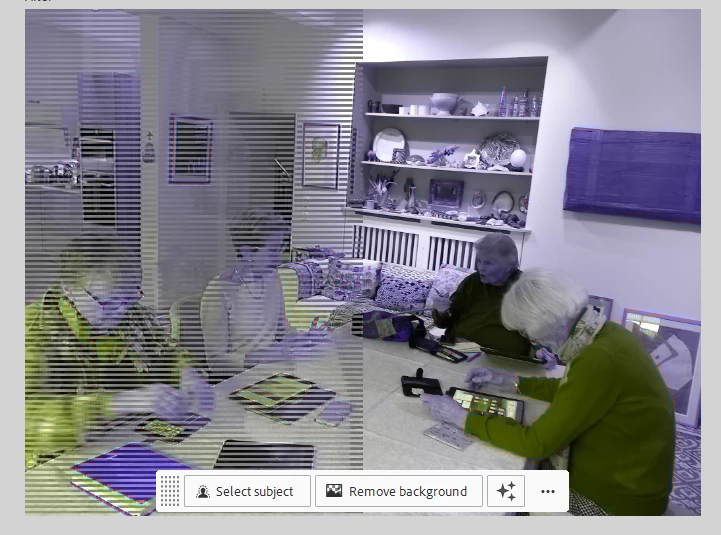
Every photo I put up has lines across the left hand side of the photo when put into the Photoshop elements editor. How do I get it to place as the original?

  • February 18, 2026
  • 返信数 2.
  • 52 ビュー


    返信数 2

    Peru Bob
    Community Expert
    Community Expert
    February 18, 2026

    Try updating or rolling back your graphics driver directly from the video card manufacturer’s site. If NVIDIA, do a clean installation of the latest Studio Driver (NOT the Game Driver).

    GillB838
    GillB838作成者
    Participant
    February 20, 2026

    Thanks for suggesting that.  I’m new to PSE and guess I just did something I shouldn’t have as it seems to be ok now!  Thank you for trying to help though and replying so promptly.

    GillB838
    GillB838作成者
    Participant
    February 18, 2026

    I’ve tried uninstalling Photoshop Elements and reinstalling but it doesn’t help.  It just seems to remember from the previous installation